Quantcast Go-USA: Learn USA Geography on the iPhone | iPhone in Canada Blog - Tips, Tricks, News, and Tutorials for Canadian iPhone Users

Go-USA: Learn USA Geography on the iPhone

by Gary on May 31st, 2008

**Win a FREE OtterBox Defender “Pink” iPhone Case! Post a Comment to Win!**

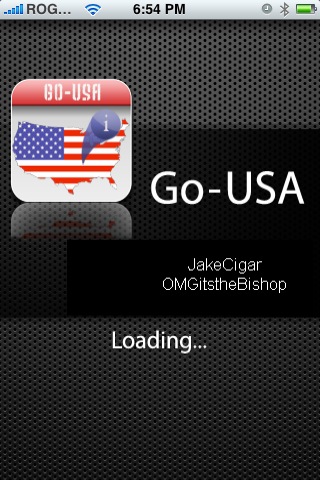
Can you name and locate all 50 U.S. States and their capital cities? Trying to study for that US Geography exam? Well, look no further because now you can on your iPhone! A new application called Go-USA is the perfect companion for any student who wants to master US Geography.

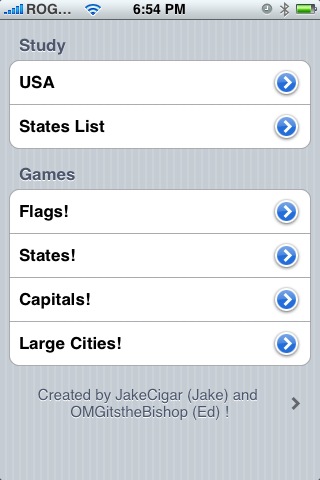
This program has everything you need to learn the US States, capital cities, flags, and more! There are games plus boatloads of facts about each state and city. Maybe now is the time to unleash your iPhone on your child to master US Geography!

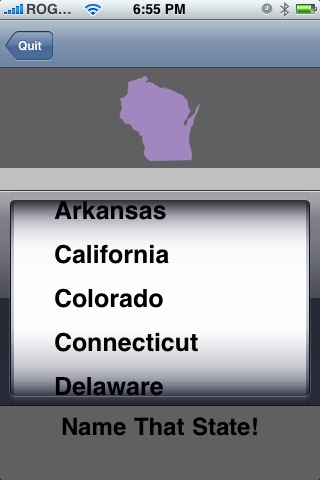
Some of the games like the one below forces you to identify which US State is pictured. I think it’s time for me to get down and dirty and master the US States! Can you identify which US State is the one below? Go-USA should be available in Installer. Let me know how it works out for you!

I think I heard that Miss Teen South Carolina is a big fan of this app…;-)

**Protect your new iPhone with the invisibleSHIELD! Lifetime warranty and moneyback guarantee–read my review!**

If you enjoyed this post, please subscribe to my RSS feed, so you won’t miss any updates! You can also subscribe via email and have daily updates sent to your Inbox! Want more? Find out what I’m doing right now! Follow me on Twitter!

**Looking for an iPhone 3G/3GS case? Get the invisibleSHIELD by ZAGG, the strongest protection for your iPhone backed by a 30 day moneyback guarantee, lifetime replacement warranty, and FREE shipping! Use coupon code 'iphoneinca' for 20% off your purchase! Order today!**

Don't forget to follow iPhone Fan and X1Zero on twitter!

Posted under: 3rd Party Applications, Reviews

No related posts
Sign up for my iPhone in Canada newsletter and get access to the latest tips, tricks, and news that others won't!

Comments to “Go-USA: Learn USA Geography on the iPhone”

  1. Justin says:

    Installed it to see and would like to uninstall it. But for some reason, it does not show up as an item in the Uninstall tab with the rest. Please help.

  2. Justin says:

    Any way to get rid of it from my iPhone? After installation, I couldn’t find it in the Uninstall list to uninstall!

  3. iPhone Fan says:

    Hmm…that’s a weird one. I would say try posting this in the iPhoneinCanada.ca forums? I am sure someone else out there is having the same problem!

  4. Tabitha Moon says:

    karlp8cpy8cgneh6

  5. Jeff says:

    I am trying to find the Go-usa app and I don’t find it even after putting Installer on the phone. Any tip ?

Leave a Reply

Sign up for my iPhone in Canada newsletter and get access to the latest tips, tricks, and news that others won't!
  • Not Your Average iPhone Book
Blogroll

BackBeat Media