
OnePlus Watch 3 Now Available in Canada for $449
OnePlus Watch 3 is officially available in Canada for $449 and comes with an improved battery life.
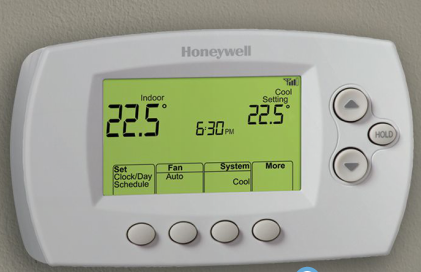
If you don’t want to shell out the big bucks for the beautifully designed Nest thermostat (read our install tutorial here), you could try the Honeywell Wi-Fi thermostat which is currently on sale at Costco retail locations for $99.97 (it’s $119.99 on Costco.ca with free shipping). It comes with the following features:
- Wi-Fi enabled 7-day programming
- High / low temperature alerts via email or phone
- View local weather forecasts via the Honeywell app
- Separate programming for day of the week with 4 settings per day
- Program is protected in memory from power outages
- Precise temperature control of +/- 1° F
- Reminders for changing batteries and air filters
- Backlit display
- Automatic firmware updates
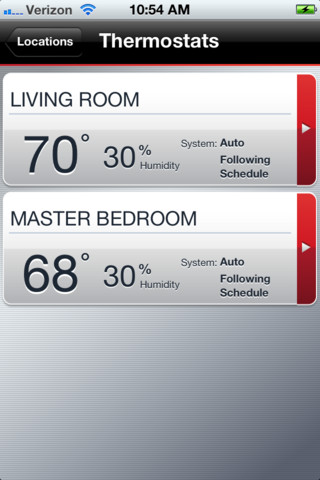
The Honeywell can be controlled over Wi-Fi using the free Honeywell Total Connect Comfort iPhone/iPad app, which according to reviews in iTunes works quite well to control thermostat.
According to those who have installed this thermostat it does require a “C” wire to run this unit. Anyone own one of these Honeywell Wi-Fi thermostats? Let us know how it goes if you pick one up!
[via RFD]
Want to see more of our stories on Google?

P.S. Want to keep this site truly independent? Support us by buying us a beer, treating us to a coffee, or shopping through Amazon here. Links in this post are affiliate links, so we earn a tiny commission at no charge to you. Thanks for supporting independent Canadian media!


No I have the Nest which works extremely well. Would be nice to have a similar unit that controls lights i.e. lampshades etc.
LIFX.
why are most thermostats out there look so ugly? Nest excluded 🙂
The lack of design means it’s a lot cheaper
Nothing beats the NEST Thermostat
I don’t like the “learning” nature of the NEST – our house is so unpredictable (2 teens and 2 busy adults) that it would never be able to truly learn our habits – half the time the house would be heated/cooled when we’re not here, and there’d be times when we ARE unexpectedly here and it would have to play catch up when it realizes we are home unexpectedly.
You don’t need to use the learn mode at all.
You can set the programming for the most predictable routine, then turn on “Auto-Away”. Nest would turn down the heat/AC when it detects that you are away.
And you can also control it from you iPhone, and turn up the heat/AC BEFORE you return “unexpectedly”.
Dammit, this thermostat was unavailable in Canada as of just a month or two back, and now that I went another route for a web-controlled thermostat (the Ontario Peaksaver program), suddenly it pops up on this side of the border.
Hate it when that happens, eh!
I may get the Peaksaver thermostat removed now and go this route. The Peaksaver was free and it DID allow me to get web controllability, but it’s very limited (only a 1-way interface, so commands can be sent to the thermostat but you receive no data/feedback in return), and the web interface is clunky at best – no mobile app, either.
What the heck is a “C” wire?
Some digital thermostats are able to power themselves off of batteries (blah) or to utilize the wires which run the heating/cooling circuits, but most modern digital thermostats need a dedicated power return common or ‘C’ wire (along with the standard 24V wire) to power up. Think of it like the neutral wire in 120V circuits.