Quantcast Jailbreak Your iPhone on 3.1.2, Blackra1n Released for Windows! | iPhone in Canada Blog - Tips, Tricks, News, and Tutorials for Canadian iPhone Users

Jailbreak Your iPhone on 3.1.2, Blackra1n Released for Windows!

by RoryPiper on October 11th, 2009

In this vast land of the kingdom of iPhone, there are many who feel that the stock firmware and settings of the iPhone, just aren’t enough. Thus, the “Jailbreak” was created. This gives you access to the root folders and files of the iPhone allowing for complete customization and installation of 3rd party applications.

George Hotz (aka: geohot), the original iPhone unlocker, has released a new tool called Blackra1n, that will jailbreak all Apple “touch” devices, on firmware 3.1.2. It works similar to redsn0w, but uses a different exploit than the iPhone Dev Team have used. It is said to be very fast, with no restore needed. So far, the software is only available for Windows, but a Mac version is on the way.

IMPORTANT: If you rely on having your iPhone unlocked, DO NOT USE THIS TOOL. For this tool, you must upgrade your OS, via iTunes, which in turn, upgrades your baseband. The current baseband cannot be unlocked. If you need to have your iPhone unlocked, you’ll have to wait for the iPhone Dev Team to release an update to Pwnage Tool, to jailbreak 3.1.2, to create a custom firmware that preserves the unlockable baseband.

Here’s my experience with Blackra1n:

First, I went to the Blackra1n website, and clicked the Windows logo to download Blackra1n. (OS X logo will be there, as well, once a Mac version is released). I connected my iPhone 3G to iTunes, and restored it to 3.1.2. After that was all finished, I fired up Blackra1n:
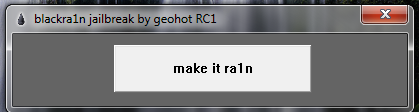
Capture2

I click “Make it rain”. My iPhone 3G then is put into recovery mode, and Blackra1n says it is “Running”.
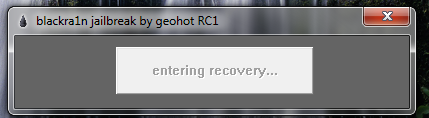
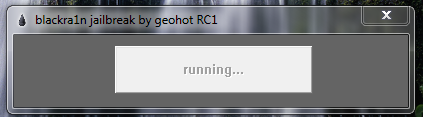
Capture3

Capture4

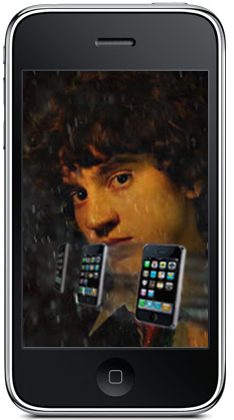
Now, what is supposed to happen is, you see the Blackra1n logo pop up on your iPhone, while the ramdisk is delivered, and the iPhone is jailbroken. The iPhone will then restart, and you get a success message.
geoiphone

Capture5

Capture6

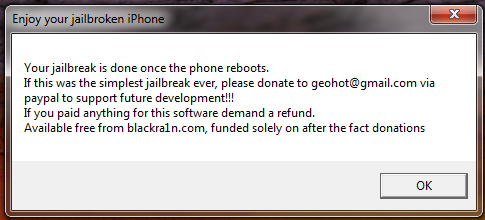
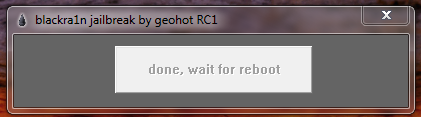
Although there have been many success stories out there, in my case, it was not as easy as advertised. I couldn’t get it to work, at first. I tried with iTunes open, and iTunes closed. I tried quitting all iTunes processes. I tried the quick unplug/re-plug trick, and I’d get the “Done, wait for reboot”, and the “Enjoy your jailbreak”, but my iPhone wasn’t actually jailbroken. In my case, Blackrain just hung at “Running”, and I never got to see George’s face pop up on my iPhone. What finally worked for me was, quitting the iPod Service; Start Task Manager, click the Services tab, click Services button on bottom right, right lick on iPod Service, then click “Stop”. After that, it worked right away, and really does take less then 30 seconds. This is indeed the fastest jailbreak ever.

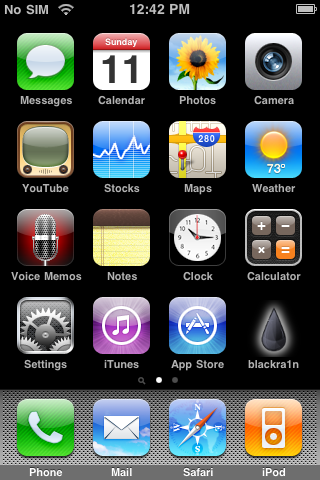
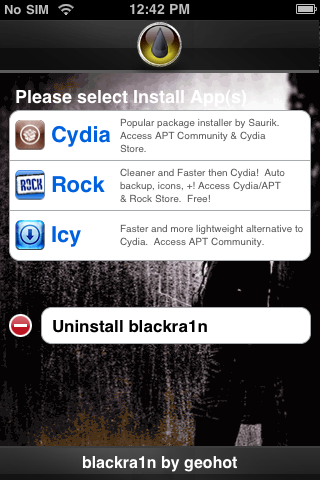
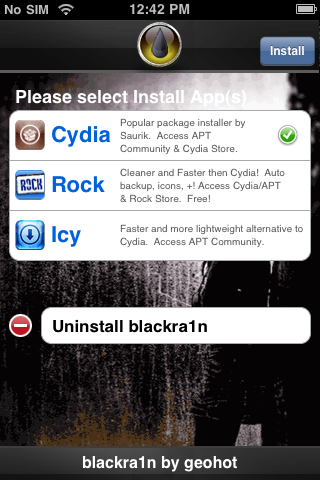
If it works for you, you will get the Blackra1n app on your iPhone. you use this to install Cydia, Icy, and/or Rock. Open up the Blackra1n app, by tapping the icon on your homescreen (Note: when Blackra1n is intalled, it will probably be on your second page):
IMG_0003 IMG_0004

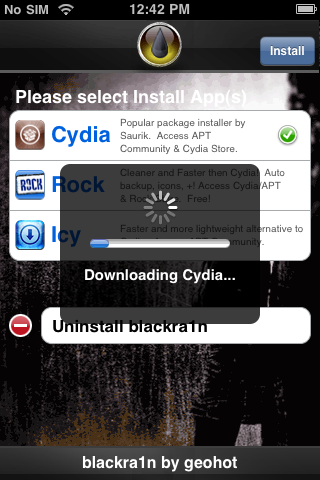
Select which 3rd party installer you want to use. In my case I’m just sticking with Cydia. Then tap Install, in the upper right.
IMG_0005 IMG_0006

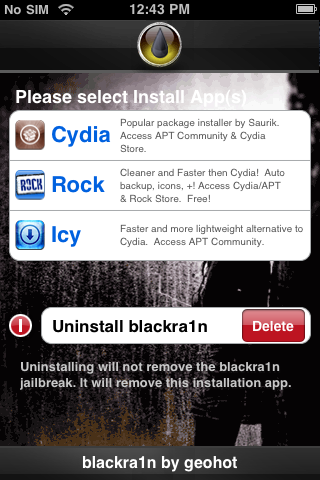
Once you’ve installed your 3rd party installers of choice, you can then delete the Blackra1n app. Just tap the edit icon, next to “Uninstall Blackra1n”, and select “Delete”.
IMG_0008

We’re done! You can now open Cydia and start installing all your favourite themes and 3rd party apps. Since this jailbreak is still new, we’re not sure if all apps and themes are working. We’ve heard some reports that Winterboard is not working for some people. In my case Winterboard is working fine. As with any jailbreak, you do this at your own risk. We cannot be held responsible for any damage that may occur.

Thanks for reading. If you want, you can read more iPhone tips and tricks at my blog, Green Candy. You can also follow me on Twitter, @rorypiper.


**Looking for an iPhone 3G/3GS case? Get the invisibleSHIELD by ZAGG, the strongest protection for your iPhone backed by a 30 day moneyback guarantee, lifetime replacement warranty, and FREE shipping! Use coupon code 'iphoneinca' for 20% off your purchase! Order today!**

Don't forget to follow iPhone Fan on twitter!

Posted under: Jailbreak, iPhone 3G, iPhone 3GS, iPhone News

No related posts
Sign up for my iPhone in Canada newsletter and get access to the latest tips, tricks, and news that others won't!
  • Dave
    after jailbroken and unlock the iphone 3gs with 3.12 firmware, reboot the iphone and connected to itune. I get this message "itunes has detected an iphone in recovery mode. you must restore this iphone before it can be used with itunes." I need to restore the firmware over and jailbroken and unlock again. how can I fix this issue?
  • Just restore and repeat the JB process.
  • Turner
    mine didnt work.. it never rebooted it just took me back to the main screen and wen i restarted it, it still didnt have the black rain drop.. i followed the steps repeaditly..
  • Daniel Mansour
    i dont understand why it wont work! everything works fine but after it reboots it still shows the same "connect to itunes" display. please help me!
  • Daniel Mansour
    i dont understand why it wont work for me. everything runs fine, i see his face with the iphones flying around him but when my phone reboots it goes back to the same "connect to itunes" display? :(
  • brad002
    Im trying to do it on my iPhone 3G and I cant get it to work. It just keeps saying “Done, wait for reboot”, and the “Enjoy your jailbreak” and I have yet to see George’s face pop up on my iPhone. Whats going on?
  • m8ttm8n
    i have tried many times to run blackra1n and it gets stuck on running .... taking alot longer than 30 sec.
  • adam
    I have tried to jailbreak my device many times using all the options mentioned here and on other sites.
    It is a locked 16Gb iPhone with a mb model number
    I am running windows 7 ultimate in an admin account running blackra1n as an admin as well all 3rd party services were stopped. and still hangs on running.
    Even downloaded the custom restore from the torrent sites and that will not install either.
    any help would be apprieciated.
  • bun
    I tried for like 2 days but blackra1n still didn't work for me...until I found this process from a forum....jb my 3G 3.1.2 updated bb first time I tried it....
    Open Itunes, connect Iphone, end "Ituneshelper.exe" process via Task Manager if it's running, press the Eject button in Itunes to eject your iphone but do not disconnect your iphone, now run blackra1n. If you're in Vista or Windows 7, don't forget to right-click, Run as Administrator.
  • Excelent work George, I'm for ever in ur debt. Easy as they say to do
  • Curtis
    This is the second time that George Hotz has waisted my time. I'm now in the process of restoring my phone from recovery mode yet again!!!!! I have no idea what i'm doing wrong as I have tried all the aforementioned. I'm running Windows XP Home addition version 2002. My task manager does not have the same options as previously described so I have no solution. Can anyone walk me through step by step how to get this to work???
  • rorypiper
    What device are you trying to jailbreak? Geohot has said that any iPod Touch 2g/3g with model # beginning with MC won't work. Also, the iPhone 3G is kinda flakey. You gotta be patient with it. Make sure you are running blackra1n while in administrator mode. It took me a few tries.
  • JrockKira
    hi rorypiper

    i have a model: MC iphone 3gs. I know there is no jailbreak for model MC iphones but is there going to be jailbreak for them in the future? please reply

    Thanks
  • rorypiper
    The "MC" only applies to iPod Touch. My 3GS is a MC one, and Blackra1n worked fine on Windows and Mac. The 3G has been having issues with blackra1n, but this shouldn't aply to you.

    If you have access to a Mac, I would suggest using the newest Pwnage Tool from the Dev Team. You have a lot more control of your jailbreak. Just search this blog, for more info.
  • Great for them hurray!!!
  • HaZdawg
    does this work for ipod touch 2 gen?
  • Guest
    Read comment above ^ ;)
  • andrewboarder
    I used this to jailbreak both an ipod touch 2g and my iphone 3g perfectly!
  • ddayf50
    When I try using Blackrain, everything goes according to plan untill I reach the "running" stage of the jailbreak. It seems to freeze on that part and on my iTunes it "iTunes has detected an iPhone in recovery mode, You must restore this iPhone in order to use it.." What must I do now?
  • codeblue009
    took about 4 times had to re boot from the plug into itune screen (hold home + power for a few seconds)..works awsome btw...best jailbreak ever.
  • rorypiper
    It took me a few times to get it to work. I was using Windows 7, on a MacBook. I had to quit all Apple processes and services, except for ApplicationSupport. It was, eventually, the iPod Service being stopped, that allowed me to jailbreak.
  • david
    Open Itunes, connect Iphone, end "Ituneshelper.exe" process via Task Manager if it's running, press the Eject button in Itunes to eject your iphone but do not disconnect your iphone, now run blackra1n. If you're in Vista or Windows 7, don't forget to right-click, Run as Administrator.

    Read this somewhere, and it worked for me after spending hours trying 329873983 things to get futher then "running".

    I'm on XP.
  • roadcarver
    Thanks, this did the trick for me. I had the similar issue that RoryPiper experienced.
  • Guest
    Great post as always from ya Rorypiper! Nice detailed.

    Need help with Blackra1n? Head on over to the forums to discuss... http://www.iphoneincanada.ca/forums/showthread....
  • ibirdie
    It's worked perfectly for me.
    I did a restore to 3.1 (official version) and jailbreaked successfully on the one first try.
    Jailbreaked within 4 minutes.
  • lecutos
    Now we just need a unlock for iPhone 3gs with OTB fw 3.1. Or at least a way to downgrade the baseband.
  • Guess Im screwed ... While trying an update on my own the other night ... ive managed to mess things up ,,,royally ..
    Im now legit at 3.12 sux to be me
  • Guest
    What iPhone model? Blackra1n should work for ya... You just cannot unlock your iPhone though as the BB was updated.

    *blackra1n is a 30 second ALL device 3.1.2 jailbreak.*
    *Warning 3g and 3gs unlockers, do not upgrade to 3.1.2 using iTunes if you want to keep your unlock.*
  • Haxsn
    Does anybody know why Diskaid is telling me my iphone 3gs isn't jailbroken after using this? :(
  • rorypiper
    A fix for this has been released in Cydia. Open Cydia and search for "afc2add". DiskAid works, after I installed this.
  • rorypiper
    Yeah, I just noticed that, too. OpenSSH working fine, but not DiskAid. Curious...
  • rorypiper
    Apparently, new Pwnage Tool doesn't have this issue. You'll have to restore again, but DiskAid will work.
  • Prailor
    Im interested on seeing how this work, new way of jailbreaking, hope it doesnt start screwing other apps up
blog comments powered by Disqus
Sign up for my iPhone in Canada newsletter and get access to the latest tips, tricks, and news that others won't!
  • Get the best iPhone cases at OtterBox.com!
Blogroll

BackBeat Media