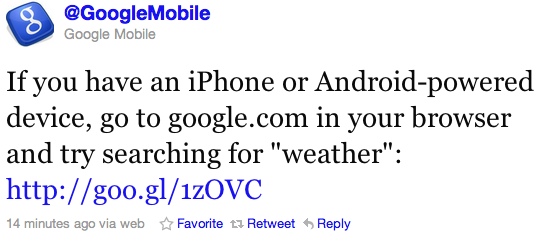
Earlier today Google announced Cloud Print Beta to print wirelessly from your iPhone for the US. Canadians, as always were shut out from the fun. But not with this next story. Google has just introduced interactive weather results on the iPhone when you search for the term “weather” on Google.com.
We’d been wanting to build a fun, useful, app-like way to display weather information on our search results pages in the mobile browser. So we pulled together a user experience designer and team of engineers and built a new weather search results snippet that lets you actually play with the results. To try it out, just go to google.com on your iPhone or Android-powered device and search for ‘weather’.
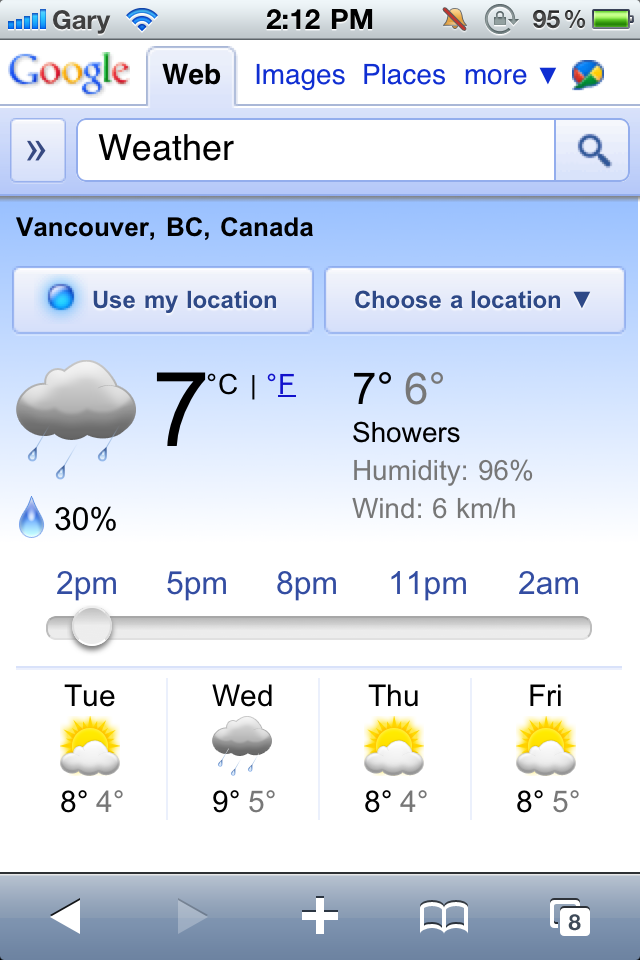
At first glance, you’ll see content that we’d previously shown you before: current conditions and a forecast for the next few days. But by moving the slider over the next 12 hours, you can now see a detailed hour-by-hour breakdown of the changing weather conditions. As you do this, keep an eye on the temperature, wind speed and humidity and see how all these conditions are expected to trend across the day. You may also notice that the background color changes throughout the day. Of course, as you scroll further down you’ll see our regular web search results for your query.

I just tested this out and it works exactly as advertised. There’s an interactive slider that you can move left to right, that extends the forecast over the next 12 hours. As you slide later into the evening the background colour darkens to simulate evening. Cool.
Give it a try. Just hit up Google.com and search for “weather”. You will most likely need to redirect from Google.ca to Google.com. Scroll down to the bottom of Google.ca and click on “Go to Google.com”.
[Google Mobile Blog]




Keeps re directing to google.ca
No interactive weather on google.ca that’s for sure!
Make sure you click on Go to Google.com at the bottom of Google.ca. It should work after that.
Very nice but still nothing like WeatherEye!
type in google.com/ncr for ‘No Country Redirect’
The weather network is the top result
great find! by the way the mobile cloud print DOES work in Canada….hats off to google marketing for completely ticking the majority of canadians who didnt try it off 😛
Not working on iPhones in Canada
Apple should replace the crappy default weather app with this.
For the folks having trouble… Step by step
1. Type in google.com in the address bat
2. Once there scroll ALL THE WAY to the bottom and click google.com
3. Now search weather
4. You will now see a blue icon “use your location”. Click that and you will see the weather for wherever you are at that moment and other weather info.
*To make it a really useful weather option. Bookmark that page you are on and add it to the home screen for easy access and to by-pass the annoying step of getting redirected to google.ca