How often do you use Google Maps on your iPhone? It’s one of my most used applications for finding directions and locating phone numbers of businesses etc. One of the features I’ve been waiting to try out was “Live Traffic”. The USA has had this feature for the longest time but it now looks like it’s working in Canada!
Live Traffic in Google Maps Now Works for iPhones in Canada
You can enable the Live Traffic feature in Google Maps by doing the following…
1. Launch Google Maps
2. Click on the ‘flip page’ icon in the bottom right. Click “Show Traffic”.
3. Voila! Now zoom in or out based on your location and you will see live traffic updates.
Google Maps Bonus Tip: Tap the screen with two fingers to zoom out.
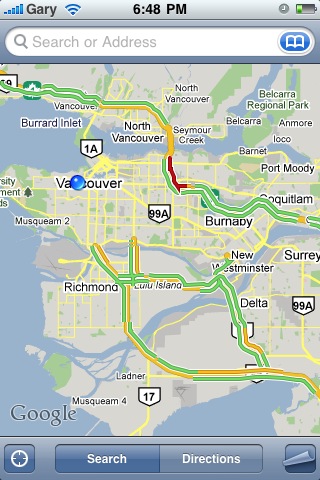
If you haven’t figured it out by now, red means congestion, yellow/amber means partial congestion, and green equates to all clear. I wonder how well it works…time to test it out! Who wants to drive to a “red” zone and let us know how accurate this is?
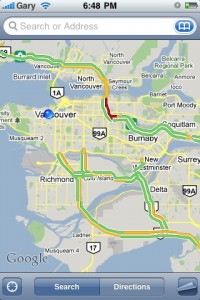
Live Traffic is working here in Vancouver and thanks to the power of twitter, I received confirmations from the following cities: Ottawa, Edmonton, Toronto, Montreal, and more. It’s only going to be a matter of time before Street View in Canada goes “live”. Thanks Google!



Sweet sweet
I've been using Inrix Traffic for traffic and it works really well for Toronto (and anywhere I'm assuming). Same idea as this but with traffic forecasts, accident/construction reports on the map itself, and best of all its FREE! Don't think I will be switching anytime soon despite being a huge google whore.
Appears to be working in Calgary too.
So far I've only seen a red spot in Edmonton. I think on weekdays places in BC should be red too though.
> I've been using Inrix Traffic for traffic and it works really well
> Don't think I will be switching anytime soon despite being a huge google addict.
One reason you may want to look at Google is the inclusion of some non-highway major roads. If you zoom in, Google would show you traffic flow for Yonge, Bloor/Danforth, Lakeshore, Hwy 7 etc!
Very impressed!
Works in Calgary too!!
Works in quebec city too!
Doesn't work in Halifax.
I'm surprised this works on the small streets and not just on the highways. Does anyone know how they manage to monitor the small street traffic? Do they have a camera with some guy looking at the traffic and determining if it's busy? That's a lot of streets …
Works pretty good. I drove to a red area yesterday afternoon in Montreal. Upon entering the “red” zone, I said to myself “That thing doesn't work” as I wasn't seeing any sign of slow downs, but a few hundred meters later… traffic had slowed down to a crawl! So the red zone began a little too soon on the phone, but the status was pretty accurate. I am impressed. They say it works by calculating other cellphone user's speed. Nice.
Here is how it works: http://googleblog.blogspot.com/2009/08/bright-s…
I've been using it in various parts of Vancouver. I sometimes get the message that no traffic data is available. It seems unusual when I see this message in Vancouver, but not in Burnaby (just to the east). I would figure it would be the other way around.
My general concern is not the main highway, but the roads that lead up to them. If the main highway is busy, there is usually no better alternate route anyway. However, I find that there are many routes that let you get onto the highway and knowing which one of those is busy is more important. I guess it is easier getting data for the bigger roads since more people travel on them than the smaller roads leading onto the main highways.
I've been using it in various parts of Vancouver. I sometimes get the message that no traffic data is available. It seems unusual when I see this message in Vancouver, but not in Burnaby (just to the east). I would figure it would be the other way around.
My general concern is not the main highway, but the roads that lead up to them. If the main highway is busy, there is usually no better alternate route anyway. However, I find that there are many routes that let you get onto the highway and knowing which one of those is busy is more important. I guess it is easier getting data for the bigger roads since more people travel on them than the smaller roads leading onto the main highways.
Thanks man keep it up
http://newinapple.com/