
Apple’s AirPort Utility App is Being Removed From the App Store
Apple warns that "functionality is not guaranteed" when using AirPort Utility on iOS 27 or later.
Update Hider for iOS 5 is a new, completely re-written Cydia tweak by Will Homer (@WillFour20). Unlike the old Update Hider, this one has been designed specifically for iOS 5 and allows you to easily hide App Store updates, also removing their annoying badges. You can also make the hidden updates appear again as easily.
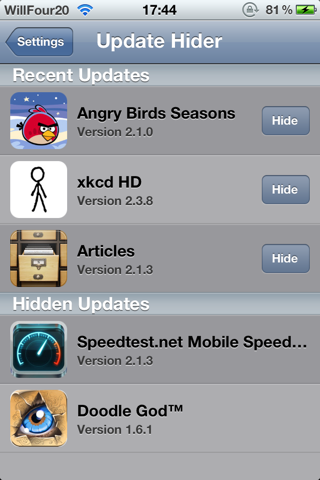
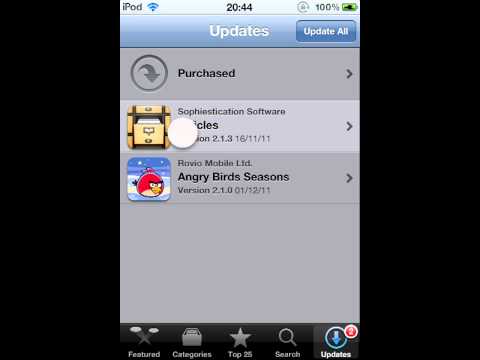
Once you download and install the tweak on your jailbroken iOS 5 device, a new settings pane appears in your Settings app. All you do is press the hide button in the settings application and open up the App Store again to load the updates tab. You’ll see that the app update has disappeared along with the alert badge.
Update Hider for iOS 5 is available for free in Cydia via the BigBoss repo. Take a look at following video demo (via modmyi):
Want to see more of our stories on Google?

P.S. Want to keep this site truly independent? Support us by buying us a beer, treating us to a coffee, or shopping through Amazon here. Links in this post are affiliate links, so we earn a tiny commission at no charge to you. Thanks for supporting independent Canadian media!


Not working for iOS 6. Needs an update.
confirmed the above statement
when this update hider will work on ios 6?
or any solutions to hide app updates?