
Apple VP Sumbul Desai Talks Overhauling the Health App [VIDEO]
Apple Health VP talks how Apple is overhauling the Health app and Apple Watch tracking to offer AI insights and fix user tracking flaws.
Microsoft has today announced the launch of OWA for iPhone and OWA for iPad, the two native Outlook Web App clients for iOS devices. While both apps are available as a free download in the App Store, users need an Office 365 subscription that includes Exchange Online to make use of the free new apps.
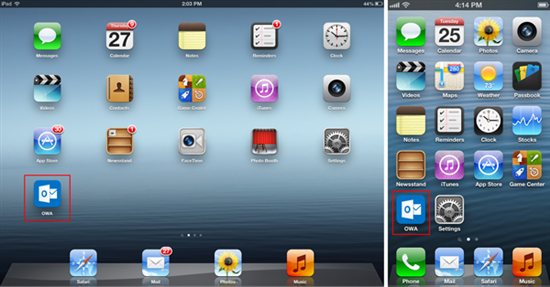
With Outlook Web App (OWA) clients, iPhone and iPad users get to access email, calendar and contact functionality, pretty much the same way the Outlook web app works in the browser. Additionally, the native versions provide certain capabilities that are only possible through native integration of the app with iOS devices. Last month, Microsoft introduced an Office Mobile for iPhone suite which also requires an Office 365 subscription.
“Windows Phone 8 comes with a top-notch native email client in Outlook Mobile, and we offer Exchange ActiveSync (EAS), which is the de-facto industry standard for accessing Exchange email on mobile devices. In order to better support many of our customers who use their iPhones and iPads for work, we are introducing OWA for iPhone and OWA for iPad, which bring a native Outlook Web App experience to iOS devices!
A subscription to Office 365 that includes the latest update of Exchange Online is required to use the app.1 If you aren’t already an Office 365 subscriber, you can visit www.office.com to learn more and sign up.”
Below are the App Store links for Microsoft’s OWA clients:
Want to see more of our stories on Google?

P.S. Want to keep this site truly independent? Support us by buying us a beer, treating us to a coffee, or shopping through Amazon here. Links in this post are affiliate links, so we earn a tiny commission at no charge to you. Thanks for supporting independent Canadian media!


Another useless app for most of us unless you plan to pay $100 a year.
yeap I agree: that’s 100$ for the app… per year! Congrats Microsoft!
Definitely not for everyone. But this will help iPhone in enterprise where companies are using Exchange online. The app looks like the web version, but is sized to fit the screen. Seems a bit sluggish on my 4S, but maybe that was because it was syncing my mail after the install. Verdict so far: prettier than the standard Mail app, but I’m not convinced it’s more functional. Type is huge so you see fewer emails listed on the screen. I’ll try it out for a week and see.