
How To Listen to Past Beats 1 Show Playlists

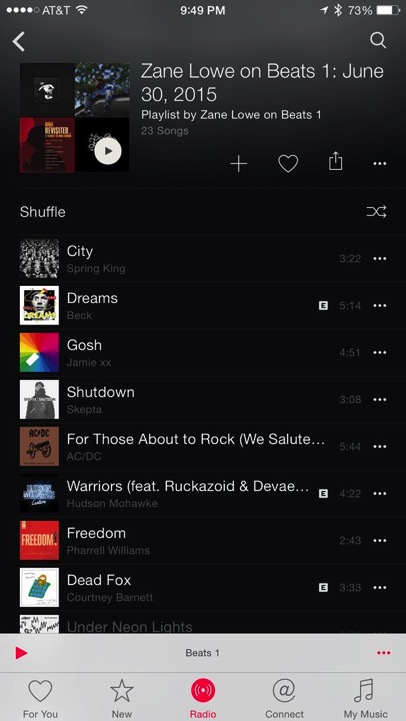
A handy Beats 1 radio streaming tip shared today by CultOfMac lets you catch up on any Beats 1 show you may have missed or would like to listen to again. It seems that Apple has included a neat feature in the Apple Music app, that gives you the ability to easily access the playlist of past Beats 1 shows.

Beats4

Here’s what you need to:

Step 1:

Open up the Apple Music app and instead of tapping on the “Listen Now” button, tap the Beats 1 banner.

Step 2:

Now select the show you want to catch up on.

Step 3:

When you tap the show you want to listen, you will see a list of episodes which you can access.

Step 4:

Simply tap the episode and select the track you want to listen again from the playlist.

That’s it. Enjoy!

Want to see more of our stories on Google?

Add iPhone in Canada as a Preferred Source on Google

P.S. Want to keep this site truly independent? Support us by buying us a beer, treating us to a coffee, or shopping through Amazon here. Links in this post are affiliate links, so we earn a tiny commission at no charge to you. Thanks for supporting independent Canadian media!

Subscribe
Notify of
guest
0 Comments
Oldest
Newest Most Voted
0
Would love your thoughts, please comment.x
()
x