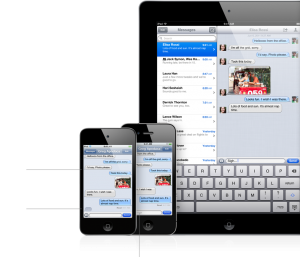
With the release of iOS 5 in October, iMessage enabled all iOS devices to communicate with each other. Moreover, it allowed all users on iOS 5 to send texts and pictures to each other for free (data required).
I can’t emphasize how incredible iMessage is when you’re traveling outside of Canada. Sending messages back home to friends and family is simple as iMessage knows automatically which recipients are on iOS 5 (not getting dinged for international texting is glorious).
Just how exactly does iMessage determine if recipients are on iOS 5? A post at Ask Different explains it, along with how iMessage is smart enough to know where messages originated from and which one to reply to:
To expand on alexmuller’s answer it uses the Device Id to determine if another device is running iOS 5. This is done during registration, or when iMessage is configured under phone settings. Effectively the Device Id and Apple Id’s/Mobile numbers are stored on the Apple Servers.
It checks the Apple servers to determine if a number or email address is registered as an Apple ID and using iOS 5. It will then send the message via the Apple Servers first. It also uses text fallback, so if the other user is not using an iOS device, or iMessage is unavailable or down, or your data connection is down, it will send the message as a text. Text fallback can however be disabled. This does not affect normal texting.
On the phone itself iMessages are identified via a blue background, and can show Delivered/Read for each message. SMS to the same person is still shown in a green background.
It also uses the Device Id to determine which device to reply to. I have my email address and phone number configured on my iPhone and on my iPad only my email address.
In Example
- I send a message to my wife’s iPad using her email address from my iPhone, she receives it on the iPad, and the reply is sent back to my iPhone.
- I send a message via my iPad to her email address, the reply is sent back to my iPad, and not my iPhone.
- She sends a message to my iPhone using my mobile number from the iPad, it comes to my iPhone and bypasses the iPad completely and the reply goes back to her iPad.
If you have more than one iOS device, iMessage extends your ability to communicate with others in a seamless way. How often do you use iMessage on your iPad or iPod touch?
[Ask Different via daring fireball]



Hardly ever use it on my iPad since it doesn’t let me use my phone number as my ID for iMessage, meanwhile my iPhone lets me. If there is a way they could do this in a future update, I would use my iPad way more for messaging.
Why not setup iMessage to receive messages on email+number on iPhone, and email for iPad? That should work as both iPhone and iPad will receive messages to the email designated on both devices.
I have it setup with my email address, but it’s just that basically all of my contacts iMessage me at my phone number, and not my email address.
I find quite often it will appear as “delivered” however the intended recep will not have received it. It will then a few minutes later resend via text. Fairly annoying.
I zee the same issue occuring on data networks when being abroad; often iMessage defaults back to SMS when sending to another iOS 5 user resulting in unintended and unwanted international SMS charges. I am now back to WharsApp due to that, as I find that a not desired behavior.
You can disable text fallback. If you want to 100% ensure you never get dinged for an international text when trying to rely on iMessage when abroad, simply disable the fallback option – problem solved.
for me I send it and the recep sometimes doesn’t get it for up to an hr +
This could be the fault of the recipient. At least it tries. And that’s how it was designed. In the end your are trying to send the same message.
Yes, I find that the one downside to iMessage is that my wife and I can be sitting in the same room, me on my iPhone and she on her iPad, and the iMessage I sent to her doesn’t arrive for 30 minutes or longer.
Mike, being in the same room has nothing to do with the speed with which the text message will be sent or received.
I realize that. My point was more to the effect that iMessage is very inconsistent in terms of the speed at which it delivers messages. Sometimes they’re instantaneous, sometimes they’re not, and sometimes there’s a really long delay. Whereas, unless Telus has a major outage, 99.999999% of the time, my SMS messages go through basically instantaneously.
Hahaha MikeJenkinson, love the fact that you sit in the same room as your wife and send her messages instead of talking!
We usually do that only when we don’t want our teenage daughters to know what we’re talking about. 🙂
it’s needs a damn friends list
Yeah it’s called contacts.
Actually some of the information here is misleading. Which bothers me because this is how people dislike features and frustrate people who encourage those features.
Any iOS device can use an e-mail for FaceTime/iMessage. Once registered on Apple’s network the Device UUID is registered to “Ring” when contacted. iPhone is the exception because it has a phone number. Examples:
My iPad has three e-mails to it.
Apple ID
Home
Work
My iPhone has
….those same emails. When someone sends to any of those it comes to all my devices. If they only send to my Phone Number then just my phone. I can also specify that my iPhone send ass email so all replies go to all devices.
The ability to use iMessage to bypass international texting charges may be its best feature (assuming you have access to a wifi hotspot in the US).
(And in my case, particularly so, given that this summer Telus killed my plan’s “free texting in US and Canada” feature and started charging me for text messages sent from the US)
Yeah the international txting is great when on wifi. I was heading back to Canada when I went to Mexico and tried using Skype. The server blocked it so I was able to use my iMessage instead and txt my friends and family telling them my flight times.
I actually use the ipad, iPhone and itouch seamlessly
I send to phone numbers not just emails from my ipad
they all sync regardless which device I’m using as I set them this way