**Protect your iPhone investment with the military-grade InvisibleShield! Read my review!**
So, how is your iPhone experience so far in Canada going? I’m currently with Rogers and I know lots of other friends that have iPhones too. If you want to make your iPhone tricked out with a really cool app, then you should have the NES application! This is a Nintendo Entertainment System emulator for the iPhone! You can play games straight on your iPhone, with a picture of a controller too. It’s like taking a trip back in time!
How to Add NES ROMS to Your iPhone
There are a couple methods out there to add NES ROMS to your iPhone. I’m going to tell you the easiest way to do this, without the need for another program to drag and drop individual ROMS. I’ve had a few users email me asking about how to accomplish this–your wish has come true! Here we go…
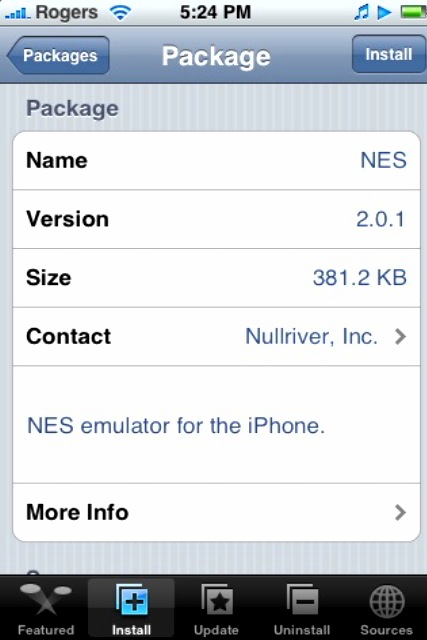
- Launch Installer. Go to the “Games” category and install the NES application (can’t see it? Make sure you have the main list of “Sources” added to Installer).
- Go back to the “Games” category, and install Bigboss’ NES Roms Pack 1…this is a 5.9MB install, so it might take a while to download depending on your connection. This is a collection of the most popular NES ROMS. **edit** Add Big Boss’ source: markmon.mine.nu:90/iphone/repo/repo.plist …make sure you enter it EXACTLY as typed. Don’t let the iPhone’s auto correct take you over. Refresh your sources and you should see the Rom Pack.
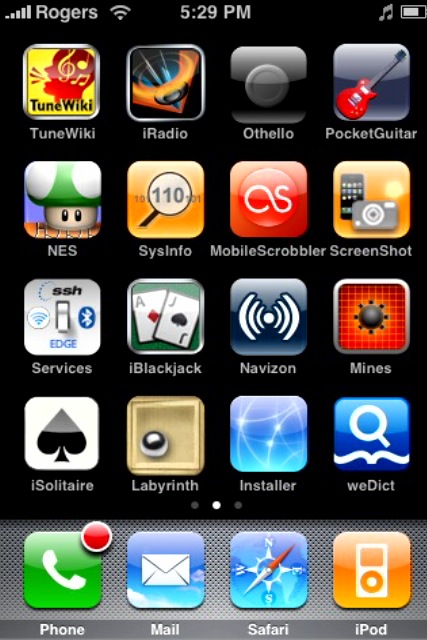
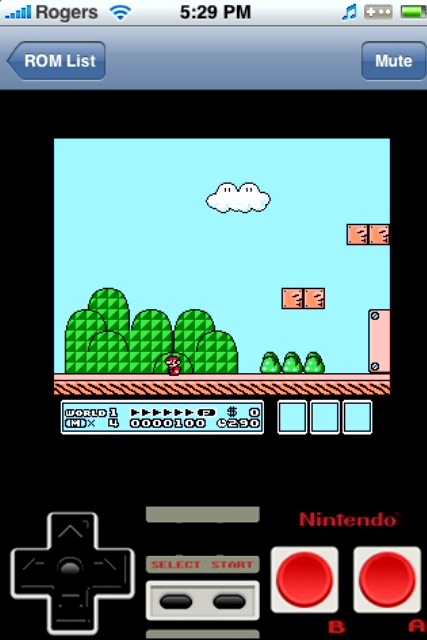
- Exit Installer and “slide to unlock”…the NES icon should be on your Springboard! Time to play some games (like Super Mario Bros. 3!), baby (of course, this program is just used to play “archival” backups of your original NES games, right?)!
Screenshots:

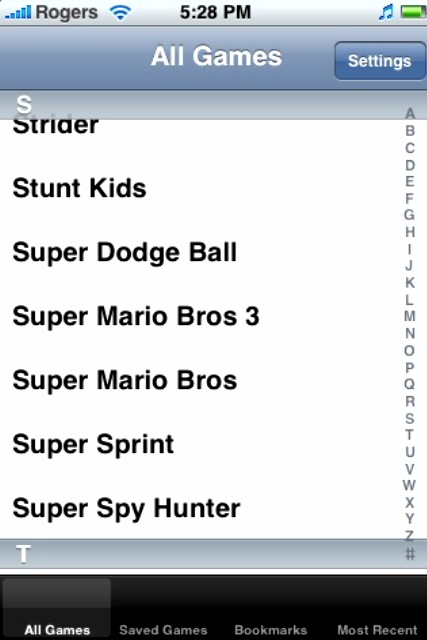
Left to Right: NES app, Bigboss’ NES Roms Pack 1, NES icon, NES ROMS list, Super Mario Bros. 3!
If you enjoyed this post, please subscribe to my RSS feed, so you won’t miss any updates!




This is an awesome emulator to have on the iPhone, I highly recommend it if u like playing the old NES games! 😛 The ROMs run at good speeds but it may be a little tricky with the buttons, u need to get use to them lol I love the psx4all (Playstation 1) and gpSPhone (Gameboy color) emulators and now with snes4iphone (Super Nintendo) the iPhone is always fun to play with when ur bored or waiting inline, etc. 🙂 ZodTTD is just a machine with making his emulators/games lol I give him big credit for the work he is doing!
Thanks for the tutorial on the NES 🙂
Dusty
does it have a virus because i downloaded the file and installed it on the iphone, the iphone did not start and had to take it back to be replaced.
yhea, nes rom’s are really sick, played on my friends 😛
PS: Damn you Dusty. Damn you….
Wow, now I think I want to buy one! Playing Zelda on my iPhone would definitively be an achievement for me! 😉
I installed the nes rom app but when i go back to check to install the bigboss nes rom pack 1, it’s not in my installer. Can someone help me with this
thanks for your help
The markmon source doesn’t work anymore so you can’t get the bigboss roms. I will post another fairly easy method later today
Another way to get the NES roms on your iphone:
Programs needed on your iphone (through installer):
– NES
– OpenSSH
– BSD Subsystem
– if you are not sure if you have these or not, go to installer, then to uninstall and it will list the programs you have.
Programs needed on your computer:
– WinSCP – http://www.winscp.net – free download
– if you are using a mac I believe the process is the same with the program cyberduck.
The NES roms:
– download from – http://www.theoldcomputer.com/Libarary's/Emulation/NES/ROMs/NES_roms_summary.htm
there is like 900 available. Extract each of the roms to a special folder so you can manage them easier. You can also rename the rom files – Super Mario Bros 3 is listed as smb3 and thats how it will show on the phone unless you change the name.
Putting them on the iphone:
– Connecting your iphone to the computer
– Open the program WinSCP
Once WinSCP is open it will be asking you for a host name. This is the ip address. To get this – On your iphone – tap settings, wi-fi, then the blue arrow ( > ).
The next fields are the user name and password
User name – root
Password – alpine
these are the defaults
Then hit login and be patient, the first time you login will take about 30 secs, an error message may pop up saying it’s been waiting for more than 15 secs, keep waiting and it will be fine. Once you are logged in, you will see the folders of your iphone.
Next steps:
Open c the folder ‘media’
create new folder ‘NES’
Open the folder ‘NES’
create new folder ‘ROMs’
– folder names are case sensitive.
Last step:
On the left side of the WinSCP window go to the folder where you have saved the roms, drag each one over and hit copy.
Once you are done, tap the nes icon on your iphone, then start playing. Takes a bit of time to get used to the controls, but it is fun.
it says “using username “root”
authenticating with pre-entered password.
access denied
it’s asking again for
‘root@192.168.1.3’ session password
Thanks for the walk-through. The last two steps are backwards though:
Open a folder called ‘ROMs’ in the ‘Media’ folder.
Then in ‘ROMs’ open one called ‘NES’ where you then dump the actual NES ROMS. Worked perfect for me after that.
Cheers
That is right, tried it the way in the tutorial and you have to reverse the file names.
thanks for the update
The BigBoss source moved to sleepers.net/iphonerepo However I don’t see his ROM pack there but I put ROMs on with the WinSCP method.
This is awesome!! I am going to try it right away!! What a great way to waste even more time!! lol 🙂
Hi
http://www.theoldcomputer.com/Libarary’s/Emulation/NES/ROMs/NES_roms_summary.htm
This site is not working. You know any more site for NES Roms
thanks
Deba
Sorry for the last post.
This site is working.
cheers
deba
I added a correct guide with pics to my blog
http://ruffdeezy.blogspot.com/2008/02/easiest-way-to-add-nes-roms-to-your.html
hi i was wondering if anyone can tell me how to add rom’s without a computer … i tried the method above and like a futher post says..it doesn;t work anymore. does anyone know another way to do this , i use a mac book, and ziphone jaibreaked my phone so i do not have a password?
thanks!
hi, im having trouble installing some apps onto my iphone i tried downloading the NES emulator and it says “Package Failed to Download” can anyone help? Thank you!
https://www.iphoneincanada.ca/3rd-party-applications/fix-installer-package-download-failed-cant-find-host/
🙂
I am having the same problem so now I just use iBrikr to move them from my computer to my iPhone
Check out http://www.phoneroms.com for how-tos, etc.
I added the guide to my new site http://www.iphoneuser.ca/search/label/Apps
I have the nes package and can install it, but it says it is missing the roms?? I don’t know where to find this, I am relatively new to iphone and really really want this feature but just can’t seem to get the just of it, any help would be great
thanks
hey i tried both programs to connect to my ipod touch and i just get a time out cant connect message what am i doing wrong
thanks
Here is a working NES Rom Source: http://123locker.com/
Just go to source’s, add the source I provided, then go home,then go back to installer, then go to game’s, then there will be BigBoss’s NES Game Collection, then install it!
Hope it works for you!
Thanks Haha123! I actually just wrote a post about this that will be up Sunday…thanks though 🙂
I don’t see this installer thing everyone is talking about .. does the iphone/ipod touch have to be jailbroken to have it?
Hey guys! I installed NES application through Cydia since Installer is not avaiable yet for the 3G 2.0 versions (new ones) With that installed, I do not know how to put ROMS on the phone! 🙁 Using WinSCP is confusing! I tried filling in all the stuff but it just does not connect! Does anyone know how to do this for the new 3G phones, with the ROMS and all..thank you all so much for your help!!
take care
Fillyboi
Hello,
did what you said, put the NES files on to ipod says no NES ROMs found
please upload roms to /va/mobile/Media/ROMs/NES
this right?
what type of files do i need
got it! for ipod > means go into folder
browse for folder called var>mobile>Media>NES>ROMs
if it says none found read wher it says upload them to
i used Cyberduck used SFTP typed in ip of ipod typed in username of root password of alpine eventually leart and looked where NES said to upload them to (/var/mobile/Media/ROMs/NES
is it only nes files that play?
I’m quite new to the iphone and computers in general and i would love to add the NES app. I’m next to useless with computers. Can someone give me a more detailed breakdown of how to get this app. Thanks.
I’m not seeing the NES app. How do I add the main list of sources??? Please help!
anybody know how to save games on the iphone. i always hit save on various games and they never save. Whats the point of playing if you cant save them.
hello i need help i installed the games and everything and when i pick a game and hit start it reloads back into the springboard did i do something wrong or am i missing a step
i’ve tried all different types of suggested repos to download the roms from installer. is there one that currently works? i’m new to this and have tried Bigboss, 123locker, and Almedmat and those seem to be the most used. could anyone tell me a source to use that has roms available straight from installer rather than with the use of a computer?
Much obliged,
JS
Read text in my web page about banks and health!,
how do i save a game, cause i got final fantasy 3, and hav o idea how to save?
Thanks so much. I tried to install the Markmon source but it would not work since I am on 2.02 firmware. I did try the 123locker.com as a source, search for NES in games and it was so easy!
i tried the markmon and locker.com source. I went to installer,then sources,clicked edit and the add button and typed it in exactly as stated. It said both sources were invalid.
I did the 123locker.com but it doesnt seem to have a NES rom pack!?
Ive tryed all the sources but none of them work. I have 2.02 firmware maybe that has something to do with it. O and I forgot, im new at this.
what is ‘Installer” and where and how do i get it? i can’t find it in the app store. same with the NES app.
Installer is put on your iPhone/iPod touch when you jailbreak it. You cannot get these programs without first jailbreaking your phone, no way around it because you will need openSSH if you don’t wanna go through Installer or Cydia and you get that thru Cydia. Look for QuikPWN or Pwnage Tool to jailbreak your phone.
None of this shot works
I put in the source like you said and the source was refreshing for a hole day and nothing happend
Whats this installer thing? Cydia?
hey do you know if if can tell me how to put installer on my iPhone? any good sources for cydia? I have a jailbroken iPhone 1st gen with 3.0 firmware and I can’t find any sources for cydia to download them.. do you think you can help ?
thanks
Machine Embroidery Designs from embromix.com: Religious etc. In our store. High quality embroidery designs. With us advantageously, new designs every week.
yea good Work 🙂
The Zune concentrates on being a Portable Media Player. Not a web browser. Not a game machine. Maybe in the future it’ll do even better in those areas, but for now it’s a fantastic way to organize and listen to your music and videos, and is without peer in that regard. The iPod’s strengths are its web browsing and apps. If those sound more compelling, perhaps it is your best choice.Have you tried the ipad? you can get one free at FreshGiftCard.com
excellent good, this post warrants practically nothing hahaha simply joking 😛 nice article
Im trying to install nes apps. This guide is incomplete as it doesnt explain what ‘installer’ is.
My iphone is jailbroken, I have cydia, and Installous. Installous doesnt have the options you speak of.
Im sure alot of other newbs have the same problem understanding your article.
i got the same problem as jason.
seems like this method doesnt work for installous users, it only works for earlier generation jailbreakers who use installer.app instead of installous.
i dont have the installer app and i cant dl it either but i do have cydia and installous.
look for NES in cydia. hope it helps
installer doesn’t work any more
Did you ever figure it out? Can’t find installer.app…..