
Twelve South’s AirFly Drive Makes Apple CarPlay Wireless
Twelve South has launched AirFly Drive, a $39.99 USD adapter that turns a car's wired Apple CarPlay or Android Auto connection wireless.
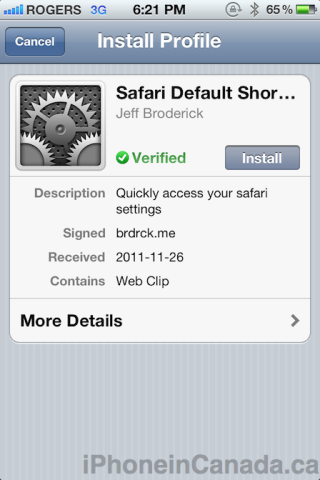
Update 5: Profile installs are now ‘verified’.
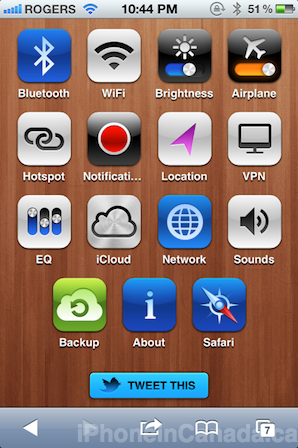
Update 4: New icons added for Sounds, Backup, About, and Safari.
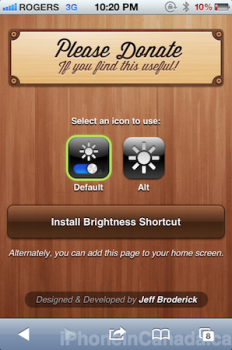
A new update brings the option to select icons, and a donate button should you wish to buy him a beer!
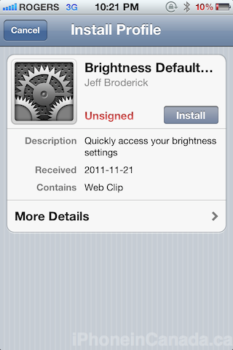
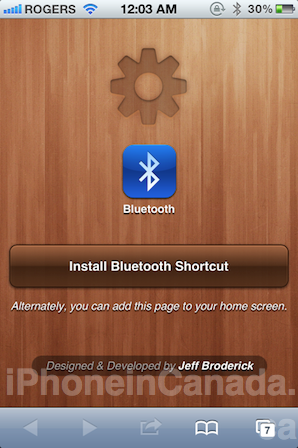
We first heard about the app Icon Project to set iOS shortcuts, then there was a free alternative, Icon Settings, and now we have the most beautiful designed pre-made set for you, courtesy of designer Jeff Broderick.
Just visit http://brdrck.me/settings/ on your iOS device, tap on the settings shortcut you want to save, and add it to your home screen. There are only 11 settings available, but they are the most popular.
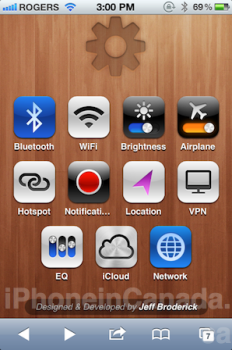
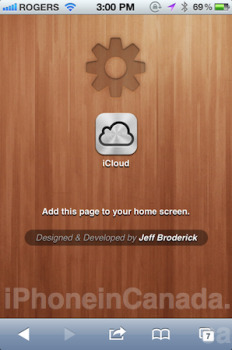
Check out my ‘Settings’ folder below full of these shortcuts:
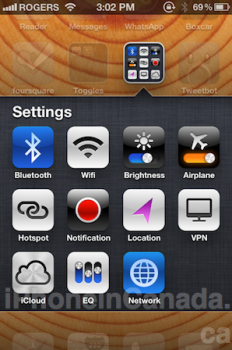
[via RazorianFly]
Want to see more of our stories on Google?

P.S. Want to keep this site truly independent? Support us by buying us a beer, treating us to a coffee, or shopping through Amazon here. Links in this post are affiliate links, so we earn a tiny commission at no charge to you. Thanks for supporting independent Canadian media!


This is definitely the best icon set. Not only the beautiful icons, but not having to load Safari tabs is a huge benefit. Good find. 🙂
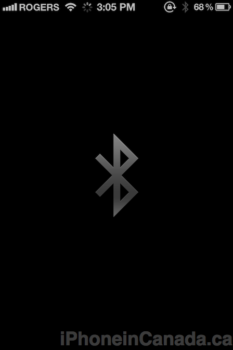
Can someone tell me exactly what that black screen is? If I’m to guess, I’d assume it’s a web app linking to his custom pages. If so this could be an issue if the pages ever disappear.
I’m having issues saving it to my home screen. I can see where it says “add this to your home screen”, but it won’t let me click it.
Any help would be great
Force close Safari, or restart your iPhone and try again.
You don’t have to click the “add this to your home screen” . Once on that page just click on your bookmark icon and click add to home screen. Then wait for the icon to update and change the name to your preference and click done 🙂
Thanks guys!! Got it
Pretty awesome, but still doesnt beat SBSettings
A bad part about it is if it’s in airplane mode, you can’t use these shortcuts.
That confirms my suspisions that these shortcuts are using the web. Shame. 🙁
The update doesn’t require the internet anymore!!
Works fine in airplane mode for me. These definitely do not require the web.
ye now it does, but that comment was before the pre update
These just keep getting better (now I’m wishing I hadn’t purchased Icon Project)
I presume the Icon Project creates homescreen shortcuts that work even in airplane mode or otherwise off the internet. It looks like this solution *requires* internet access each time.
I’ve used the ones from IconSettings and they appear to work offline (tested a couple… not all). I’d be great if this set worked that way as well — they are far and away the best looking so far and I like the black intermediate screen instead of the web browser page you get in IconSettings.
I don’t know … In the time that it actually takes from me pressing the Bluetooth icon to getting to the setting page I could have got there manually and made the needed changes …
Are you sure about that? The shortcut is much faster than navigating through Settings.
I am, the navigation is pretty simple Settings > General > Bluetooth
Shortcuts are still slightly quicker. If you have them on your homescreen, only one touch gets you there rather than three. If you have them in a folder, then two touches rather than three.
The icon pack is great, but I would love to have one for “usage”.
Think you can add that Jeff?
Good job, nice
icon! =)
They look great! Thx. I’m sure going to keep checking out his site for updates!
One of the best ways that these shortcuts are implemented
Wow !!!!!
Wow! Works really fine with the update!!
The only two other that I need are sounds and usage… That Wouk be perfect if they were added!!!
The latest update is amazing without the need for data access. Keep it coming.
Really nice! please make one for autolock, i am not sure why it wasn’t created in the first place.
Sweet! Updated to work off of Internet access. Someone give this man a contract with apple! 🙂
Site is not loading at this moment, must be getting hammered.
Upon launching I am not greeted with the black screen and the icon b4 launching. (Would be great if it did) Am I the only one???
Also many other useful settings like usage are missing. The ones mention are a good start, but the list should be expanded.
For anyone who wants a full list of settings, you can try the following link
http://iphoneza.co.za/IconSettings/
They pretty much cover all of the settings that I can think of, however their icons aren’t as pretty as the ones above.
I am not getting the black screen too. Seems like Safari (or some other page starts up – white page) then I am taken to the Bluetooth settings. Regardless still works great but that black screen would be a nice touch if I had it.
Anyone have any suggestions?
Hi, I’m not getting the black screen too. Otherwise, this is amazing. I’m guessing it could be that he’s using a different (offline) method to access the settings. Is anyone else not getting the black screen as it’s definitely a nice touch as opposed to see the web page temporarily before going to the setting you clicked on.
This is working great for me, but not for my hubby on iOS 4.3.3 still. Does it only work for iOS 5?
Yes iOS 5 only
I really like this for Bluetooth. Outstanding. Question however, I installed the first update last night. This afternoon I installed the second (not requiring the web). Now I have two “Bluetooth” icons and I’m unable to delete the first one. How do I delete the first icon so I may simply keep the new “updated” icon on my home screen?
These are awesome. Being my paranoid self, are these easy to uninstall if they are found to cause problems?
This update is now even better. It’s faster, and it doesn’t run in the background like before.
Are these safe to use? If I use this option or quickprefs.com am I opening myself up to potential security issues? Thank you in advance.
I figured it out (and for anyone else out there that cares). Go to Settings/General/Restrictions/Deleting Apps…toggle ON. You will then be able to delete unwanted home screen shortcuts.
Gary can you please contact Jeff and ask him to create an icon when you bookmark his page to the home screen. Before the update, he had a nice settings icon for the home screen. Now it’s just a generic screen shot of his page.
Tell him thanks for the awesome job! I donated!
It definitely needs a nice icon like the one it had before. Currently, it’s painfully slow though, I’m guessing because of the amount of hits his website is getting. If I add his page to the home screen, I can click on anything and it takes me directly to the setting without having to install each one and then create a folder. However, I’m guessing this method requires internet access whereas the profile method does not.
Now I’m getting the same thing as you. The site doesn’t allow you to add the icons to your home screen anymore. It just takes you directly to the setting. Not sure if he is just doing maintenance on the site or this is how it’s going to stay. I hope it’s not the latter… I emailed Jeff and asked him if he can explain how to add them to the home screen.
Now I’m wishing I didn’t delete the icons I had on my home screen before the update. I was happy with how it was before. I don’t like the idea of having to navigate to the site whenever I want to change a setting. One thing is a plus though, he gave the site a nice settings icon for the home screen bookmark to his page.
I
Why when I try to install, it is asking me for a pass code? I tried using my restrictions pass code but that’s not working.
I think maybe a better walk through would help, cause I’m confused after this new update to the site.
Thanks for the reply Gary. Now Jeff needs to make all of the icon with the same background colour, either silver or black or perhaps brushed metal.
I second that, One color theme is much better than different colors. Gary, Can you please ask Jeff to design a one color theme to keep it simple and also a black background to keep with the colors of the icons instead of the wooden one? Thanks ! Jeff, Awesome work.
I had a few shortcuts installed and working fine under iOS 5.0.1… but now with iOS 5.1 beta 1, shortcuts do not work anymore on my iPhone 4S.
I don’t know if it’s permanent or temporary…