Way back in 2004, I got an invite to setup my first Gmail account. At the time I was suffering with the abysmal interface and slowness of Windows Hotmail. Well, after fully making the switch to Gmail, my life has changed for the better. IMAP, Push, and cloud computing with all those Google services make it easy to stay connected.
Now, if you’re still using your Hotmail address and you have an iPhone, this may be old news to you. But Microsoft has setup a recent page specifically helping iPhone users on setting up their Hotmail on their iPhones. Back in February, Hotmail was finally supported using the iPhone’s Mail app. Here’s a refresher from the Windows Hotmail iPhone page:
How to Get Windows Live Hotmail on iPhone
Through your Safari browser:
• Get your favorite Hotmail features, optimised for your iPhone
• View full HTML e-mails, so they look exactly like they would on your computer
• Search your e-mail messages and folders to find what you’re looking for quickly
• Updated for easy navigation on the iPhone’s touch screen
• To get started, visit Hotmail from your phone’s browser
Through the Mail option on your Home screen:
If this is the first e-mail account you’ll be setting up on your phone:
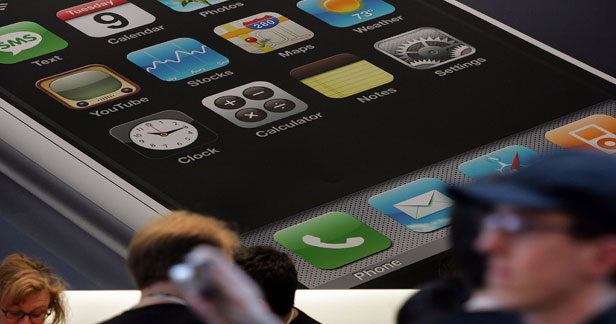
1. Locate the mail icon on your phone’s main screen
2. On the Add Account page, select Other and enter your Windows Live ID and password
If you have already set up an e-mail account on your phone:
1. Locate the Setting icon on your phone’s main screen
2. Locate the Mail, Contacts, Calendars option
3. Under Accounts, choose Add Account and select Other
4. Enter your Windows Live ID and password
All you Hotmail users, enjoy setting up Gmail on your iPhone. If you’re using Shaw or Telus for email, click here for instructions on how to set it up.
Today kicks off the 2024 NHL playoffs as 16 teams battle it out for the Stanley Cup, with playoff hockey marking the best time of the year for fans, especially since we have four Canadian teams in the postseason this year. How to watch and stream the 2024 NHL playoffs in Canada? You’ll be able...
Today is the day where a once-in-a-lifetime event will take place with a total solar eclipse, where the moon will pass by in front of the sun and cast its shadow (umbra) on Earth. In order to see the total solar eclipse live, you’ll need to be in a location where the path of totality...
Last month, when we wrote about Ontario debuting its One Fare program, we noted that PRESTO Apple Wallet support was still missing in action on the TTC. But despite the lack of official PRESTO card support in Apple Wallet on the iPhone, it’s still possible to use the latter to tap to pay—without unlocking your...