With today’s announcement of watchOS 2 for Apple Watch, a plethora of new features, improvements and native apps are coming for Apple’s first smartwatch.
One of the unique features on the way is Nightstand mode, which essentially turns your watch into an alarm clock. When attached to the Apple Watch’s magnetic charger and placed on its side, the device enters Nightstand mode. You can then touch the screen at any time, tap the side button or Digital Crown to enable the display, which shows the time, date and your alarm.
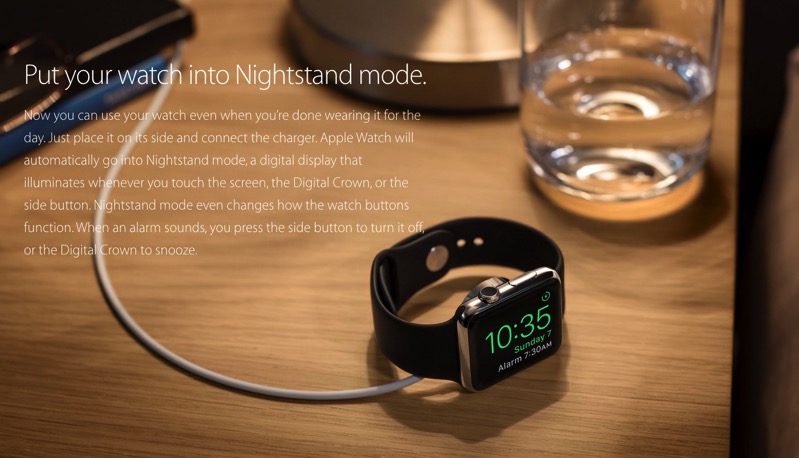
When your dreaded alarm goes off, the side button turns it off, while the Digital Crown acts as snooze.
While many of us have used our iPhones as alarm clocks for the longest time, this allows users to use their Apple Watch instead if they don’t care about a dock. I would suggest placing your watch on a soft surface to reduce the chances of scuffs on the side.
Anyone out there looking forward to Nightstand mode for Apple Watch?



With iWatch v2.0 yes!
I actually still use a clock radio to wake me up 😉
What I love about the watch is using it to wake me up without noise on the train. Doubt I would want to fumble to try to stop it alarming by my bed…. I would probably drop it. Would rather use my phone.