If you’re a heavy iPhone user, it’s easy to fill up your homescreens with tonnes of apps. One major grip is moving an app from the last page to the main homescreen. You have to drag, drag, and drag again. It’s very time consuming and painful.
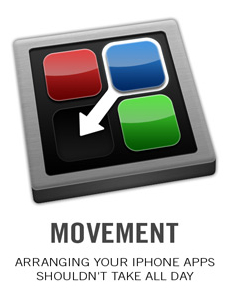
However, there is hope upon the horizon. It’s in the form of a program called Movement and it’s for Mac users and jailbroken iPhones only. This app will allow you to easily arrange your homescreen on your Mac.
All you have to do is plugin your iPhone and run the app. It’ll read the apps off your iPhone then display them in a horizontal window that you can drag left/right to adjust.
After you’ve rearranged your apps, just click “write apps” and prior to saving changes it will ask you to backup your Springboard. Click YES if you’re cautious (since this is still a beta app)!
Check out the following video to see Movement in action done by Steven Chi:
I tested out the Movement app on my MacBook with my iPhone 3GS and it is very straightforward, just like what you saw above. I was able to rearrange my apps easily without any problems. Very cool. It’s too bad this app is only for Mac users at the moment and jailbroken iPhones. I’d like to see a PC/Mac version that will work on both jailbroken and non-jailbroken iPhones too.
P.S. Want to keep this site truly independent? Support us by buying us a beer, treating us to a coffee, or shopping through Amazon here. Links in this post are affiliate links, so we earn a tiny commission at no charge to you. Thanks for supporting independent Canadian media!
Subscribe
7 Comments
Oldest
NewestMost Voted
Dusty
17 years ago
Too bad for Mac and no PC
rorypiper
17 years ago
I tried this out yesterday. It doesn't seem to support Five Column Springboard. Gonna play with it some. Rumors are the iTunes 9 is gonna have this feature, anyway.
_Shorty
17 years ago
It's going to be in iTunes 9 eh? Hope so. Really should've been in there to begin with. BTW, you don't have to drag and drag and drag. Just hold it by the edge and it'll keep moving page by page until you move it away from the edge again.
Apple's first foldable iPhone, the iPhone Duo, goes up for pre-order in Canada on Friday, October 16, 2026, at 5 a.m. Pacific (8 a.m. Eastern), with deliveries and in-store availability beginning October 23. Starting at $2,999 CAD, the iPhone Duo is Apple's most expensive iPhone yet, featuring a 7.6-inch folding display, a 5.4-inch outer screen...



Too bad for Mac and no PC
I tried this out yesterday. It doesn't seem to support Five Column Springboard. Gonna play with it some. Rumors are the iTunes 9 is gonna have this feature, anyway.
It's going to be in iTunes 9 eh? Hope so. Really should've been in there to begin with. BTW, you don't have to drag and drag and drag. Just hold it by the edge and it'll keep moving page by page until you move it away from the edge again.
Is this application available for Windows??
Not at this time
Is this application available for Windows??
Not at this time