
Dropbox for iOS Brings Desktop Setup with iPhone Camera and More

Dropbox has updated their iOS app with new features today:

  • Swipe to the right to ‘favourite’ any file (looks like Mailbox gestures are making their way into the app)
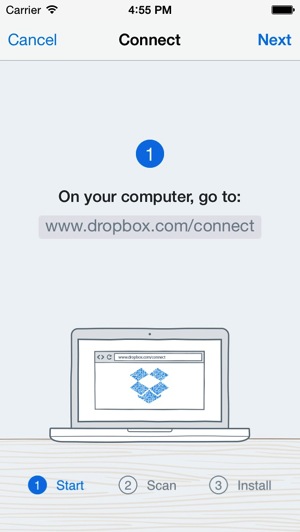
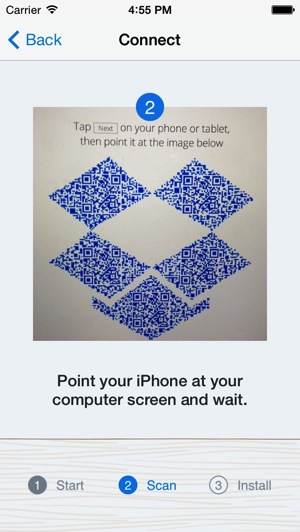
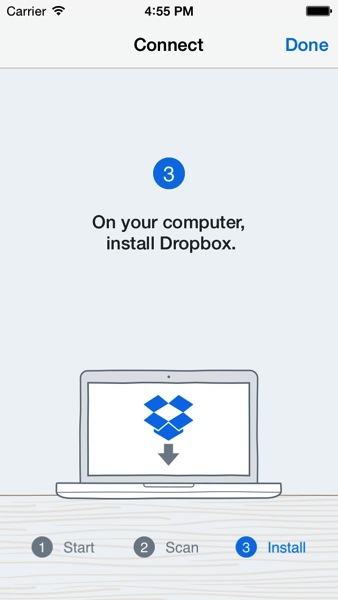
  • Set up Dropbox with your iPhone camera
  • Choose where to save files to from recently used locations
  • New language support (Danish, Dutch, Swedish, and Thai) and accessibility improvements

As for the setup with your iPhone camera, all you have to do is visit dropbox.com/connect on your Mac or PC, then point your phone at the screen, which shows a QR code designed like the Dropbox logo.

RemoteInstaller2 RemoteInstaller3

In three simple steps your setup will be complete:

RemoteInstaller4

Looks like a neat way to setup Dropbox on your computer. Click here to sign up for Dropbox if you haven’t already.

Click here to download the Dropbox iOS app—it’s free.

Want to see more of our stories on Google?

Add iPhone in Canada as a Preferred Source on Google

P.S. Want to keep this site truly independent? Support us by buying us a beer, treating us to a coffee, or shopping through Amazon here. Links in this post are affiliate links, so we earn a tiny commission at no charge to you. Thanks for supporting independent Canadian media!

Subscribe
Notify of
guest
1 Comment
Oldest
Newest Most Voted
einsteinbqat
einsteinbqat
12 years ago

You should have let yourself be acquired by Apple back then Dropbox.

1
0
Would love your thoughts, please comment.x
()
x