
Apple’s AirPort Utility App is Being Removed From the App Store
Apple warns that "functionality is not guaranteed" when using AirPort Utility on iOS 27 or later.
Dropbox for iOS has been updated this evening to bring screen support for the iPhone 6 and iPhone 6 Plus, while also adding Touch ID for unlocking in iOS 8. A fix was also released when previewing RTF files to go along with stability and performance improvements.
What’s New in Version 3.5
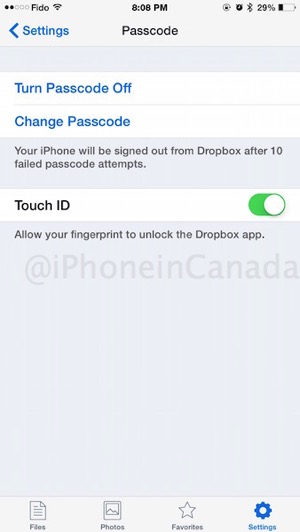
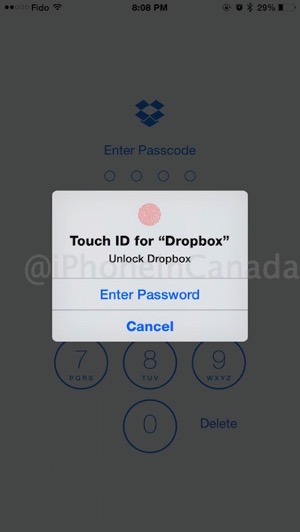
• Use your fingerprint to unlock Dropbox with TouchID support (iOS 8 only)
• Support for iPhone 6 and iPhone 6 Plus
• Fix for previewing RTF files on iOS 8
• General stability and performance improvements
Users need to first enable Touch ID within the Settings menu inside Dropbox. Once that’s enabled, the next time you open the app it’ll prompt you for your fingerprint.
Click here to download Dropbox for iOS.
Want to see more of our stories on Google?

P.S. Want to keep this site truly independent? Support us by buying us a beer, treating us to a coffee, or shopping through Amazon here. Links in this post are affiliate links, so we earn a tiny commission at no charge to you. Thanks for supporting independent Canadian media!


Does Touch ID have to be enabled for your phone unlock in order for it to be used for Dropbox?
Not that it would seem. I have it for App Store only and it works. You need to first enable passcode lock in Dropbox then you can set touchID.
Not that it would seem. I have it for App Store only and it works. You need to first enable passcode lock in Dropbox then you can set touchID