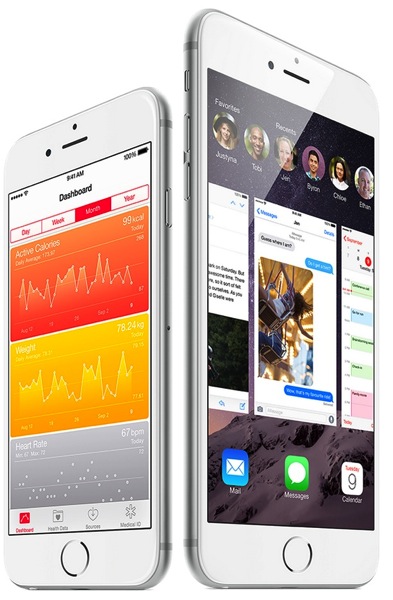
A new YouTube video posted by Ivo Leko, an iOS developer, shows off a feature of Apple’s iPhone that you probably didn’t know about.
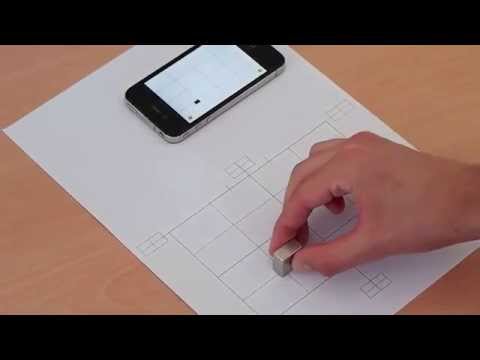
Leko shows that an iPhone can track the position of a magnet on a piece of paper both in 2D and 3D space. The feature combines the iPhone’s magnetometer, accelerometer, and microphone to track the position of a magnet quite accurately.
“This video will show you little demonstration of my library written in Objective-C and C. It allows you to detect position of the magnet in real time using iPhone’s magnetometer, accelerometer and microphone.”
At first, this feature may look like a gimmick. However, Leko explains several practical uses for this feature at the end of the video. Possible uses include a virtual keyboard (which would require gloves with magnets) and game / gesture controllers.
The most interesting application that Leko points out is the ability to use a magnetic stylus for handwriting and drawing. This would allow for a magnetic stylus to be used with the iPhone, which would be similar to the stylus used on Samsung’s Galaxy Note 4. Steve Jobs famously demoted the idea of a stylus for use with the iPhone at the product’s introduction in 2007.
What do you think about the feature discovered by Leko and its possible uses? Let us know in the comments below.
[via BGR]




I guess all it took was someone to programmatically interpret the magnetometer data! Yes, wonderful potential uses for this ‘feature’ 🙂 and the stylus idea is REALLY exciting. Is there an app to test it out right now ourselves? Or is it really just a test thing he’s developing on his own hardware at the moment?
Could you not create a wireless keyboard that didn’t require a power supply?
Hi I would like to contact and talk to you about possibilities with this. What is the best way to get in contact with you?