
Xbox is Finally getting a Platinum Trophy-Style Achievement Later This Year
Xbox has confirmed that it's working on a new completion reward for Achievements, addressing one of the most requested features.
Samsung introduced a new touch-based fingerprint scanner in their new Galaxy S6 and S6 edge smartphones, ditching the inconsistent swipe scanner found in the Galaxy S5.
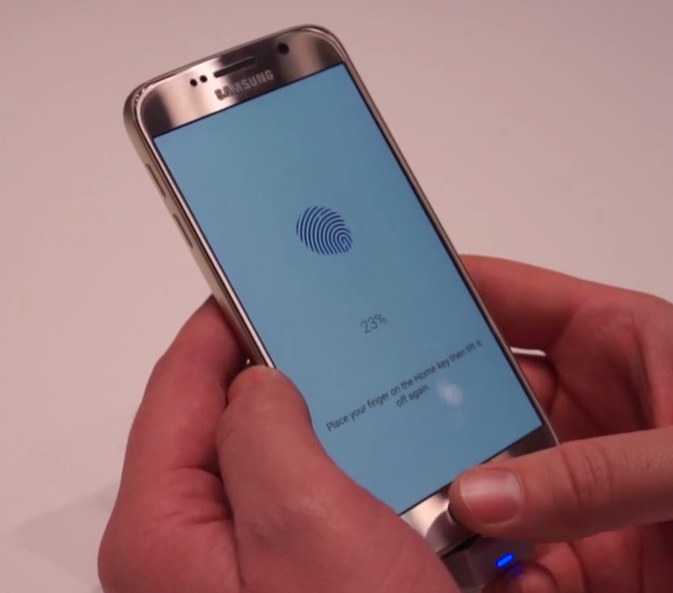
Check out the Galaxy S6’s setup below (in particular the fingerprint part), as shown in a hands-on video by Phandroid—it might look kind of familiar…(with some added clunky steps thrown into the mix):

Apple’s Touch ID setup process below:
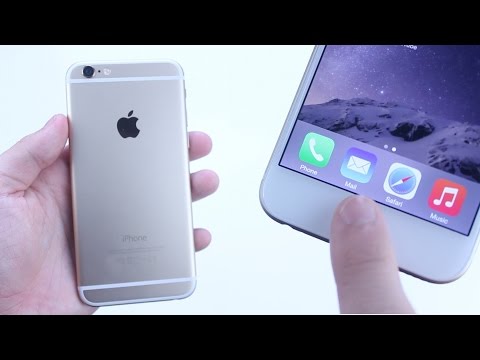
Seriously, you can’t make this stuff up. What happens if you forget your Galaxy S6 backup password?
[via Android in Canada.ca]
Want to see more of our stories on Google?

P.S. Want to keep this site truly independent? Support us by buying us a beer, treating us to a coffee, or shopping through Amazon here. Links in this post are affiliate links, so we earn a tiny commission at no charge to you. Thanks for supporting independent Canadian media!


samsung is such a copycat i hate samsung they suck!!!!
Well technically by your logic Apple shouldn’t have made a bigger iPhone they copied Samsung.
Big screen vs technology… you must be an idiot to say screen size copy is same is technology behind finger print scanner copy…
thats right Martin
Apple innovates you moron, making screen size bigger does not require Einstein thinking… bigger screen is not innovation.
How about notification centre?
Thanks to the Jailbreaking community, iOS had a notification center before it arrived on the Android platform.
yeah people we asking for bigger phones from apple, they didnt ever wanna go bigger!!!!!!!!!!!!
but they value there customers!
their*
The question is not why it’s familiar, it’s why wouldn’t it be familiar. 🙂
Oh snap!
Not sure what those clunky steps are. User didn’t adjust their thumb to get the proper coverage? You have to do that with Apple. The Samsung seems to require a more robust password as default, but it may allow a simple passcode in the Apple example. You can opt for a more complicated password in Apple, but don’t forget or you will have to jump through some hoops to restore from a backup.
If you forget your Samsung password, go into Google Device Manager and reset your password to access your phone. This worked on a Note4 which forgot my fingerprint and it was a bit of a chore to get back in.
My main concern is how good is the fingerprint hardware/software integration on the Samsung?
Didn’t the 5s have issues with TouchId initially? I recall people registering the same finger multiple times. But later fixed with software updates.
Samesung. Nuff said.