
Meta Debuts New Ray-Ban AI Glasses With Canadian Pricing
Meta has unveiled Ray-Ban Meta Audio ($349 USD) and Ray-Ban Meta Gen 3 ($449 USD) smart glasses with 3K video, Dolby Atmos plans, and new styles.
If you’ve longed for a dedicated iCloud Drive iOS app, it’s here with iOS 9 beta, albeit hidden by default. All users have to do is go to Settings > iCloud > iCloud Drive > Show on Home Screen > ON:
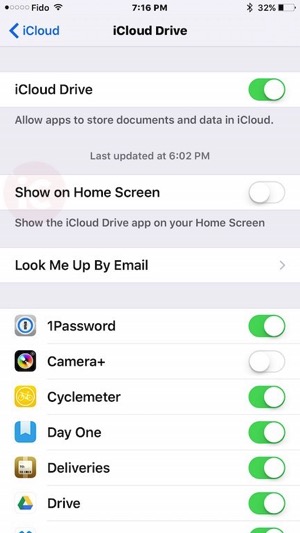
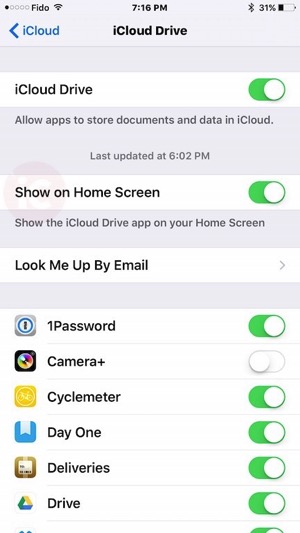
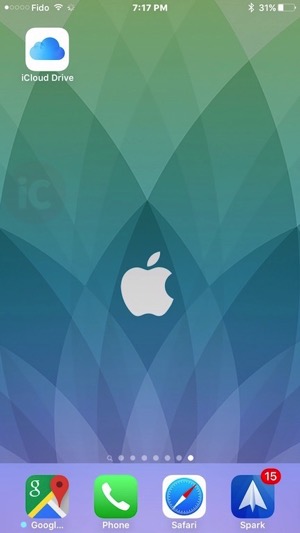
Once toggled on, you should see the iCloud Drive on your Homescreen, and within it, folders containing documents you’ve saved to the cloud from Apple’s own apps and also third party apps:
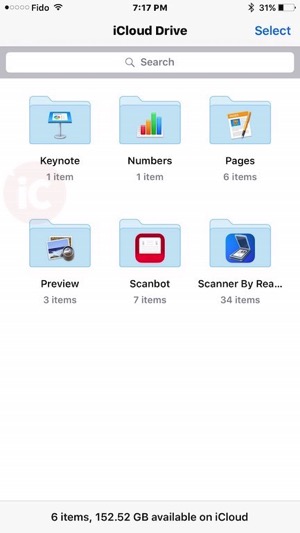
Some complaints of iCloud Drive was the inability to access files or view them in an app; looks like those days are gone. Now, anything stored within iCloud Drive can be easily shared via the iOS share sheet.
Want to see more of our stories on Google?

P.S. Want to keep this site truly independent? Support us by buying us a beer, treating us to a coffee, or shopping through Amazon here. Links in this post are affiliate links, so we earn a tiny commission at no charge to you. Thanks for supporting independent Canadian media!


At last!!! If I spin my Apple Watch crown to move forward in time, I can predict that I’ll be ditching my Google Drive this fall.. Got it? 😉
Haha well you better get your wallet ready too!
Why can’t they do that with the rest of the built in Apple apps… I’m looking at you Stocks and Watch apps
Totally. It’s only a matter of time. Maybe in iOS 19?
Let’s just hope to God this makes it through the rest of the beta phase. You know how Apple likes to ditch things