
How to Use Mail on Your Mac [VIDEO]
Apple has shared a new tutorial detailing how you can use the Mail app on your Mac, including how to add an account, send an email, and more.
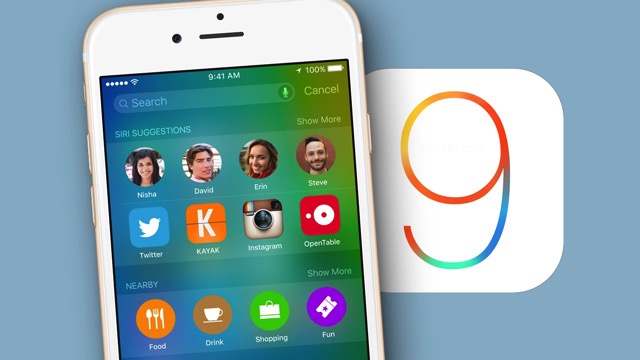
Many iOS users have upgraded to iOS 9.1 through the beta program, and even though there is nothing wrong with staying with the latest beta, some users may wish to revery to iOS 9.
If you upgraded to iOS 9.1 through the beta program and would like to downgrade to iOS 9, follow the steps below. Note that the process of reverting from iOS 9.1 beta to iOS 9 will erase all data on your iOS device.
Your iOS 9.1 backups will not be usable within iOS 9.0…so tread carefully. The only way to get your data is if you have a local iOS 9 backup within iTunes to restore from, or one within iCloud:
1. Backup your iOS device to iCloud or iTunes. This will be used as a restore point after the device is back to iOS 9.
2. Launch the latest version of iTunes on your Mac or PC.
3. Ensure your iOS device is turned off.
4. Connect the iOS device to the computer with its USB cable while holding down the Home button.
5. Continue holding the Home button until the screen changes to an iTunes logo and displays “connect to iTunes.”
6. At this time, iTunes should alert you that it has detected a device in recovery mode. Click “Restore” and iTunes will erase all the device’s data.
7. Once complete, the device will reboot as usual and go through the typical setup screen.
8. At this point, you have the choice of setting up your device as new or choose to restore from an earlier backup.
Once the device is restored to iOS 9, you can unenroll from the beta program and delete the beta profile to stop receiving beta updates.
[via OSXDaily]
Want to see more of our stories on Google?

P.S. Want to keep this site truly independent? Support us by buying us a beer, treating us to a coffee, or shopping through Amazon here. Links in this post are affiliate links, so we earn a tiny commission at no charge to you. Thanks for supporting independent Canadian media!


You can’t use iOS iCloud backup for 9.1 and restore to iOS 9.0
Waste of time, at least get the instructions right…my backup won’t restore because it was done in 9.1 and my phone is now in 9 !!! so frustrated !!!!
I can’t believe this post lol, u can’t restore a back up from a device with a more recent version then the previous , if you go to iOS 9.0 from 9.1 beta , you will not be able to restore from your back up. This should not have been posted
Beta 9.1 is far superior to GM 9.0
Connect phone to computer. Press and hold home and power keep holding past the apple logo. When iTunes Icon shows up just hit update. No need to restore phone will go from 9.1 to 9
so this way you can preserve data you mean and you don’t need to restore from backup?
The only feasible way is if you had archived a backup on a previous version of iOS on iTunes so now you can restore from that archived backup!