
Apple’s AirPort Utility App is Being Removed From the App Store
Apple warns that "functionality is not guaranteed" when using AirPort Utility on iOS 27 or later.
Looking for a new alarm clock app for your iPhone, instead of the stock app from Apple? Well look no further than Wake Alarm Clock, Apple’s latest Free App of the Week ($3.99 value):
Meet Wake, the most beautiful and intuitive alarm for iPhone & iPad. Slap to snooze, flip your phone over to turn off alarms or Shake to wake. Get up your way with Wake!
Wake combines simplicity and design into one revolutionary alarm app. With 3 alarm styles to choose from:
SLAP & FLIP: Equipped with a virtual Snooze Button and perfect for anyone craving a few extra moments of sleep.
SHAKE: Ideal for deep sleepers who need more than a traditional alarm clock to wake them from their stupor.
SWIPE: A simple option for dreamers who like to keep things basic.
What makes this app unique is its gesture-based user interface for interacting with your alarms, such as being able to slap and flip your iPhone for a virtual snooze button. Might be worth checking out!
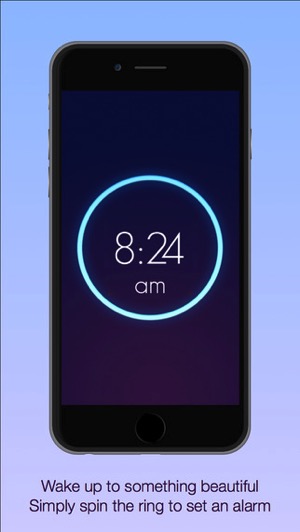
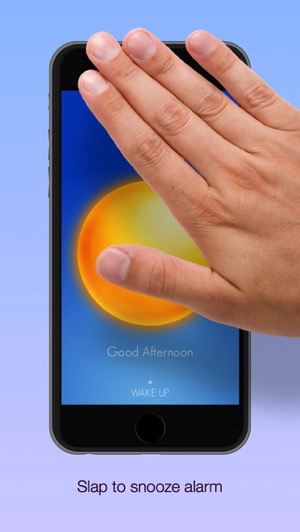
Click here to download Wake Alarm Clock while it’s free until next Thursday.
Want to see more of our stories on Google?

P.S. Want to keep this site truly independent? Support us by buying us a beer, treating us to a coffee, or shopping through Amazon here. Links in this post are affiliate links, so we earn a tiny commission at no charge to you. Thanks for supporting independent Canadian media!


I really wish Apple would include a feature Samsung use to offer, but for some reason removed it since.
When an alarm was going off, I could say “Stop” and the alarm would dismiss itself. I’d love to see more voice integrated features in Apple. “Answer” and “Reject” for incoming calls via voice interaction.
That’s pretty handy. Would be neat if Siri could do that. Has anyone tried with hey Siri?
Hmm.. I might have to try the whole “hey Siri, stop alarm”
You guys posted a week ago that Apple purchased some AI thing that might make Siri more conversational. Perhaps we could have cool little voice features like this down the road.
You can do “Hey Siri, Turn off my alarm” or “Turn off all my alarms”
Just tried the app and deleted it. A few too many steps to set things up and it needs to be on in the background…what if I accidentally removed it…
That means you’d be late for woro
How does a simple alarm app need to be nearly 100mb?
Installed this app and now it’s icon is showing twice….? One is not clickable or removable. What gives??