
How to Use Mail on Your Mac [VIDEO]
Apple has shared a new tutorial detailing how you can use the Mail app on your Mac, including how to add an account, send an email, and more.
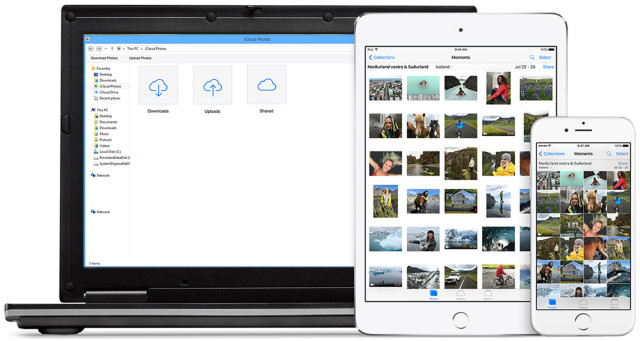
Apple has released iCloud for Windows 5 (via MacRumors) to add support for iCloud Photo Library for Apple ID accounts, as well as two-factor authentication. Before this update, Windows users could only access iCloud Photo Library though the Web interface.
To make this update work seamlessly, Windows users will need to run Windows 7 or later, while for email, Outlook 2007 through 2013 is needed.
iCloud Photo Library uploads new photos and videos from your Windows PC so you can view them in the Photos app on your iPhone, iPad, iPod touch, and Mac, and on iCloud.com. New photos and videos you take automatically download from iCloud Photo Library and you can choose to download your entire collection by year.
If you run into troubles installing it, you can always visit Apple’s support page, where you will find step-by-step instructions for turning on iCloud Photo Library on Windows computers. Here, you’ll get guidance for uploading and downloading photos and videos to and from iCloud Photo Library.
Want to see more of our stories on Google?

P.S. Want to keep this site truly independent? Support us by buying us a beer, treating us to a coffee, or shopping through Amazon here. Links in this post are affiliate links, so we earn a tiny commission at no charge to you. Thanks for supporting independent Canadian media!


oh i get it, “iCloud for windows” version 5.