
Apple Cuts Deal with Alibaba to Finally Bring Apple Intelligence to China
Apple has teamed up with Alibaba to train and roll out a custom artificial intelligence model for iPhone users across mainland China.
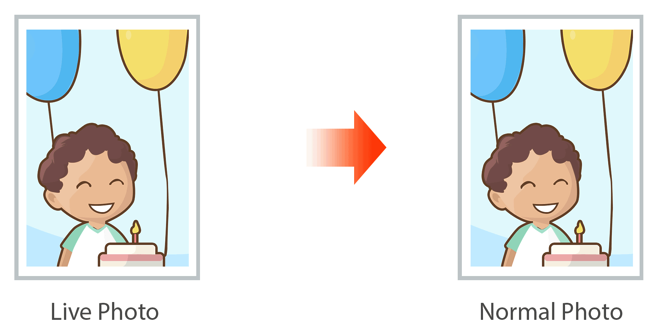
A simple new app called Lean by Tiny Whale discovered by the folks over at MacStories, lets you convert or ‘clean up’ Live Photos captured using an iPhone 6s / 6s Plus into normal, still photos by removing video from them. The app is available as a free download in the App Store, and enables you to save a Live Photo as a static one with no video and original metadata intact.
Using the Lean app, you can select multiple Live Photos at once and then clean up with the tap of a button. The app saves a static version of the photos in the same position as the original without creating a copy, while also keeping EXIF, GPS, and Creation Date data after the conversion. The app also tells you how much storage you’ve saved and even allows you to peek at Live Photos from the main view.
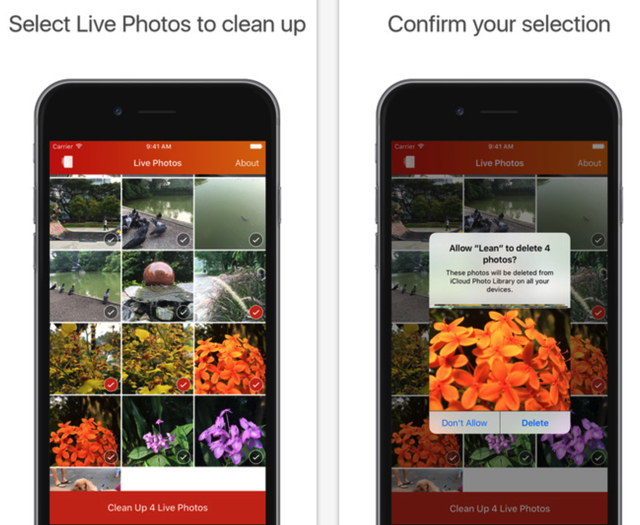
So if you need to clean up your Live Photos without losing any metadata, grab the Lean app for free at the following App Store link:
Download Lean for iPhone, iPod touch and iPad [Direct Link]
Want to see more of our stories on Google?

P.S. Want to keep this site truly independent? Support us by buying us a beer, treating us to a coffee, or shopping through Amazon here. Links in this post are affiliate links, so we earn a tiny commission at no charge to you. Thanks for supporting independent Canadian media!


It’s already possible to do this in edit mode directly from the photos app, click the live photos icon on the top left corner when editing the photo to convert it to normal photo. Am i missing something?
Totally agree and did that before… i dont see the purpose of a new app for that 🙂
Please see my reply to Ace G above :).
Hi, I made Lean. When you edit in Photos app it doesn’t remove the video part, thus it still takes up space. Lean removes it completely by making a brand new copy and remove the old one.
Oh i see, this is useful for someone who needs the extra space. i never worried about it since i got the 128gb model but great app since most people end up running out of space, WOMEN:)
Exactly, I made this with 16GB iPhone users in mind!
Cool app thanks for replying Jason!
I’ll check that app out.
What I really want is to be able to scrub through the 3 second video the live picture takes and save a patiular spot to save as the primary picture. Similar to what Sony and HTC do with TimeShift burst and ZOE
I like this function. Almost like the burst mode where you can open all the different frames and select another if desired.