
Rainbow Six Siege Operation Split Fire Adds New Operator Noor, Legend Division and Drone Racing
Operation Split Fire is a substantial update for Rainbow Six Siege, with a new Operator, Ranked changes, and an new competitive tier.
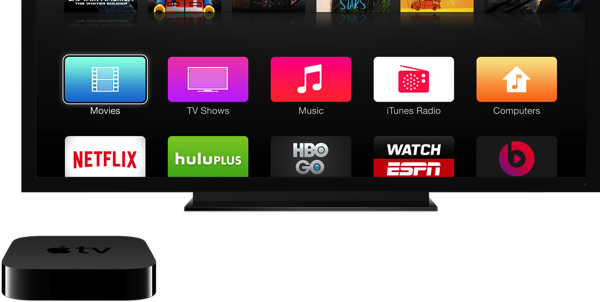
Several owners of the latest generation Apple TV are complaining that the set-top box is randomly waking up itself and/or connected TVs.
The issue was first posted on Apple’s support forums and confirmed to be true by AppleInsider. Affected users may see their Apple TV turn back on as quickly as a minute after shutdown.
TV sets with HDMI-CEC support will turn back on if the Apple TV is powered on. This would be a waste of electricity and could potentially cause a disruption of sleep. For those who still have plasma TVs, burn-in is still a risk because tvOS may not run the screensaver.
The exact cause of the problem is still unknown, however several users are blaming Bluetooth or AirPlay. Some users have fixed the issue by closing most (or all) apps before putting their Apple TV to sleep. If you are concerned with keeping your TV off, you can easily disable HDMI-CEC in tvOS settings.
The solution to the issue will most likely be a software patch that is rolled out to users in the coming days or weeks.
Want to see more of our stories on Google?

P.S. Want to keep this site truly independent? Support us by buying us a beer, treating us to a coffee, or shopping through Amazon here. Links in this post are affiliate links, so we earn a tiny commission at no charge to you. Thanks for supporting independent Canadian media!


I feel this is user error, yes if you were airplaying to your Apple TV, and then you shut it down and open up your device later on and play a song/watch a video – well it’s still connected to AirPlay and will thus turn on your tv.
Oh no….
Are we going to see lawsuits for extra power usage now?
Can’t say I’ve had this happen yet, but my iPhone 6+ 64gb is nowhere near as stable as my iPhone 5 since the last few updates – Bluetooth in particular causes a partial reboot – springboard refresh
“you can easily disable HDMI-CEC in tvOS settings” – but then you lose the ability of automatically turning your TV on when you AirPlay. You can also “easily” unplug your TV, but I don’t think it matters much how “easily” you can turn off features you’ve paid for.
On a sort-of related note, I have noticed in my router that my AppleTV has several Internet connections open all the time when the power light is off. So it never really is off.
I have other HDMI-CEC-capable devices that also turn things on when I don’t want them to be on, but I am reluctant to give up the good parts of HDMI-CEC..
This happens to me… but if you close out of all your apps, it stops. Now only happens if I forget to close an app.
ive had this problem with every apple tv ive owned