The folks over at BusinessInsider have shared a neat little trick, that lets you enable a hidden feature on your iPhone, allowing it to read everything on your screen, such as articles, books, webpages and so on, aloud to you.
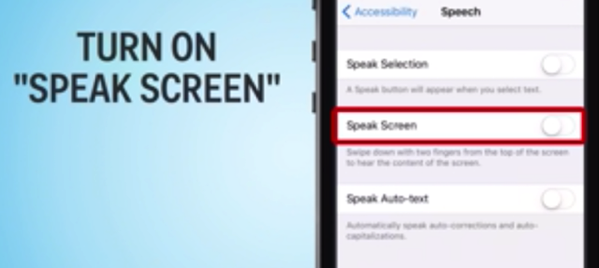
The hidden feature is termed as “Speak Screen” and in order to enable it on your iOS device, here’s what you need to do:
Step 1:
Go to Settings > General > Accessibility > VoiceOver > Speech.
Step 2:
Tap Add New Language.
Step 3:
Tap the language and dialect you want. This will take you back to the Speech screen.
Step 4:
Tap the More Info button for the language.
Step 5:
Choose either Default or Enhanced Quality.
Step 6:
Using the onscreen menu, tap play to start reading. You can easily slow down or speed up the voice by tapping the turtle and rabbit buttons.
That’s it, enjoy!
*To choose a different voice for Speak Screen, Go to Settings > General > Accessibility > Speech and select Voices.



This is way more convenient than trying to select a whole bunch of text, and then get the speak function to pop up. Thanks.