
Apple’s AirPort Utility App is Being Removed From the App Store
Apple warns that "functionality is not guaranteed" when using AirPort Utility on iOS 27 or later.
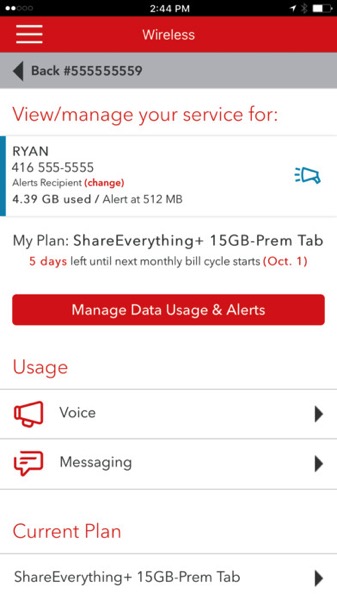
Rogers has updated their MyRogers iPhone app today, to now add the ability for users to manage their family’s data on your Share Everything Plan. The app now allows you to manage and view data usage for each family line under your plan.
Aside from this addition, minor bug fixes are also part of the update.
Rogers customers have given the app an average two out of five star rating in iTunes, complaining of bugs and inability to pay bills within the app.
Click here to download MyRogers for iPhone in the App Store.
Want to see more of our stories on Google?

P.S. Want to keep this site truly independent? Support us by buying us a beer, treating us to a coffee, or shopping through Amazon here. Links in this post are affiliate links, so we earn a tiny commission at no charge to you. Thanks for supporting independent Canadian media!


I’m confused. I was already able to see how much each family member used with the “old” app…
Yeah, I can see that info and I haven’t updated the app yet…
you can now manage and distruibute how much data each person can have
They seem to have made the data usage “Real Time” now, and the app allows you to set data alerts for each user on the plan. These alerts go to one person who is a “data manager”. You can even switch off/on data access for an individual user.
They also have made it easier to temporarily add data for the month if it looks like you will go over.
No need to depend on my DataMan app to track this now…
If that’s true, then that’s really nifty. Can’t wait to try it out!