
Apple’s AirPort Utility App is Being Removed From the App Store
Apple warns that "functionality is not guaranteed" when using AirPort Utility on iOS 27 or later.
Coast Capital Savings for iOS has been updated this afternoon to bring forth some significant feature updates, specifically support for Touch ID, iPhone X and Face ID.
Once you update the app and launch it, a pop up says “You can now login using Touch ID. Log into your account and choose Settings to setup Touch ID.”
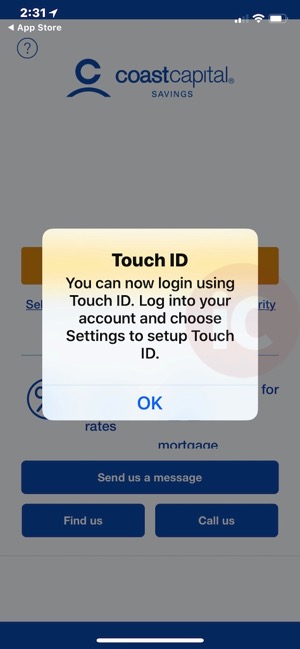
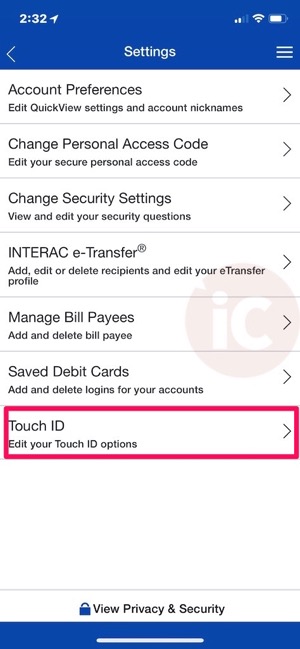
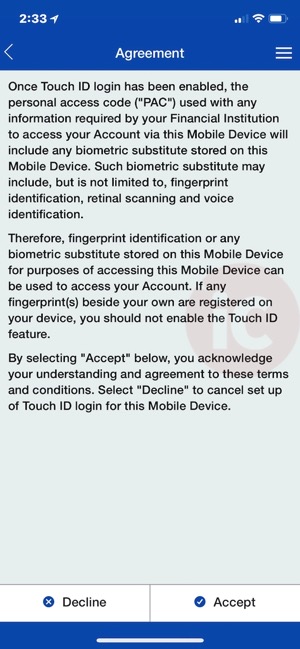
Once you proceed to Settings and Touch ID, you’ll see a toggle to enable it. Coast Capital Savings provides an agreement for you to accept, then warns you again about enabling Touch ID:

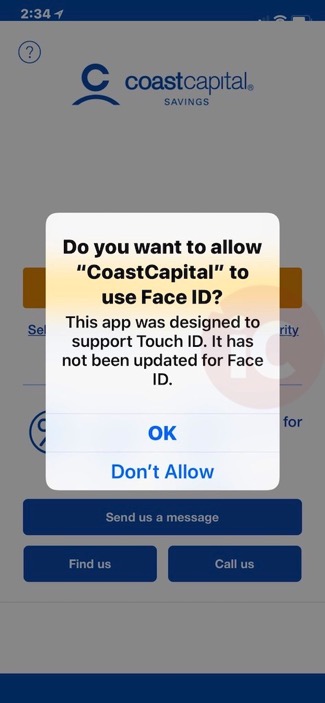
Once you re-launch the app, those using an iPhone X will see the prompt asking permission for the app to use Face ID. Tap OK and you’ll now be able to login on your iPhone X with Face ID. The app, as you may have already noticed, now also supports the iPhone X display.
The update also brings 3D Touch Quick Actions from the app icon for Transfers, Pay Bills and Deposit. For iPad users, new landscape view is available, while there are also new “improved account activity filters and search.”
Click here to download Coast Capital Savings for iOS in the App Store.
Want to see more of our stories on Google?

P.S. Want to keep this site truly independent? Support us by buying us a beer, treating us to a coffee, or shopping through Amazon here. Links in this post are affiliate links, so we earn a tiny commission at no charge to you. Thanks for supporting independent Canadian media!


When is the CIBC update supposed to come out