Is your iPhone or iPad homescreen a mess with scattered apps that aren’t in folders? Always been meaning to organize your apps?
It’s been ten years of iPhone and Apple still hasn’t made it easy to rearrange apps into folders. Users need to painstakingly tap, hold and drag apps one by one, by moving them to the edge of their screens to move between pages.
But did you know there’s a faster way? Thanks to this tip shared on Reddit, Multi-touch allows you to move an app between pages by swiping with your other hand. Yes, that’s right—you no longer need to tap, hold and drag. Now you can just tap, hold and swipe with another finger.
On iOS, I always thought that you always had to move an app to the side off the screen when moving an app, but you can just move it and scroll with another finger. The magic of multitouch.
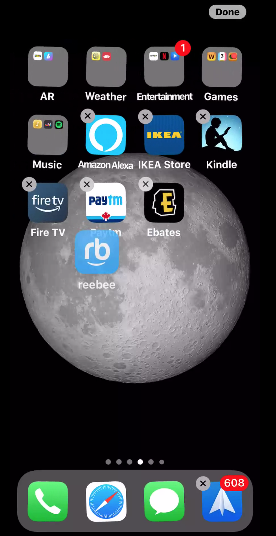
Check out the video below to see what we mean:
There you have it. Time to organize all those apps on your iPhone and iPad you never use, but don’t want to delete (you app hoarder!). #mindblown



It’s also multi-touch, so you can tap on multiple apps and move more than one around.
Okay… why didn’t I know this? When did this happen? Lol
Hmm. I’d like to see the finger gestures. Besides, not many people are multidexterous with their phones.