Contrary to Apple’s official statement on the bugs that it found “no measurable reduction in the performance of macOS and iOS” following its December fixes, benchmarks show that the latest iOS 11.2.2 update that also fixes the Spectre flaw, has a significant impact on performance on some devices, with scores falling by as much as 56% in some tests, CultOfMac is reporting.
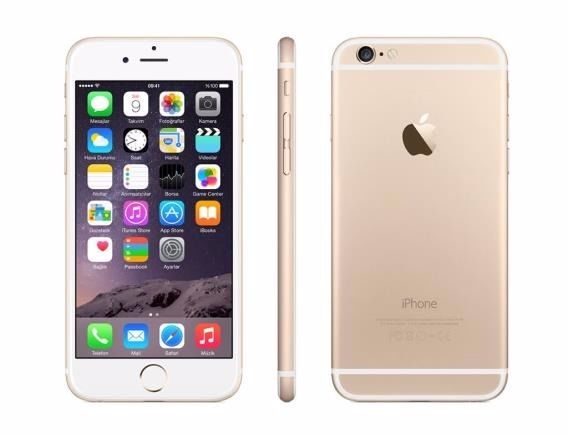
Performance tests ran by Melvin Mughal, the founder of WeCure and publisher of the Melv1n blog, on his iPhone 6 before and immediately after updating to iOS 11.2.2, reveal that both single- and multi-core scores dropped drastically.
“All numbers point to the same conclusion,” Mughal writes. His iPhone 6 “took a serious hit in performance at every possible level”. Scores for certain tests, like those that run HTML5 and SQLite, suffered the most.
It’s unclear how iOS 11.2.2 affects performance on other iOS devices. We should point out that Mughal only tested his own iPhone 6, so this isn’t the most accurate representation of the performance impact the update might have across all iOS devices.
It could be that there are other factors at play here; we would need to see benchmark tests on a greater number of units for a more accurate picture. Mughal admits that others have performed the same tests and seen no significant changes in performance.
Earlier today, Google also shared details of how it protected its services like Gmail from Spectre and Meltdown, without users noticing any performance degradation.



Well, here are my results:
11.2.1 Single core 1540 Multi Core 2631 (22 Dec 2017)
11.2.2 Single core 1546 Multi Core 2643 (12 Jan 2018)
These are from Geekbench 4.
This iPhone 6 Plus has 128 gigs of RAM.
I have screen shots of the results…
128 gb of ram? are you holding a super computer in your hand 😛
I think he meant iPhone 16 😉 The iPhone 6 only has about a gig of RAM
Sorry the “storage” is made out of ram too, I corrected it.
Thank you for pointing it out.
I have another iPhone 6 Plus too and got similar results. I didn’t do every single test, but I’m not seeing a big difference in results nor performance.
RAM is not storage memory – it is volatile and looses all data when power is turned off
NAND flash memory is what you’re thinking of – this is a more permanent data storage
Thanks, I should have known the right terms.
Ah it’s all good mate 🙂
I’d have to agree with that. I’m using an iPhone 6 64gb and I haven’t noticed any slow downs from 11.2.1 -> 11.2.2 (Not visually anyways)
I’m using iPhone 7 and it hasn’t slowed down after latest update. However when updating to iOS 11 from iOS 10 my phone had slowed down quite a bit.
You’re surviving on iOS 11 with a 6? Or, you’re just stuck with it because you updated. lol
Meh, I just got a new battery it’s not terrible. Getting a new phone next cycle.
Maybe his battery just happened to reach the level in which Apple starts throttling the processor right after he upgraded.
Individual results and experiences will vary. Just like some users will experience the random disappearance of search functionality within Settings and some people can’t connect to Shaw Passpoint WiFi, only Shaw Open.
iOS 11.xx will likely go down as Apple’s first buggiest OS in history. Think twice before upgrading or at the very least wait a month or two at the minimum.
Yes, your phone will always be slow and the search functionality won’t work after an upgrade until the device is done indexing. That’s normal, and by intent.
As far as thinking twice about upgrading, it’d be a scary thing to recommend somebody keep their devices insecure on purpose. You don’t really know the liability you would have for doing so.
I’d say there something funny with the 11.0.x updates, probably a developer left debugging on or something… after 11.1 and even 11.2 it went back to what you would expect.
Thanks for the information about indexing. I didn’t know that, but it makes sense. Concur on your comments, particularly about 11.0.0, 1,2, etc..
First buggiest? Isnt there ever only one buggiest?
My iPhone 6s, 7+, and X. I haven’t done any Geekbench stuff, but no noticeable lag on my end. All 3 seem normal.
I didn’t notice any slow down from this particular update but I have noticed some lag in general recently with Apps launching and such. I’m using iPhone 7 Plus.