
Ontario Senior Loses $900,000 to a Terrifying AI Crypto Scam
An 86-year-old Ontario woman lost $900,000 to a fraudulent cryptocurrency platform after trusting a sophisticated Facebook AI deepfake video.
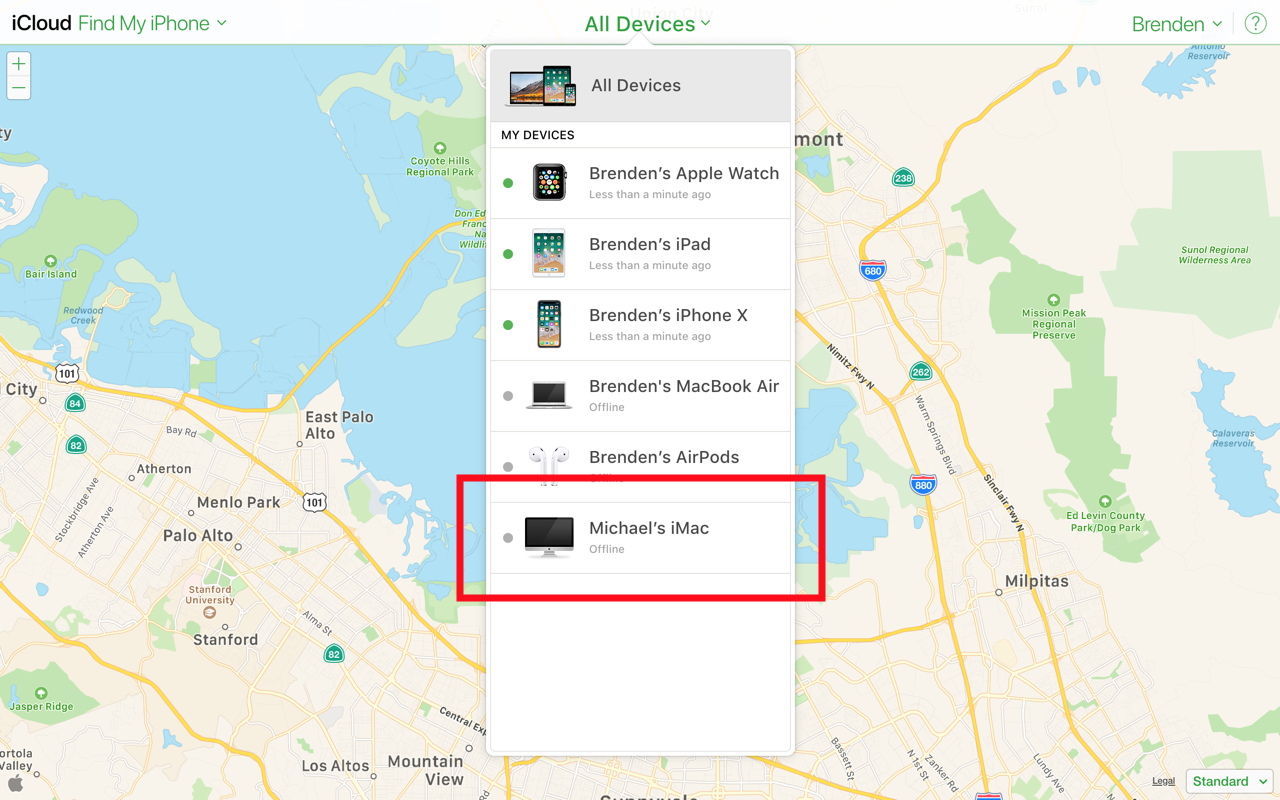
Yesterday, a Google employee took to Medium to describe how he unknowingly had access to the location of an iMac he sold three years ago on Craigslist.
Brenden Mulligan explained that he fully erased the machine and performed a clean install of OS X before selling the machine. However, the machine remained on Mulligan’s Find My iPhone account ever since.
It wasn’t until a few days ago when he realized that the device was still listed in Find My iPhone and was able to locate the iMac from 100 miles away. Mulligan said that the new owner of the machine never logged into their own iCloud account, so the iMac was still associated with his iCloud account.
“For whatever reason, this person didn’t need to sign into iCloud. So this meant that Apple still associated the computer hardware with my iCloud account. The computer wasn’t logged into my iCloud account but was still associated with my account, so I still could track the computer’s location in real-time.”
This doesn’t expose much of a security risk for the seller, however, the buyer’s location is definitely exposed. In addition to the location, the seller would also have access to “Play Sound,” “Lock,” and “Erase Mac” via iCloud.
If you are a user of a used Mac, you can resolve this security issue by signing into your own iCloud account.
Want to see more of our stories on Google?

P.S. Want to keep this site truly independent? Support us by buying us a beer, treating us to a coffee, or shopping through Amazon here. Links in this post are affiliate links, so we earn a tiny commission at no charge to you. Thanks for supporting independent Canadian media!


And this is newsworthy because…?
Because not everyone is as smart as you ?
Still doesn’t make it newsworthy 😉
Your point of view. It’s informative to those who might not still know they should disassociate their device after selling it. If you still don’t think it’s newsworthy that’s fine, don’t read it. Geez.
And your opinion matters here because…?
Get over yourself, world doesn’t revolve around you bud. You can’t even set a proper avatar rotated properly lmao, nobody can take you seriously bro-sky. Now piss off and head back to Android forums, you donkey
I thought everyone knew that you have to disassociate your device once sold… it’s an option in iCloud (sold, lost, given away etc)
Why would you assume that? People don’t even know what causes the seasons or why the sky is blue; why would they know that you must “dissociate your device once sold”
I guess it’s my fault for thinking it’s common sense hahaha
It depends how you look at it.
For me, it’s good to know that even if Mac is stolen and someone manages to wipe it with a clean install, I’d still be able to track where it is.
I sold and iPhone, a week ago, just realized it still showed up on my back ups. but I did disassociated it from my account.
It’s normal for it to show in your backups, until you delete the one related to said phone.
oh yeah this happened to me when I gave my old iPhone to my mom. I had it wiped clean and set up a new Apple ID and iCloud for her. A week later I still saw it show up on my Apple ID page so I deleted it. Not a big deal if it’s a family member, I guess.
I think the title misses the bigger point that “the seller would also have access to .. Erase Mac via iCloud”. To me, this is why it’s newsworthy.
When you do a new installation, why do you log in with your own Apple ID? When you do a clean installation, you stop when it says “Hello” then turn it off.