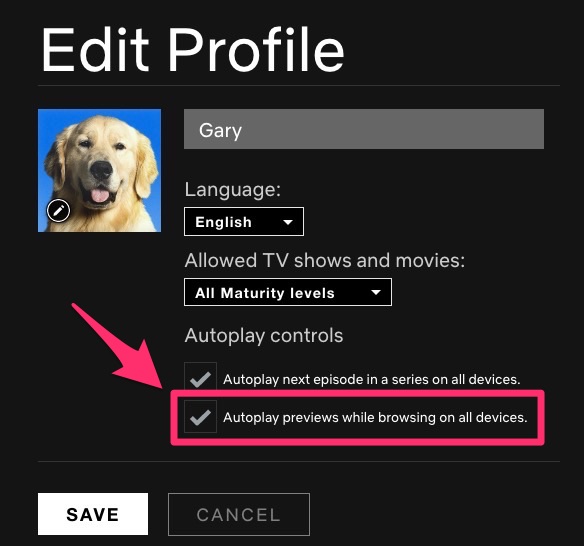
Netflix announced this afternoon you can now disable the dreaded autoplay previews feature, which would automatically play video previews as you were browsing the homepage.
Here’s how to turn autoplay on or off within Netflix settings:
- Sign In to Netflix from a web browser.
- Select Manage Profiles from the menu.
- Select the profile you’d like to update.
- Check or uncheck the option to Autoplay previews while browsing on all devices. Click save.
This same settings page allows you to also disable autoplay next episode in a series on all devices as well.
Netflix explains, “once set, it applies across all platforms (TV, mobile, web).”
We’ve just disabled this setting because it was extremely annoying. Let us know if you’ll be doing the same.



