
How to Capture Motion with the Long Exposure Effect on iPhone, iPad [VIDEO]

Ios13 iphone11 pro photos live photo effects

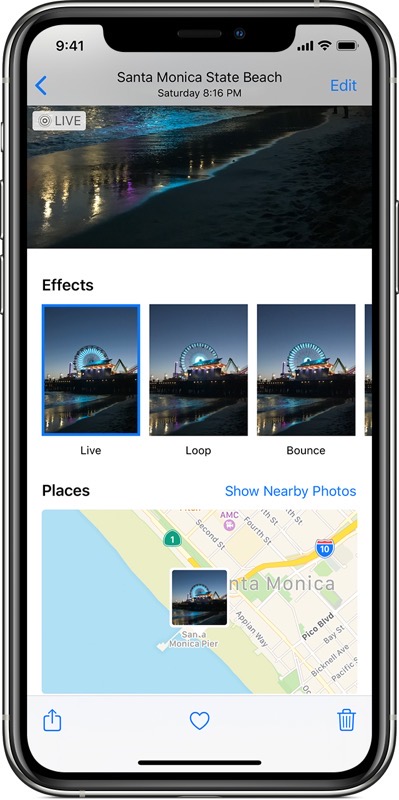
Apple has uploaded a new tutorial detailing how to take a Live Photo and “add the Long Exposure effect to capture motion and stillness in the same picture,” available on your iPhone, iPad and iPod touch.

Basically, take a Live Photo at night with your subject holding very still—then go to ‘Effects’ and choose ‘Long Exposure’. This makes it incredibly easy to snap some cool pictures at night.

Check out the video below from the Apple Support YouTube channel:

Youtube video

Want to see more of our stories on Google?

Add iPhone in Canada as a Preferred Source on Google

P.S. Want to keep this site truly independent? Support us by buying us a beer, treating us to a coffee, or shopping through Amazon here. Links in this post are affiliate links, so we earn a tiny commission at no charge to you. Thanks for supporting independent Canadian media!

Subscribe
Notify of
guest
0 Comments
Oldest
Newest Most Voted
0
Would love your thoughts, please comment.x
()
x