
Apple Cuts Deal with Alibaba to Finally Bring Apple Intelligence to China
Apple has teamed up with Alibaba to train and roll out a custom artificial intelligence model for iPhone users across mainland China.
1Password 8 for Mac has just been rolled out with an all-new design, faster performance, improved security, and next step productivity with updated workflows and deeper integrations with macOS.
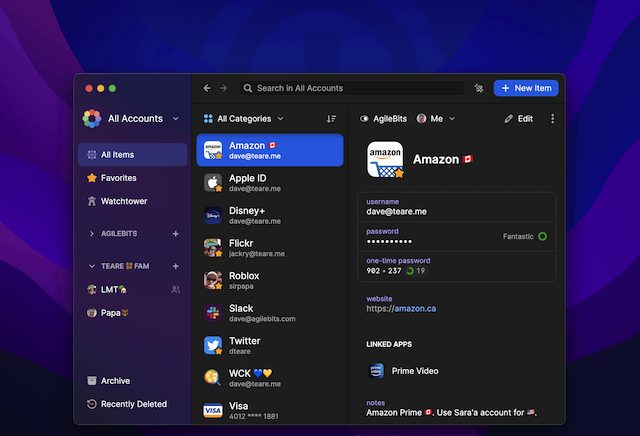
“1Password 8 integrates deeper and tighter with macOS than ever to bring you the most modern, productive, and secure version of 1Password yet,” note the developers.
Developers say they’ve created an entirely new design language, code-named Knox, and everything has been redesigned to feel right at home on macOS. The new design language extends seamlessly into 1Password for Safari.
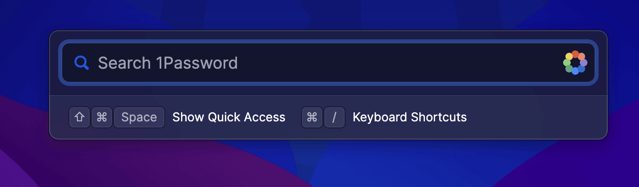
1Password 8 also takes productivity to the next level with improved workflows and deeper integrations with macOS. It all starts with Quick Access, a floating panel that is always available, giving you access to all of your 1Password data.
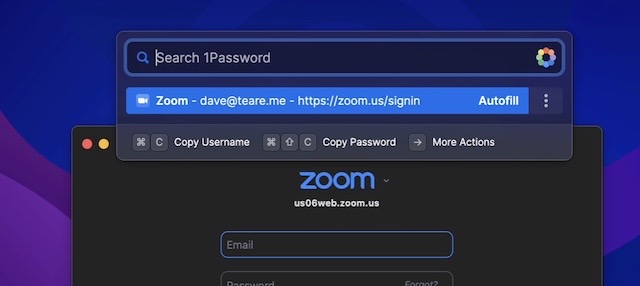
The new Watchtower Dashboard also makes it super simple to get a pulse on your security and see where you need to improve. And the all-new Universal Autofill feature lets you fill anywhere on your Mac using ⌘\.
You can download 1Password 8 for Mac using this 1-click installer to get a release that’s optimized for your Mac, whether it’s Apple Silicon or Intel.
Want to see more of our stories on Google?

P.S. Want to keep this site truly independent? Support us by buying us a beer, treating us to a coffee, or shopping through Amazon here. Links in this post are affiliate links, so we earn a tiny commission at no charge to you. Thanks for supporting independent Canadian media!


Moving from a native coding environment like AppKit and Swift to a terrible web-based version using Electron sure is an interesting way to make an app that “integrates deeper and tighter with macOS than ever”.
It has nothing to do with OS integration or performance. Electron is only used for the desktop version’s UI. I don’t know why they decided to use that instead of SwiftUI which would run a native UI instead of relying on a non-native Chromium instance. My guess is that they wanted to go with brand consistency instead of making 1Password for Mac look more like a macOS app.