Your First Look at Inside Nintendo’s First Store-Within-a-Store at EB Games Toronto
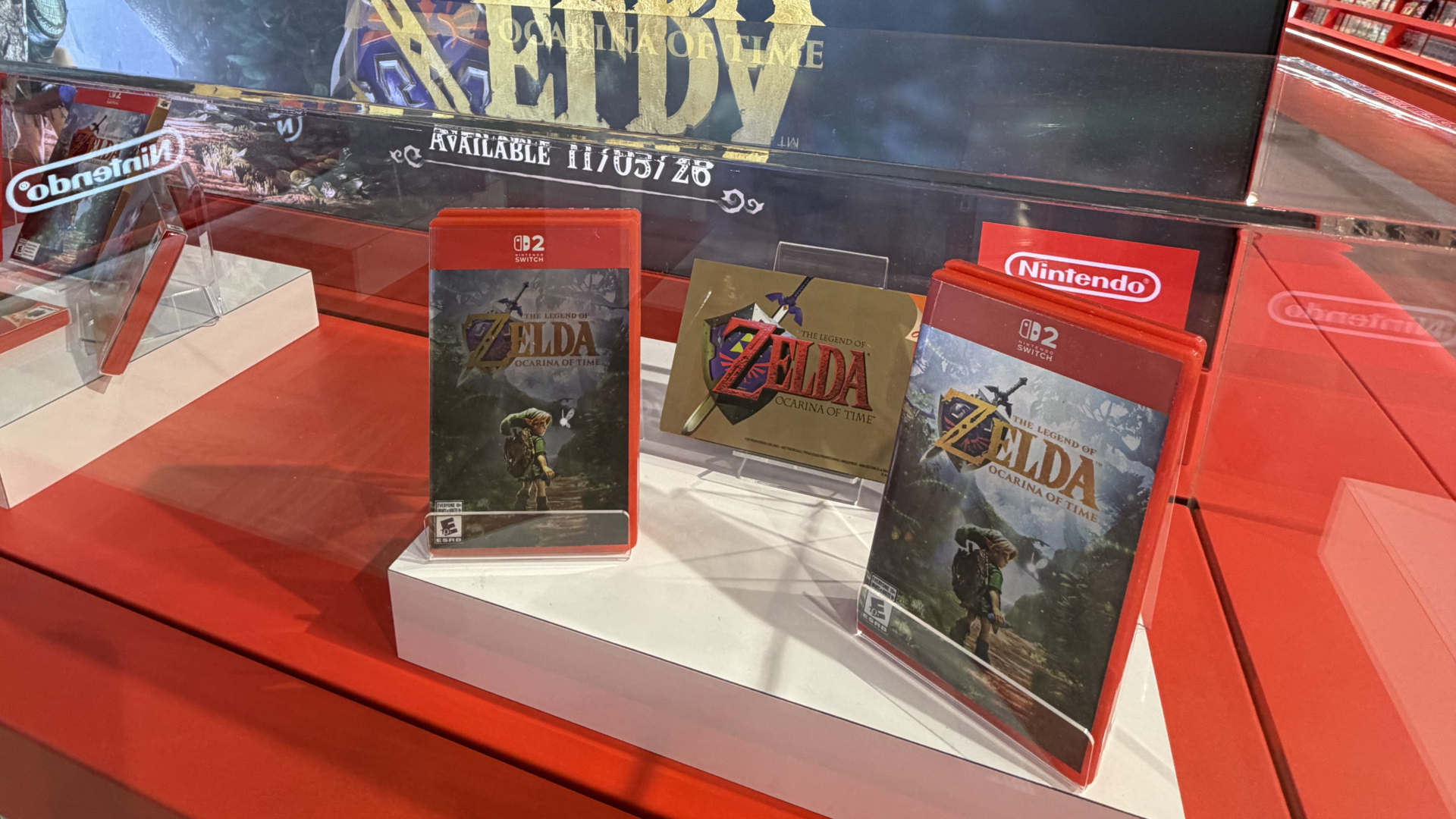
Nintendo's first North American store-within-a-store opens at EB Games on Saturday, October 17, at 10 AM ET.

Razer’s track record of great gaming mice is well established. The company consistently delivers reliable hardware across staples like the DeathAdder, Cobra, and Mamba. The new Viper V4 Pro continues that streak, this time refining an already-proven formula rather than reinventing it.
The Viper series has always leaned toward competitive players chasing speed and precision. With the V4 Pro, Razer keeps that philosophy intact, upgrading the components, shaving down the weight, and squeezing out even more responsiveness. It’s not flashy, but it doesn’t need to be. This mouse is built with one purpose in mind: to deliver momentum and accuracy to win the game. If that fits your needs, you won’t be let down by this lightweight $229.99 CAD gaming mouse.
If you’re expecting a showcase of RGB or an eye-catching aesthetic, the Viper V4 Pro won’t scratch that itch. Razer keeps things incredibly understated. The entire body of the mouse arrives in a sleek ‘Black’ or ‘White’ colourway. The performance hiding underneath is the real scene-stealer.

Weighing in at 50 grams, the mouse feels almost like a toy rather than a piece of your arsenal when you first pick it up. I’m not the biggest fan of super lightweight mice, but Razer’s balance here is exceptional. The Viper V4 Pro snaps into place with quick, effortless flicks, making it a natural extension of your hand during high-pressure moments or more low-stakes navigation on the web. Long sessions never introduced fatigue, and the shell’s soft matte coating adds a premium feel over cheaper plastics.
The symmetrical shape still leans right-handed with its left-side buttons. I had no trouble reaching the side buttons, though the flatter shape is worth keeping in mind depending on your current mouse. While I do miss the thumb indent on Razer’s DeathAdder V4 Pro, the Viper V4 Pro is pretty ergonomical nonetheless.
One questionable design choice is the DPI switch, which sits on the underside and doubles as the power button. It’s designed to prevent accidental toggles, but I’ve become so used to having this toggle accessible when switching between gaming and web browsing that it’s hard to now remind myself to flip the mouse over and switch the DPI.
Razer’s Gen-4 optical switches are a major upgrade over traditional mechanical clickers. The technology is designed to be faster and lighter (with a claimed 12% lower actuation force) and is rated for 100 million clicks. More importantly, the optical switches eliminate double-click issues caused by metal contact degradation. So, every click on the Viper V4 Pro feels crisp, sharp, and deliberate. I find the mouse to be perfect for shooters or fast-action games. That said, the tension takes a little getting used to. In rapid-fire sequences, I occasionally needed to release the switch slightly longer than expected to reset the click.

The scroll wheel is arguably my favourite feature of the Viper V4 Pro. It also moves to an optical system. It’s accurate and lightning-fast, but best of all, it’s silent. There’s virtually no friction when scrolling on the wheel. I can use the wheel to swap weapons in-game or navigate long-scroll pages on the internet without sound.
Razer’s HyperSpeed Wireless Gen-2 tech continues to shine within the Viper V2 Pro. With a claimed 0.204 ms response time and significantly lower motion latency than typical wireless solutions, the Viper V4 Pro feels indistinguishable from a traditional wired setup. Across Call of Duty: Warzone, Marathon and Arc Raiders, the mouse tracked flawlessly at high speed. The 8000 Hz polling rate is available in both wired and wireless modes. It helps push responsiveness even further.
Battery life varies substantially with the polling rate. At 1,000Hz, Razer claims the Viper V4 Pro can sustain a battery life of 180 hours. At 8,000Hz, battery life drops to around 45 hours, which I’ve personally measured during my review.
I tested the mouse on a variety of surfaces, including an older run-of-the-mill desk pad purchased from Amazon. The best pairing, however, has been Razer’s new $69.99 CAD Gigantus V2 Pro. Each version of the mat has a specific weave and friction profile tailored to your preferred speed and control. The underlying GlideCore foam comes in multiple firmness levels. Depending on the model you purchase, you’ll find more friction, based on your preferences.
The Razer Viper V4 Pro provides world-class speed, precision, and input reliability inside a featherweight frame. At $229.99 CAD, it’s absolutely a premium mouse. Casual gamers won’t need high-end specs like an 8000 Hz polling rate or optical switches rated for 100 million clicks but can still take advantage of the ergonomics and stellar battery life. If you play competitively or just want the absolute fastest, most consistent experience possible, this mouse is hard to beat.
Razer set out to build a minimalist, performance-first mouse and the Viper V4 Pro nails it. This is peak function over form, designed for players who don’t care about looking good while they win. If you’re in the market for an upgrade, the Viper V4 Pro should be at the top of your list.
Want to see more of our stories on Google?

P.S. Want to keep this site truly independent? Support us by buying us a beer, treating us to a coffee, or shopping through Amazon here. Links in this post are affiliate links, so we earn a tiny commission at no charge to you. Thanks for supporting independent Canadian media!