Wealthsimple Hides $1,000 Flight Prizes in Free Chocolate Bars
Wealthsimple is hiding ten flight credits worth up to $1,000 CAD in free chocolate bars. Canadians can enter at Billy Bishop Airport or by mail.
Spotted by WABetaInfo in WhatsApp beta for Android version 2.26.46.9, a new dual camera mode is being tested by WhatsApp that lets users shoot photos and videos with their front and rear cameras at the exact same time.
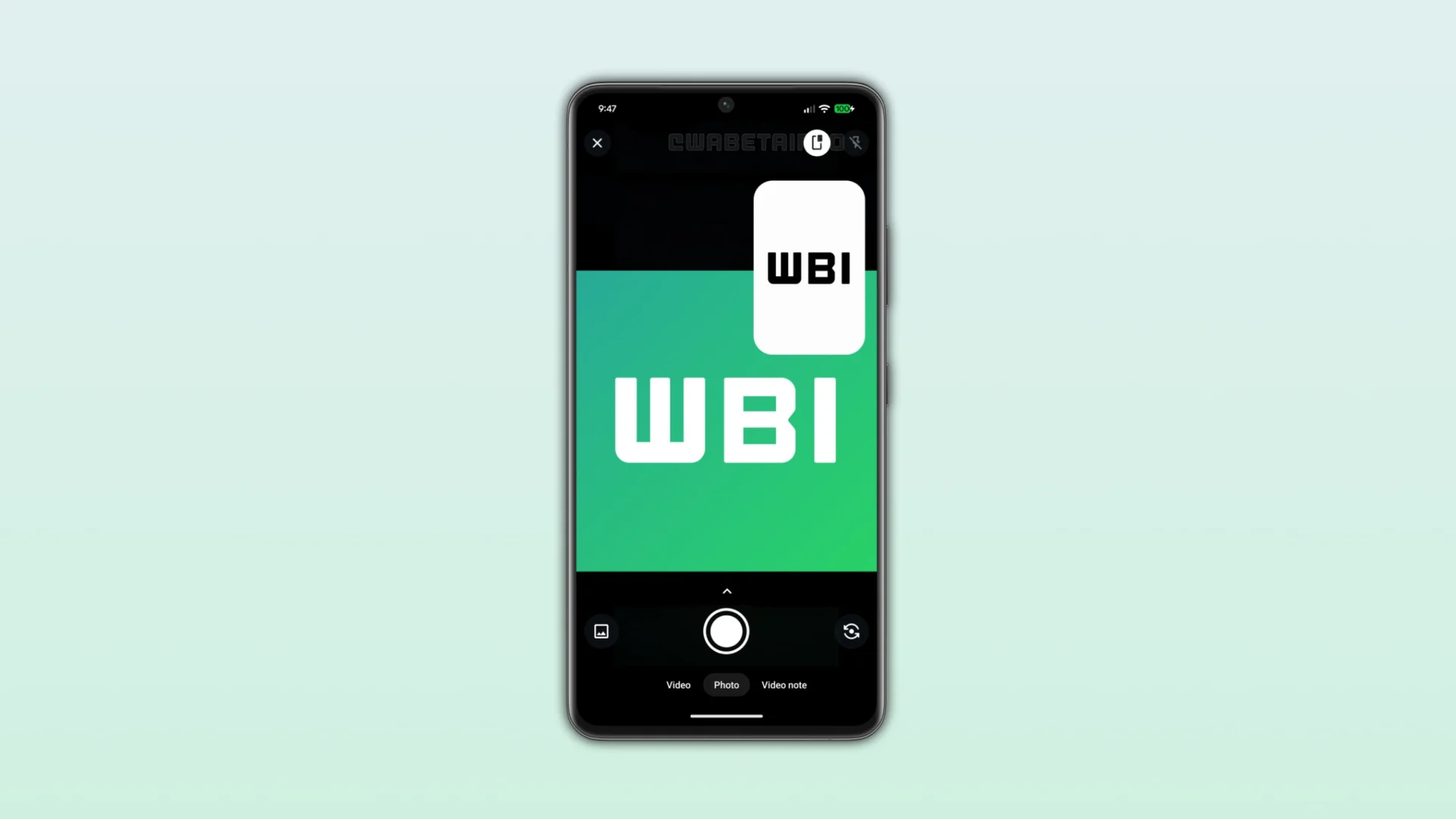
The feature gives people a simple way to film a scene while showing their own reaction in the same shot. Instead of picking one camera or stitching clips together later, users can view both camera feeds on screen at once and combine them into a single photo or video.
Turning the feature on starts right from WhatsApp’s camera screen. A new button at the top of the interface lets users switch on dual camera mode. Once active, the rear camera fills the main screen while the front camera sits in a smaller rectangular box in the top right corner.
WhatsApp also gives users a bit of layout control rather than locking the smaller box in one spot. You can drag that smaller camera frame to another part of the screen if it is blocking something important. If you want your face to take over the full screen instead, tapping the rotate button swaps the two views so the front camera goes full screen and the back camera moves into the smaller window.
The feature works for both still photos and video recording. Snap a photo and WhatsApp blends both camera views into one image. Hit record and it captures both lenses at the same time to save a single combined video clip.
Once you take a shot, you can share it directly to individual chats, group conversations, channels, or WhatsApp Status updates. Because it lives inside WhatsApp’s camera interface, it is available no matter where you open the camera in the app. Before hitting send, you can still add a caption, draw or edit in WhatsApp’s editor, or post the shot as is.
Right now, dual camera mode is only rolling out gradually to select testers on the Android beta channel. Even if you have installed version 2.26.46.9 from the Google Play Store, the button might not appear right away.
Want to see more of our stories on Google?

P.S. Want to keep this site truly independent? Support us by buying us a beer, treating us to a coffee, or shopping through Amazon here. Links in this post are affiliate links, so we earn a tiny commission at no charge to you. Thanks for supporting independent Canadian media!