
Klarna App Adds a One-Time Visa Card for Canadians
Klarna’s One-Time Card lets eligible Canadians split purchases at most online Visa checkouts, even when the store doesn’t offer Klarna.
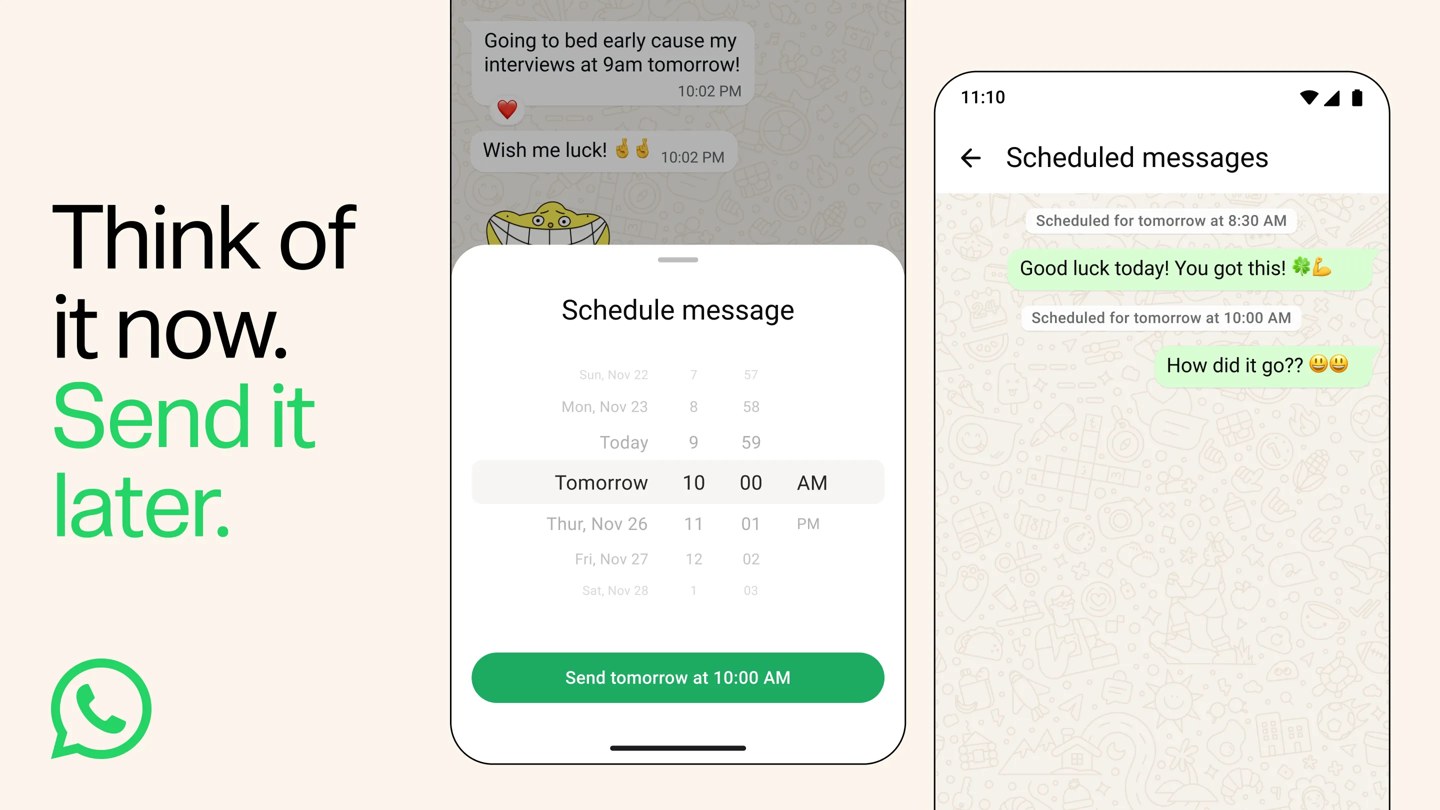
If you’ve ever held off on sending a WhatsApp message because it was too late at night, you’ll soon be able to write it and let the app send it in the morning. After testing scheduled messages on iPhone in October, WhatsApp announced on November 25 that the feature is rolling out worldwide, including in Canada, over the next few weeks.
The idea is similar to Send Later in Apple’s Messages app, but it works in WhatsApp’s one-on-one and group chats. It follows another recent change for groups: WhatsApp is expanding them to 1,500 members.
To schedule a message, open a chat and write what you want to send. Press and hold the Send button instead of tapping it, then pick a date and time. You can schedule a message as little as 10 minutes or as far as 14 days ahead. You can schedule photos and videos as well as text.
We also tried it in the updated WhatsApp app for Mac. Click and hold the Send button to open the calendar, then choose a date and time and click the green button to confirm. WhatsApp shows “You scheduled a message.” Click View in that notice to see the scheduled message in a pop-up.
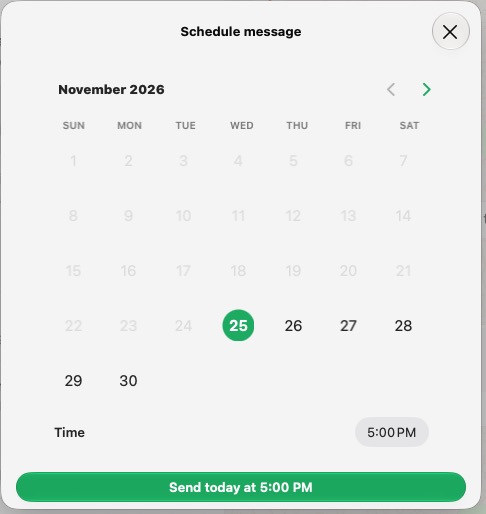
Once you’ve picked a time, WhatsApp says the message will go out even if your phone is switched off or out of battery. It stays end-to-end encrypted and looks like a regular message on the other end. You can also review what’s waiting to go out and delete anything you’ve changed your mind about before it sends.
If holding Send doesn’t bring up a scheduling option yet, try updating WhatsApp and checking again as the rollout reaches more accounts.
What would you use scheduled WhatsApp messages for?
Want to see more of our stories on Google?

P.S. Want to keep this site truly independent? Support us by buying us a beer, treating us to a coffee, or shopping through Amazon here. Links in this post are affiliate links, so we earn a tiny commission at no charge to you. Thanks for supporting independent Canadian media!