
How to Recover and Restore an Apple Watch
Learn how to recover and restore your Apple Watch with an iPhone or iPad, based on Apple's official Support video.
**Still waiting for the iPhone to launch in Canada? Sign the Great Canadian iPhone Petition to speed up the process! Click here to have your say in the matter NOW!**
Probably one of the BEST apps for the iPhone is the NES emulator that I reviewed a while back. Anyways, I am sure you are happy to know that a new version has been released. It’s version 2.0.5 and it brings improved gameplay–which means games are no longer chunky and somewhat playable now!
How to Install NES 2.0.5 + ROMS on your iPhone
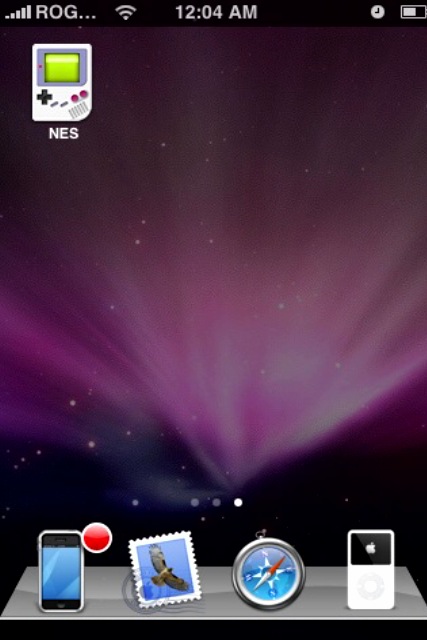
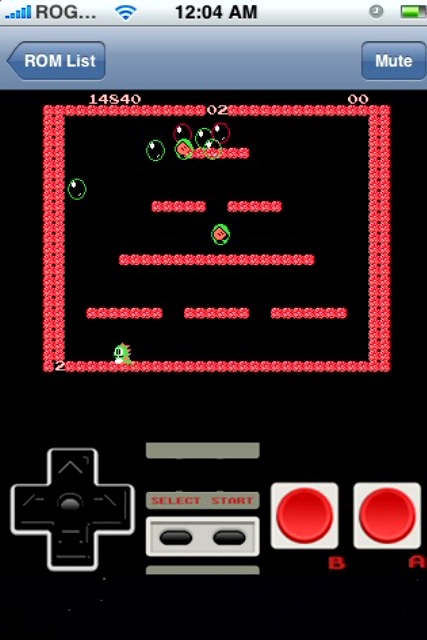
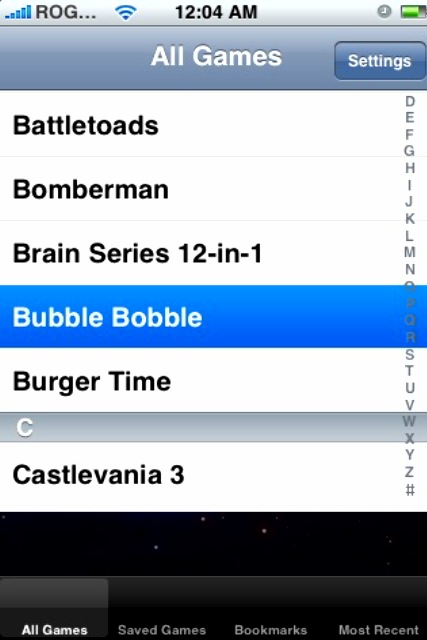
Thanks to Lonman06 for the Source URL!
If you enjoyed this post, please subscribe to my RSS feed, so you won’t miss any updates! You can also subscribe via email and have daily updates sent to your Inbox!
Want to see more of our stories on Google?

P.S. Want to keep this site truly independent? Support us by buying us a beer, treating us to a coffee, or shopping through Amazon here. Links in this post are affiliate links, so we earn a tiny commission at no charge to you. Thanks for supporting independent Canadian media!


I’ve tried adding the source twice & nothing shows up under ‘Games’ section, nor does it show up in “All Packages”? I do have NES installed already but I have a different icon on my screen. I did notice that there is another ‘NES’ package in the ‘All Packages’ section, by “Swell”. Do u know what this is all about? When I go 2 the information section on this app, it looks like it’s a Nintendo emulator as well.
Any clarification would be sincerely appreciated.
Once again, thank u, thank u, thank u 4 such an amazing site! Absolutely adore this site!
Sincerely, Mystique 🙂 <3
Thanks iPhone Fan for the How to… 🙂
Okay, that source absolutely wouldn’t work for me, no matter if I uninstalled, re-installed, turned the phone off, re-set the springboard or even if I refreshed my sources numerous times.
After Googling this, I found a site with 2 different sources, which they used on an IPod Touch & an IPhone version 1.1.4, claiming that these sites were safe on both devices.
Here are 2 different sources that may work for you:
http://markmon.mine.nu:90/iphone/repo/repo.plist
(This site wouldn’t work for me, no matter how many times I tried it.)
Then, another person on this site, who was using an jailbroken 1.1.4 version, gave this site & these instructions: “The bigboss pack was driving me crazy because it just WOULDNT show up.
For those who are as tired of trying over and over as i am, simply add this repo:
http://s.apfelphone.net
You will see a new section called apfelphone fun in installer, which contains 2 nes packs, both of which work on 1.1.4. Enjoy. (its 100% safe)”
I used this source & it worked beautifully for me, no problems. I didn’t have to change the auto-lock settings either. However, with previous research, I have been told to just ‘touch’ the screen periodically when downloading a slower program, to prevent the phone from going in2 sleep mode.
Hope this works for those of you who the Big Boss source won’t. Oh yeah, should tell u that after the download of the packages, there is a little pop-up in another language, not sure what but guessing either German or Scandanavian. I just clicked ‘ok’ & then you’ll get a pop-up in English asking u ‘to donate if you liked this program’. So far, no problems with the downloaded program.
I did check the NES program after the first download & noticed no change in any of the game titles but after I downloaded the second package, all the new titles were in the game menu.
Hope all of this makes sense? Any questions, feel free to email me for clarification.
Cheers,
hope you’re all having an awesome weekend,
Mystique 🙂
Same here. Don’t see the GAME package?
It didn’t work for me. I did part 2 ok, but i don’t see it show up in the Games section. Any ideas?
The source is http://123locker.com — NOT http://123lockers.com
That’s probably why it’s not working for you, Mystique.
Thanks for the heads up altempo. The changes have been made. Sorry about the confusion everyone! Don’t kill me! 🙂
We’d never get mad @ u! Heck, what would we do without ur site? You’ve been a God-send when it comes to explaining things! I love ur site!
I just un-installed the ‘foreign language’ packages that I previously explained how I downloaded.
Then, I just downloaded the Big Boss package & looking @ the game menu, I think there’s more games in the Big Boss’s package vs. the “Apfel Phone Fun ” package.
Thanx 4 the update on the source address,Altempo! I was beginning to think I was going crazy!
Cheers,
Mystique 🙂
Thanks!
Hello everybody im dr phil lol. I came by to see if anybody know how to customise the icon on the iPhone? Or how to change the icon on the iPhone to a different view like Halo for example. Hola with information thanks!
Package download failed: lost network connection! I get this message for the tree sources mentioned above. Have yet to find a source which will work.
For those still looking for the NES emulator etc they moved over to the Cydia repositories. Add a new repository from http://apt.123Locker.com 🙂
i have add the source but nuttn showed up under games..>Could u help me out on this please
Legend of Zelda Octorok Hunter – Made this mettlesome in a some days, ease employed on it 🙂 The neutral is to blackball every adversary as alacritous as possible
AAAHHH I GIVE UP NOTHING WORKS NO MATTER WHAT I DO I CANT GET A FUKIN ROM SOME ONE HELP ME!!!! I TYPE IN THE SOURCE AND NOTHING HAPPNS OR IT JSUT DOSNT FIND IT =.= SOME ONE HELP ME *sad face*
thanks i got it oh it works a jailbroken 2.2 ipod touch thanks again
THANK YOU FOR THE CYDIA REPO, TYLER. Because Installer 4.0 is still beta I have been depending on Cydia forever now. Instant roms – including GBA. THANK YOU.
this shit dont work! ive enter the http://locker123.com and http://markmon.mine.nu:90/iphone/repo/repo.plist sources but nothing shows up under games in installer, what am i doing wrong? The markmon source is invalid
THANK YOU TYLERR!! THAT CYDIA REPO WAS JUST WHAT I NEEDED!!!
installer sucks, ive never gotanything working on that tried everything nothing works , only the last cydia part, cydia rocks 😀
the 4pp13 Repository (123locker.com) no longer has the emulators available for download on cydia – how can i get the nes emulator now?
I’ve tried adding the source twice & nothing shows up under ‘Games’ section, nor does it show up in “All Packages”? I do have NES installed already but I have a different icon on my screen. I did notice that there is another ‘NES’ package in the ‘All Packages’ section, by “Swell”. Do u know what this is all about? When I go 2 the information section on this app, it looks like it’s a Nintendo emulator as well.
Any clarification would be sincerely appreciated.
Once again, thank u, thank u, thank u 4 such an amazing site! Absolutely adore this site!
Sincerely, Mystique 🙂 <3
Thanks iPhone Fan for the How to… 🙂
Okay, that source absolutely wouldn’t work for me, no matter if I uninstalled, re-installed, turned the phone off, re-set the springboard or even if I refreshed my sources numerous times.
After Googling this, I found a site with 2 different sources, which they used on an IPod Touch & an IPhone version 1.1.4, claiming that these sites were safe on both devices.
Here are 2 different sources that may work for you:
http://markmon.mine.nu:90/iphone/repo/repo.plist
(This site wouldn’t work for me, no matter how many times I tried it.)
Then, another person on this site, who was using an jailbroken 1.1.4 version, gave this site & these instructions: “The bigboss pack was driving me crazy because it just WOULDNT show up.
For those who are as tired of trying over and over as i am, simply add this repo:
http://s.apfelphone.net
You will see a new section called apfelphone fun in installer, which contains 2 nes packs, both of which work on 1.1.4. Enjoy. (its 100% safe)”
I used this source & it worked beautifully for me, no problems. I didn’t have to change the auto-lock settings either. However, with previous research, I have been told to just ‘touch’ the screen periodically when downloading a slower program, to prevent the phone from going in2 sleep mode.
Hope this works for those of you who the Big Boss source won’t. Oh yeah, should tell u that after the download of the packages, there is a little pop-up in another language, not sure what but guessing either German or Scandanavian. I just clicked ‘ok’ & then you’ll get a pop-up in English asking u ‘to donate if you liked this program’. So far, no problems with the downloaded program.
I did check the NES program after the first download & noticed no change in any of the game titles but after I downloaded the second package, all the new titles were in the game menu.
Hope all of this makes sense? Any questions, feel free to email me for clarification.
Cheers,
hope you’re all having an awesome weekend,
Mystique 🙂
Same here. Don’t see the GAME package?
It didn’t work for me. I did part 2 ok, but i don’t see it show up in the Games section. Any ideas?
The source is http://123locker.com — NOT http://123lockers.com
That’s probably why it’s not working for you, Mystique.
Thanks for the heads up altempo. The changes have been made. Sorry about the confusion everyone! Don’t kill me! 🙂
We’d never get mad @ u! Heck, what would we do without ur site? You’ve been a God-send when it comes to explaining things! I love ur site!
I just un-installed the ‘foreign language’ packages that I previously explained how I downloaded.
Then, I just downloaded the Big Boss package & looking @ the game menu, I think there’s more games in the Big Boss’s package vs. the “Apfel Phone Fun ” package.
Thanx 4 the update on the source address,Altempo! I was beginning to think I was going crazy!
Cheers,
Mystique 🙂
Thanks!
Hello everybody im dr phil lol. I came by to see if anybody know how to customise the icon on the iPhone? Or how to change the icon on the iPhone to a different view like Halo for example. Hola with information thanks!
Package download failed: lost network connection! I get this message for the tree sources mentioned above. Have yet to find a source which will work.
For those still looking for the NES emulator etc they moved over to the Cydia repositories. Add a new repository from http://apt.123Locker.com 🙂
i have add the source but nuttn showed up under games..>Could u help me out on this please
Legend of Zelda Octorok Hunter – Made this mettlesome in a some days, ease employed on it 🙂 The neutral is to blackball every adversary as alacritous as possible
AAAHHH I GIVE UP NOTHING WORKS NO MATTER WHAT I DO I CANT GET A FUKIN ROM SOME ONE HELP ME!!!! I TYPE IN THE SOURCE AND NOTHING HAPPNS OR IT JSUT DOSNT FIND IT =.= SOME ONE HELP ME *sad face*
thanks i got it oh it works a jailbroken 2.2 ipod touch thanks again
THANK YOU FOR THE CYDIA REPO, TYLER. Because Installer 4.0 is still beta I have been depending on Cydia forever now. Instant roms – including GBA. THANK YOU.
this shit dont work! ive enter the http://locker123.com and http://markmon.mine.nu:90/iphone/repo/repo.plist sources but nothing shows up under games in installer, what am i doing wrong? The markmon source is invalid
THANK YOU TYLERR!! THAT CYDIA REPO WAS JUST WHAT I NEEDED!!!
installer sucks, ive never gotanything working on that tried everything nothing works , only the last cydia part, cydia rocks 😀
the 4pp13 Repository (123locker.com) no longer has the emulators available for download on cydia – how can i get the nes emulator now?
the source isn’t 123locker its apt.123locker