
Apple’s AirPort Utility App is Being Removed From the App Store
Apple warns that "functionality is not guaranteed" when using AirPort Utility on iOS 27 or later.
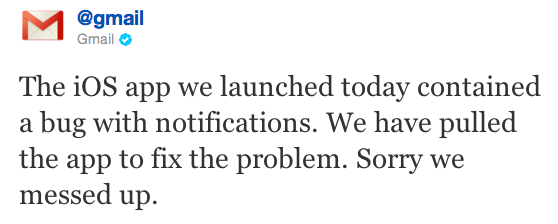
Update 2: Google messed up on Push Notifications and the Gmail app has been pulled. They just sent this out on twitter:
Update 1: Push notifications don’t work with this app. Also, if you’re searching for it in the App Store, it hasn’t propagated to ‘first’ yet. Just click ‘Show More’ a few times and you’ll see it in the list.
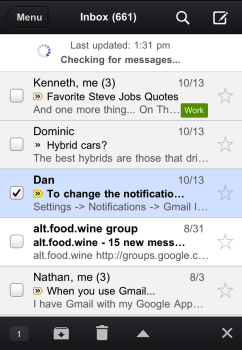
Yesterday we heard from MG Siegler that Google was set to release a native Gmail iPhone app, and today that has come to fruition. Earlier today, the Google Mobile Blog introduced Gmail for for iOS, and now the app is available for download in the App Store for iPhone, iPad, and iPod touch.
Description below:
Get the official Gmail experience for your iPhone, iPad, or iPod touch.
With the Gmail app, you can:
- Receive notification badges for new messages
- Read your mail with threaded conversations
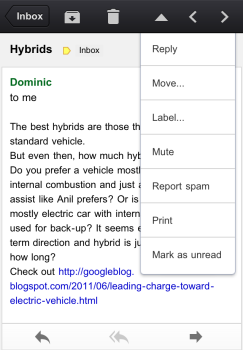
- Organize your mail by archiving, labeling, starring, deleting, and reporting spam
- Keep track of important messages with priority inbox
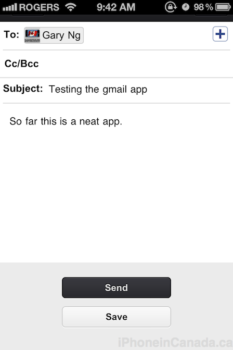
- Auto-complete contact names as you type
- Send and receive attachments
- Search through all your mail
Update: This does work for Google Account users as well.
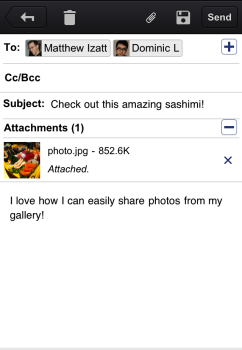
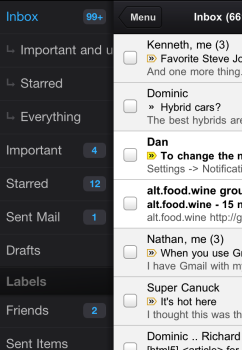
So far, only one account is supported at a time within the app. If your Gmail account has lots of other emails being forwarded to it, this app will make it easier for you to search for those emails versus using Mail for the iPhone. I did like how you can send attachments from your Camera Roll.
Some gripes? Some newsletter type emails aren’t formatted to fit the iPhone’s screen properly, so you can’t see everything without panning left and right. The app is a nice release, but it’s far from replacing the Mail app. Like I said, it’s great for searching your Gmail account as it’s easier and quicker to access than the web app. I see this app as an extension for Apple’s Mail app for die hard Gmail users. But if you’re looking for a polished app, nothing beats the native Mail app.
Click here to download it in the App Store.
Want to see more of our stories on Google?

P.S. Want to keep this site truly independent? Support us by buying us a beer, treating us to a coffee, or shopping through Amazon here. Links in this post are affiliate links, so we earn a tiny commission at no charge to you. Thanks for supporting independent Canadian media!


why should i use this over the default Mail client?
Exactly my thoughts
Quick searches for emails. That’s about it.
Also you can check sent messages, as well as labels/folders other than the Inbox.
Push notifications don’t work
Can’t find it on the App Store from my iphone, anyone having this same issue? I’m from Montreal
Didn’t show up when I searched the App Store but I just copied the link http://itunes.apple.com/ca/app/gmail/id422689480?mt=8 and opened it from my iPhone. Worked here in MTL
Thanks for the tips Ian and Gary, it worked! 🙂
Tap ‘Show More’ a few times and it’ll appear in the list.
i keep getting “your request could not be completed”.
Google just pulled the app due to bugs. Read the latest update.
if I click the link I get the message “your request could not be completed” I guess they pulled it form the store
Walked into a Rogers store to get an iPhone 4s and got the last one! From iphone 3G to iPhone 4s, wow one word…FAST! Love this phone!!
You getting an iPhone doesn’t seem relevant to Google releasing a native Gmail app… but thanks for coming here and saying that.
Request could not be completed. The item is currently not available in the app store.
I figured this app wouldn’t allow multiple accounts. Shame Google limits their apps for unknown reasons. Definitely won’t be using this over the Mail app without multiple account support.
Where is “Show More”?
Glorified Web App
when you “delete” an email, does it actually delete or does it archive it?