
Apple’s AirPort Utility App is Being Removed From the App Store
Apple warns that "functionality is not guaranteed" when using AirPort Utility on iOS 27 or later.
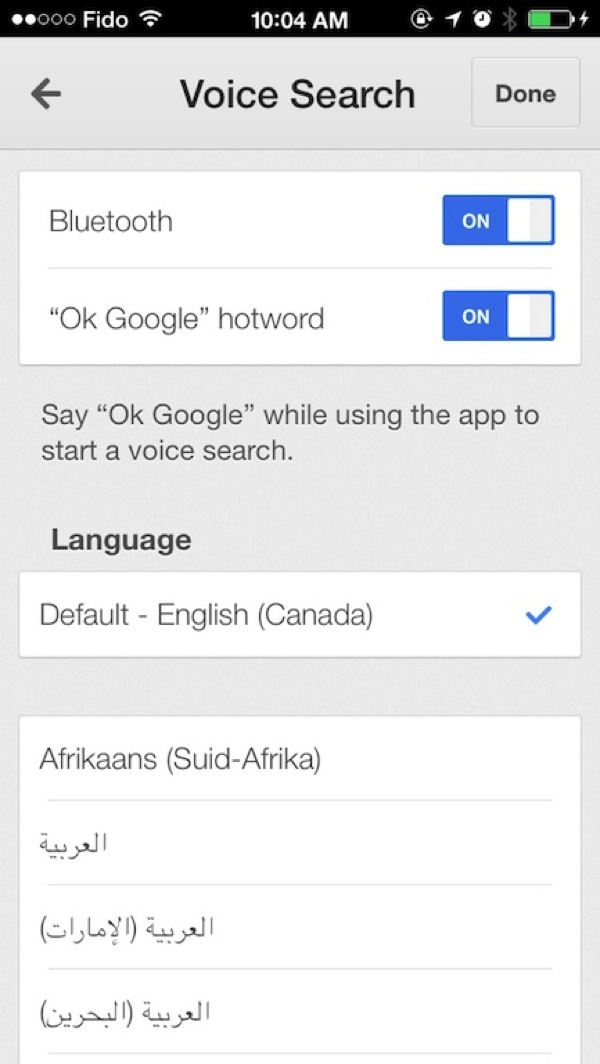
Google Search for iOS has received a major update, with the most significant changes coming to the Google Now service, which now features hands-free voice searches as it initiates when you say “OK Google”, a feature found in Android 4.4 KitKat.
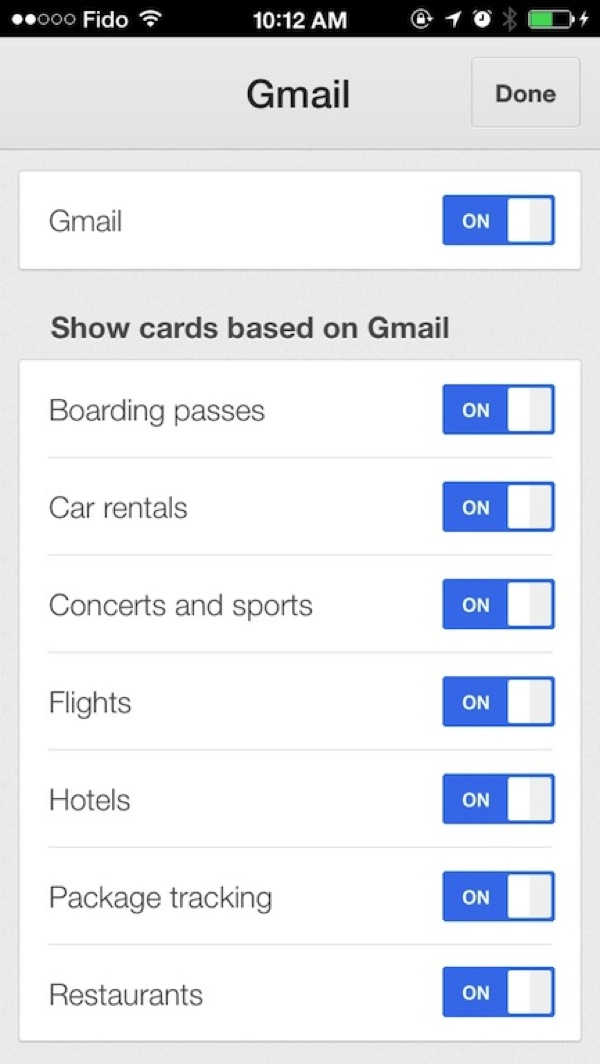
Also new are notifications, reminders, new cards and more to help Google track everything you do in life, once your Google account has been signed in:
What’s New in Version 3.1.0
Google Now gets even better with:
• Notifications – Get notified when it’s time to go
• Reminders – Never forget to put out the trash
• New cards – See tickets, boarding passes, & more
• Handsfree voice – Just say “OK Google” to search*
* requires iPhone 4s or laterNotifications deliver info before you open the app:
• When to leave for your next appointment or event
• If your flight is running late
• How to catch the last train homeAsk Google to remember things for you. Just say
• “Remind me to buy coffee beans at Starbucks,” or
• “Remind me to check out the fair this weekend”
and Google will remind you at the right time or place.You can also ask to be reminded when your favorite:
• Musicians release a new album
• TV show has a new episode
• Actors star in a new movie
• Celebrities and politicians make headlines
Just search and press the “remind me” button.New cards organize the info you care about:
• Tickets for movies, concerts and events
• Boarding passes for your flights
• Reservation confirmations for car rentals
• Warnings when your last train home leaves
• Lists of upcoming local eventsAnd finally, search is better than ever with:
• A redesigned and simplified homepage
• Gestures to zoom or throw away images
• One touch sign in if you use other Google apps
• Improved voiceover accessibility
We just tested the update and its very impressive. By saying “OK Google”, the response time is instant and hands-free searches have become even easier. I was surprised to see a card was shown of a UPS package heading my way (new package tracking)—creepy, yet amazing at the same time.
You can see the settings for Voice Search and new Cards below:
Update: Some users have not seen this update in the ‘Updates’ tab in the App Store. You might have to manually search for the app to update.
Click here to download Google Search for iOS—it’s free. Let us know what you think of this update!
Want to see more of our stories on Google?

P.S. Want to keep this site truly independent? Support us by buying us a beer, treating us to a coffee, or shopping through Amazon here. Links in this post are affiliate links, so we earn a tiny commission at no charge to you. Thanks for supporting independent Canadian media!


Is anyone else not seeing the “ok google” hot word toggle option?
Are you using an iPhone 4S or later?
Yeah I’m on my 5s
Oh nvm. Just had to update the app.
Oh, that helps 😉
I should have mentioned the update wasn’t showing up, but rather people had to manually search and update.
🙂
Yeah I thought I downloaded the newest one.
Looks like an interesting update. Will have to see how it affects battery life.
Np!
Yep, I just enabled Google Now for the first time in a long time.
my update notice shows up in iTunes updates no prob.
I love the Google Voice Search. More accurate than Siri, IMO, and the new notifications gives you an alternative to the Reminders app.