Just earlier this week iOS 6 Beta 4 was released to developers. We’ve noticed many features such as the 3D maps expansion, improved Bluetooth sharing, and even the disappearance of the YouTube application. But hidden deep inside the settings panel, there was surely some missed updates.
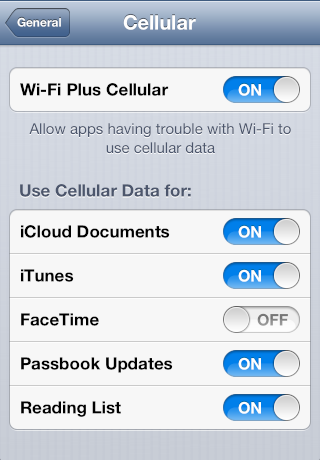
With Apple’s latest iOS 6 installment, a feature labeled “Wi-Fi Plus Cellular” was added within the General > Cellular tab inside the settings panel.
The goal of this new “Wi-Fi Plus Cellular” setting is to enable your iPhone’s cellular connection when the Wi-Fi connection is poor. In the current version of iOS (5.1.1) your device cannot complete this task.
Along with enabling the setting, you’re also given the option to enable cellular data for specific functions or applications. The list includes iCloud Documents, iTunes, Facetime, Passbook Updates, and your Reading List. If any options are turned off, hypothetically they will only work over an active Wi-Fi connection.

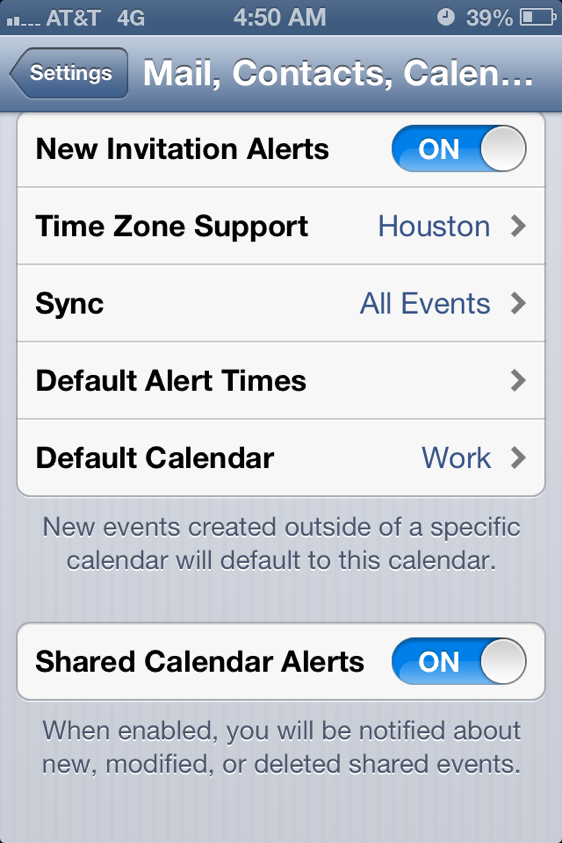
Along with the “Wi-Fi Plus Cellular” setting, AppAdvice was able to spot a new “Shared Calandar Alerts” setting within the Mail, Contacts, Calendars tab. With the setting enabled, you can expect notifications when calendar items are created, modified, or deleted.
Let us know in the comments if you like these newest updates! We can’t guarantee they will make the cut for the final version of iOS 6, but we’ll cross our fingers.



The Wifi Plus Cellular is handy because I just moved into my new house and there isn’t an active Internet connection yet, but I have the WiFi setup so I can stream movies from my QNAP NAS to my Apple TV using Seas0nPass and ATV Flash Black. I always leave WiFi enabled on my iPhone because I use WiFi at work and home, so I’ve noticed that even though WiFi is still enabled on my phone at home and there isn’t an active Internet connection, everything still works seamlessly…mail connects, I can browse Safari, etc etc.
Can’t wait for this function though. Will be handy in places with weak wi-fi. I see what you’re getting at though.