Google introduced a new ride services mode to Google Maps last year as a convenient option for people to easily get where they need to go. Today, the company has announced a redesign of its Google Maps ridesharing feature, that lets you hail ridesharing services Uber, Lyft, Gett or Hailo without leaving the app. With today’s updates, users will see more types of ride options and more actionable information.
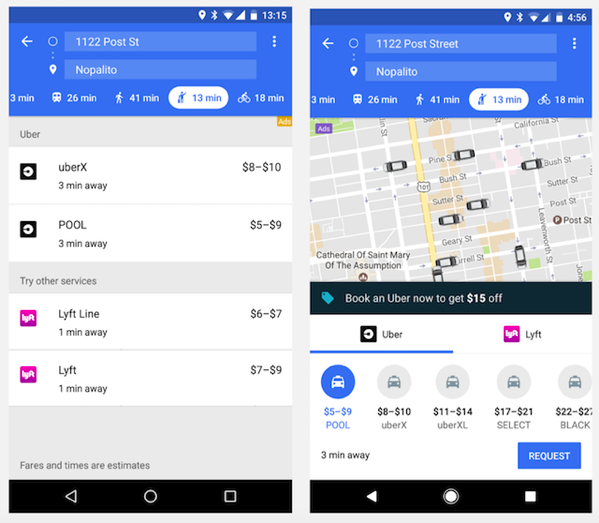
When you open ride services mode, instead of a long list of ride service providers and ride options, you’ll see the map you know and love, along with a carousel of ride service providers in your area. Just tap on your preferred provider to see a complete list of ride options and special offers or promotions. Best of all, you can book an Uber and pay for it directly from Google Maps without ever leaving the app. All you need is an Uber account.
From booking a ride to reserving a table at a local restaurant, booking your favorite fitness class to ordering delivery for a night in, Google Maps no longer just shows you the information you’re looking for. It also makes it easier to get things done in the real world — all in one place.
You can even take a look at information about your destination while en route. So menus, hours and other helpful details are only a swipe away.
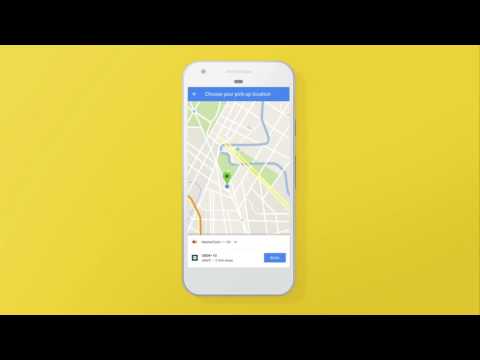
Here’s how you can book an Uber ride, track your driver on the map, and connect with your driver using Google Maps:



Google Maps > Apple Maps
Gboard > Apple Keyboard