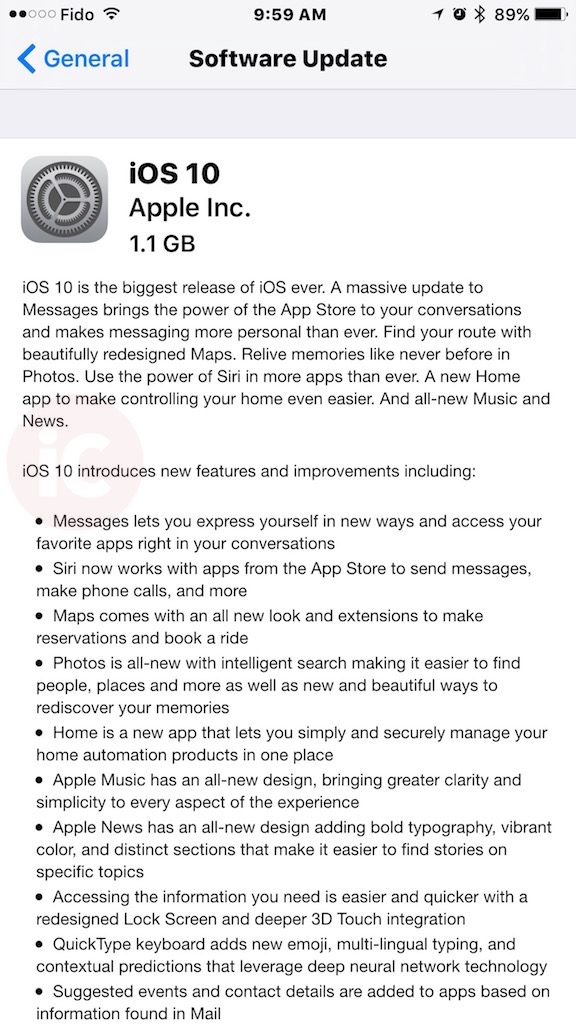
Apple has just pushed out iOS 10.0.1 for the iPhone, iPad and iPod touch. It comes in as a 1.1GB download for the iPhone 6s Plus, build 14A403. Also out is tvOS 10 and watchOS 3.

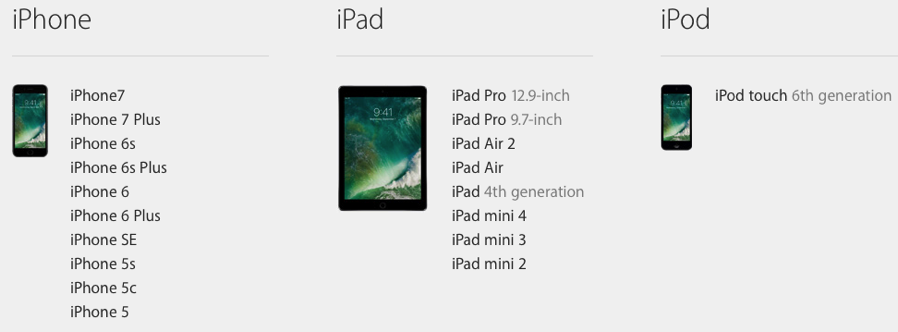
The following devices are compatible with iOS 10:
- iPhone 5 or newer
- iPad mini 2 or newer
- iPad 4 or newer
- iPod touch 6th gen

You can download iOS 10 by going to Settings > General > Software Update on your iOS device. Apple’s servers will get slammed by millions of iOS users getting updates, so if you’re not desperate, wait a few hours or start your updates this evening. Don’t forget to backup to iCloud or iTunes before updating, of course.
The final version of macOS Sierra is coming September 20th.
Update: Some iPhone SE users, after installing the update, have seen their devices jump into recovery mode, showing the ‘plug into iTunes logo’. So be warned, iPhone SE users!
Update 2: Our own iPhone 6s Plus OTA update to iOS 10 resulted in the same ‘plug into iTunes’ screen. Now plugging into iTunes…
…more to follow



I already had the public beta but now the final release is out to the public , I can’t update says I already have it
Cause final public beta is identical to release today
Ok but don’t wanna be in beta now and don’t want to have to restore
1) Download the IPSW on your computer for your specific device. 2) Open iTunes, while pressing on “alt/option”, click the “update” button in iTunes. Select the IPSW you downloaded in step 1 from your computer and then press open.
3) It will update the phone with the new version without a restore.
Where do I download the ispw
The reason why i stopped signing up for Beta testing. Wish there was an easy way to switch
I can confirm that SWOTAM comment below works.
Just remove the iOS Beta Software Profile from your device.
The official release is the same build as the GM, you don’t have to update, restore, backtrack or anything.
If you don’t want to receive new beta updates from now on, just go to Setting -> General -> Profile, and delete the iOS Beta Software Profile. From then on, your phone will only receive official releases.
One question the bedtime alarm feature would let me know before and when my bedtime is , now it’s no longer working , do you know how I can fix it?
it is exactly the same thing would why youl install it again?
Nevermind I’ll remove the beta profile
Was able to download and install… but update failed. Now downloading the update from iTunes… that I had to actually install…
Wow, just downloaded and installed on my iPad mini 4, took all of 12 mins!! Love the new home screen options.
All updated. Feels awesome!
Did WatchOS 3 come out? Sills says my watch is up to date
Ya it’s available. Updating mine now. Super slow though
Thanks for the reply. I guess mines messed up. When i go to software update in the watch app it says ” watchOS 2.2.1 Your software us up to date.” This sucks. Anyone else who was in the beta able to get the new watch update?
the update wouldn’t push for me until I installed iOS 10 on my iPhone, then it popped right up
Not sure if I missed understood the “Raise to Wake” feature but after the install of iOS10 my Iphone6 does not seem to have the feature or option to enable or disable it.
it only works on 6S, SE and 7. You have to have the M9..
I have the iPhone 6s ?