Do you use Gmail on your iPhone via the Mail app? There are two ways to setup your Gmail account: IMAP or Exchange (Google Sync). The IMAP method is rock solid in my books, but the Exchange setup results in slow loading emails. The following is a simple fix if you’re encountering missing emails on your iPhone within your Gmail Exchange (Google Sync) account.
A common mistake people make is not selecting all the labels/folders you want to be pushed to your account. It might be a good idea to go into your Mail settings and do this now if you’ve experienced issues.
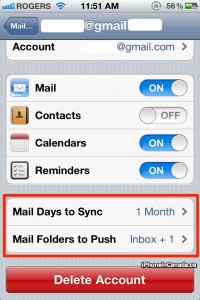
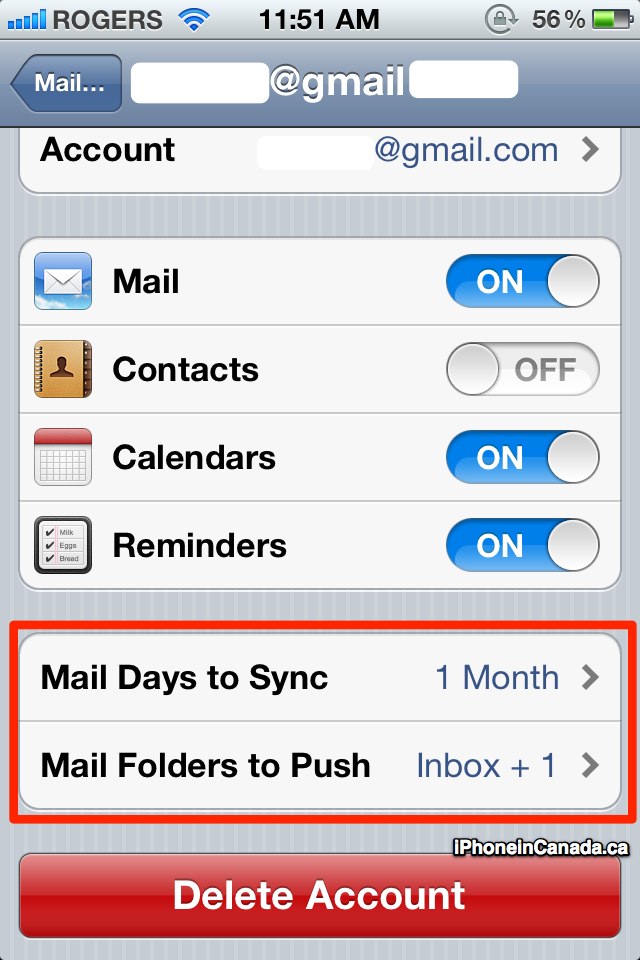
1. Go to Settings–>Mail, Contacts, Calendars–>Select your Gmail Exchange account
2. Under Mail Days to Sync, select: One Month.
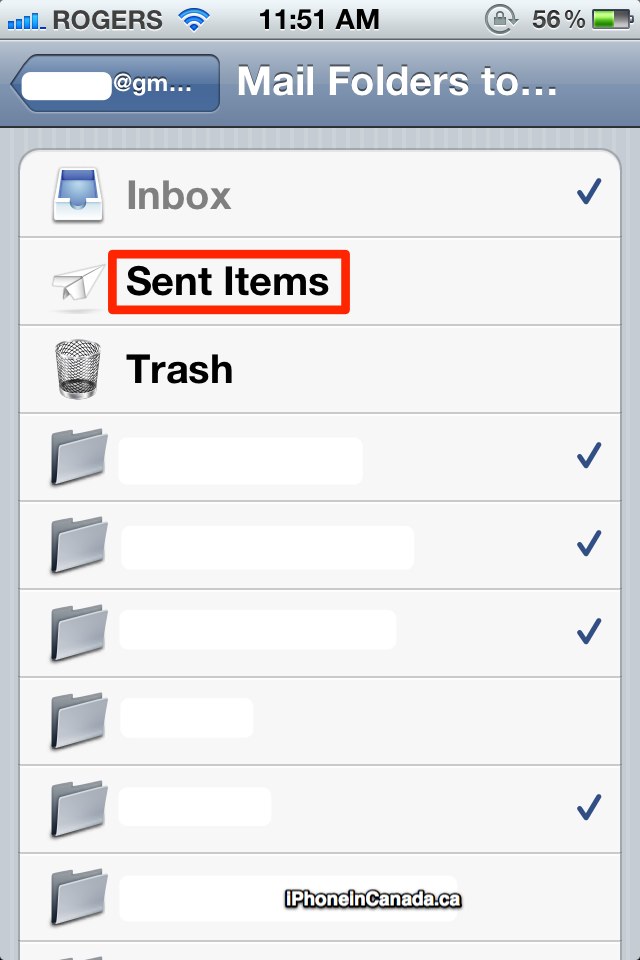
3. Under Mail Folders to Push, tap and select/tick as many folders/labels you want. Good ones to tick off: Inbox, Sent Mail

Now, launch your Gmail Exchange (Google Sync) account. Tap the folders you just selected to be Pushed and if you give it some time to refresh–your mail should now appear. Earlier today, Google updated Google Sync to allow for server side search for all emails, instead of just emails stored locally.
Let me know if this works for you. I’d like to see a standalone Gmail app in the App Store. With Apple approving more apps from Google (think Google Latitude), this is one on my wish list. Earlier today, Google updated Google Sync to allow for server side search for all emails, instead of just emails stored locally.



Mark Read is a solid jailbreak tweak to mark everything as read.
Im sure this will be helpful for anything that enables a month and other Gmail labels with the article here.
Mark Read is a solid jailbreak tweak to mark everything as read.
Im sure this will be helpful for anything that enables a month and other Gmail labels with the article here.
Mark Read is a solid jailbreak tweak to mark everything as read.
Im sure this will be helpful for anything that enables a month and other Gmail labels with the article here.
I Have exchange setup and checked sent mail for push just like explained here but my sent folder has always been empty. Can’t get it to work so I always have to go on safari to see my sent mail. Any suggestions?
There are 2 sent folders in the mail settings one with the paper airplane icon and one regular folder icon and I have both checked for push and no luck.
I Have exchange setup and checked sent mail for push just like explained here but my sent folder has always been empty. Can’t get it to work so I always have to go on safari to see my sent mail. Any suggestions?
There are 2 sent folders in the mail settings one with the paper airplane icon and one regular folder icon and I have both checked for push and no luck.
When will gmail imap support push?
When will gmail imap support push?
You need to setup a Google Active Sync account (via Exchange). That supports
Push, IMAP doesn’t.
Server side search has been around for a few weeks now, IIRC. I know it was one of my biggest gripes with using Exchange, and one of the reasons I always had the same email address set up simultaneously with pop/smtp, so I could use the search properly. I’ve gotten rid of it in the last few weeks since this feature started working. LOVE it btw!