
Apple’s AirPort Utility App is Being Removed From the App Store
Apple warns that "functionality is not guaranteed" when using AirPort Utility on iOS 27 or later.
Apple announced today it has increased cellular app download limits to 150MB, up from its previous limit of 100MB, in a notice posted for developers.
We’ve increased the cellular download limit from 100 MB to 150 MB, letting customers download more apps from the App Store over their cellular network.
With cellular networks increasing in capacity and download speeds, coupled with the growing sizes of apps, this appears to be an initiative to allow iOS users download more apps, games and updates on the go.
Back in 2015, Apple allowed developers to increase app binaries from 2GB to 4GB, but the cellular download limit remained at 100MB.
For Canadians with limited data buckets, downloading a 150MB app could eat up 50% of your 300MB data plan, which is what some Big 3 plans start at.
One way to save data is to disable automatic updates and cellular data for automatic downloads. Here’s how to do it:
Settings > iTunes & App Store > > Automatic Downloads > Updates > OFF
Settings > iTunes & App Store > Automatic Downloads > Use Cellular Data > OFF
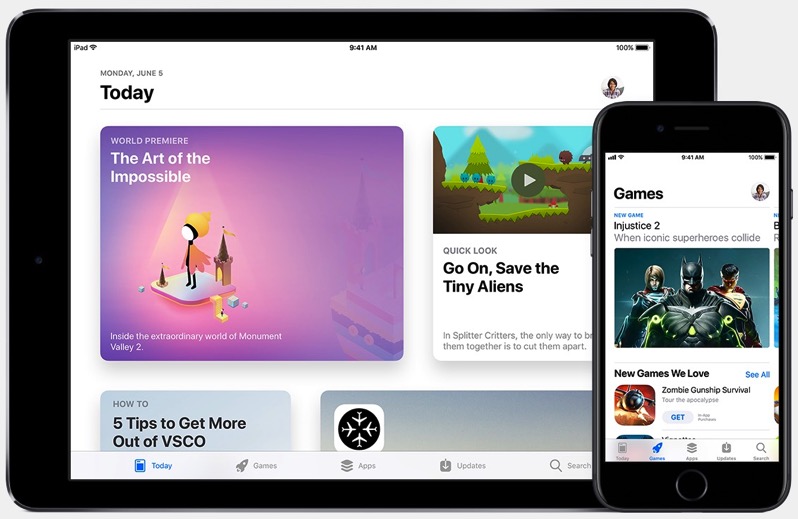
The release of iOS 11 today also introduced a totally revamped App Store, making the app a daily destination with more curated titles for apps and games.
Want to see more of our stories on Google?

P.S. Want to keep this site truly independent? Support us by buying us a beer, treating us to a coffee, or shopping through Amazon here. Links in this post are affiliate links, so we earn a tiny commission at no charge to you. Thanks for supporting independent Canadian media!


Got to say I’m late to the game with iOS 11 because I’ve never tried the beta but so far I’m loving it I like the look. My iPad Air 2 looks sexy with this…. but anyway back to your article who the hell would have 300 MB of data your grandma? LOL
Lolol
Yepp – give your grandma an iPhone 8, and one of her retirement cheques goes straight to the cell provider.
Lol!
It’s actually Settings > iTunes & App Store …..
There is no path through General.
Thanks, fixed.