
Apple’s AirPort Utility App is Being Removed From the App Store
Apple warns that "functionality is not guaranteed" when using AirPort Utility on iOS 27 or later.
Pebble has released an update to their iOS app to bring email notifications from Gmail and generic IMAP email services. Once you’ve connected your Pebble to your iOS device, launch the Pebble app and tap the ‘chat’ icon in the lower left corner.
You can then get the option to add an account to be setup. You will have a choice of Gmail or Other as shown via Pebble’s setup guide:
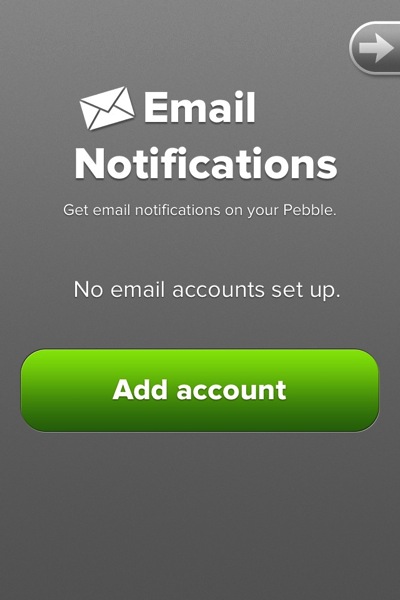
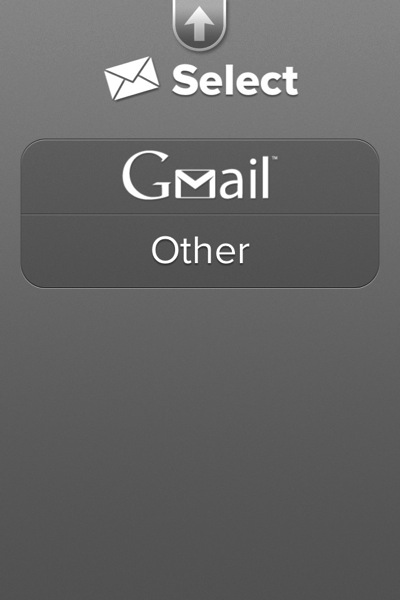
If you select Gmail, it’ll be directed to your Google Account login page. You will be asked to give permission to Pebble to view your email address, mail and basic information.
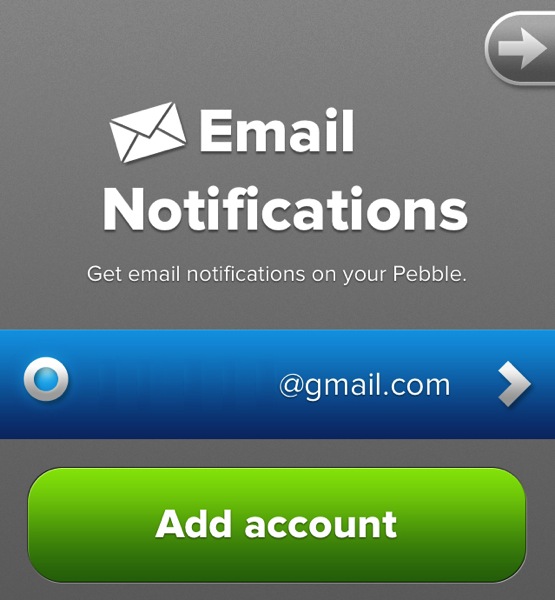
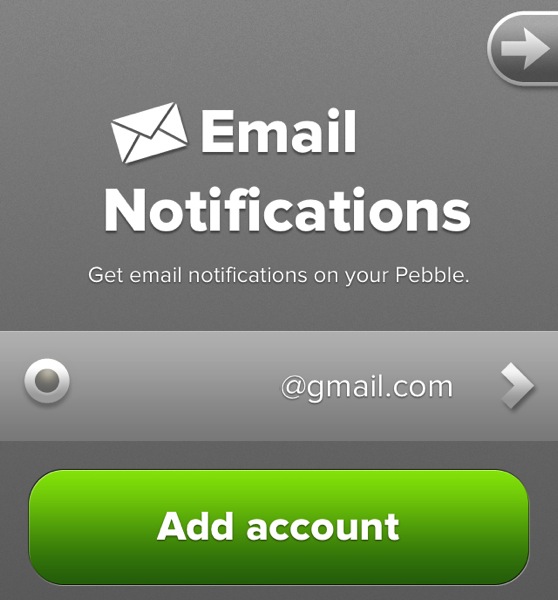
To temporarily disable email notifications, just tap your email address and the blue bar will turn grey. Tap it again to enable them again.
We have installed this update but have yet to experience a push notification for our Gmail account, along with others in this support forum. Let us know if you have got this working for your email!
Want to see more of our stories on Google?

P.S. Want to keep this site truly independent? Support us by buying us a beer, treating us to a coffee, or shopping through Amazon here. Links in this post are affiliate links, so we earn a tiny commission at no charge to you. Thanks for supporting independent Canadian media!

