
Apple’s AirPort Utility App is Being Removed From the App Store
Apple warns that "functionality is not guaranteed" when using AirPort Utility on iOS 27 or later.
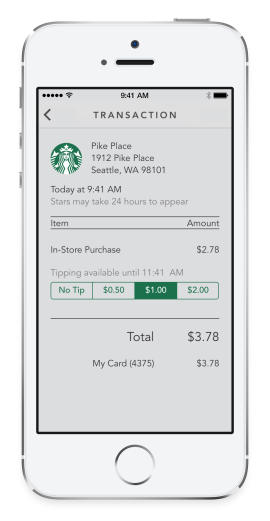
Starbucks has released their highly anticipated iOS 7 iPhone update in the USA and Canada, which brings a brand new design plus new features such as “Shake to Pay” and digital tipping for American stores.
What’s New in Version 3.0
• Digital Tipping (U.S. company-operated stores): You’re welcome to tip your barista up two hours after your purchase. You’ll receive a push notification after each eligible transaction.
• Dashboard: See your rewards level, available rewards, inbox messages and most recent transactions.
• Shake-to-Pay: For added convenience, simply shake your device to show the barcode to pay at the register.
• Share Rewards Milestones: Reached Gold Level? Spread the word on Facebook and Twitter.
• Integrated History: View your entire account history—including purchases made, Stars earned and rewards redeemed—in a single feed.
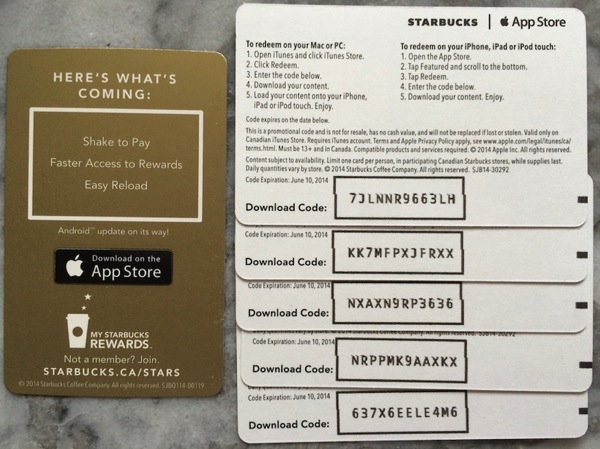
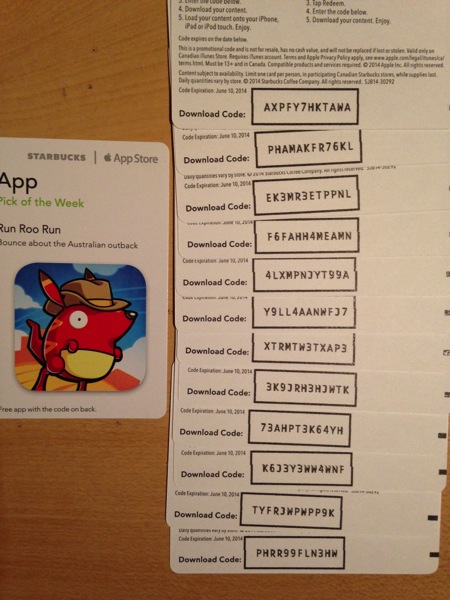
Starbucks locations in Canada have been teasing the new iPhone update with promotional cards near the drink pick up counter, such as the one pictured below (oh, and here are some promo codes to enjoy—thanks Jeremy!):
Click here to download the new Starbucks iPhone app. The Starbucks Canada app is no longer being updated and this new app is for both countries.
Update: We have updated this article to reflect the new Starbucks iOS 7 app is a download for both countries. So go get it!
Update 2: Here are some observations on this new app:
Update March 25: Starbucks has sent out an email to customers saying the ‘old’ app will be discontinued and can be deleted once you sign into the new one (which will require your password).
Want to see more of our stories on Google?

P.S. Want to keep this site truly independent? Support us by buying us a beer, treating us to a coffee, or shopping through Amazon here. Links in this post are affiliate links, so we earn a tiny commission at no charge to you. Thanks for supporting independent Canadian media!


I am able to download the new app in the Canadian store. I don’t think there is a difference anymore. It integrated with my existing passbook balance and is showing Canadian store locations.
You were able to download the Starbucks Canada 3.0 app? It’s not showing over here yet.
I downloaded the standard starbucks app in the Canadian store. I believe in the past the Canadian store only had access to the Starbucks Canada app. Now there are both.
Whoops, I see it now thanks! I thought the Canadian app was waiting for an update but update is now for both countries. Updated.
The new app is pretty slick. I particularly like the fact you can transfer balances between registered cards on your iPhone. So if you get a Starbucks card as a gift, just register it on the app, then transfer the balance to your existing card, then delete the empty card – all on your phone. Neat.
That feature was already there before. I use this app almost everyday. Yes, I have an addiction.
Yup. There are 2 apps now in the Canadian store – the old one and the new one.
The new app made my Passbook balance in USD rather than CAD. But the amount is still the same.
That’s not the new app. My Passbook balance was changes into USD well before the new app launched. And that was weeks ago already,
I downloaded 3.0 and I am getting “Internal Server Error” anytime I try to pay or access my account info. I’ve deleted the app, reinstalled, rebooted. No dice. Any ideas?
Figured it out. I had a bad card on my account. I deleted it from the Starbucks website and I am good to go!
I’m getting the same “Internal Server error’ message. What do you mean by a “bad card”?
Downloaded the new app from the Canadian App Store. Couple things:
1. Did a manual reload of my gold card. Receipt is in US dollars and my passbook has also updated to USD.
2. Can’t transfer balances from previously registered cards as they are “out of market” meaning Canadian. Sucks as I can’t transfer balances to my gold card.
You can probably still use the old app to transfer balances. Have you tried that?
I haven’t deleted the old app just in case there are issues with the new one.
Yup, definitely worth keeping the old app if you transfer funds or receive gift cards frequently.
Seems I get no stores found in the new app but are still there in the old. Balance is the same in both though.
I had been checking the app store periodically and wondering why there was no update showing. If I didn’t follow tech news I would have never known that there was even an update! That’s one of my pet peeves; let’s release an updated app but don’t update the old app so no one will know that there is even an update. Oh, first world problems. 🙂
Definitely FWP! Lol
When paying with PayPal on the new app, the option to not pay with the PayPal default (bank account) and opt to pay with credit card via PayPal no longer exists. I see that I can add a credit card to this app, but I’m not so sure I am comfortable with Starbucks having my credit card number on file. The old app was better so far from I can see.