
How to Claim Your $95 Cash in Apple’s $250 Million Siri AI Lawsuit
Apple's official $250 million settlement portal is live, offering up to $95 to US users impacted by delayed Siri AI features on iPhone 16 and 15 Pro models.
Do you want to AirPlay Mirror your iPhone / iPad onto your Mac’s bigger screen but can’t since you do not own an Apple TV? Well, we might just have the perfect solution for you! An all new OS X app called Reflection now lets you AirPlay Mirror the display of your iPhone or iPad to your Mac without the need of Apple’s set-top box.
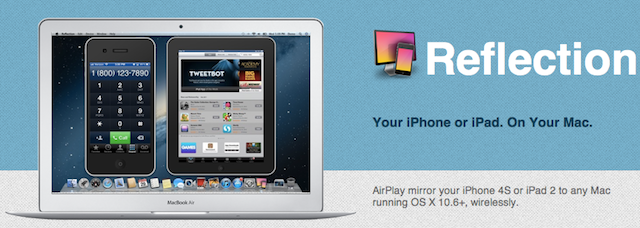
Reflection app lets you view your iOS device’s screen in real time on your Mac’s display allowing you to play your favorite iOS game on the bigger screen. You can even record and save your on screen activity. The mere downside is that the app supports iPad 2 and iPhone 4S only.
A single user license of Reflection App for Mac can be purchased for $15 while a pack of 5 licenses costs $40. You can also download a 10-minute free trial. You’ll need to be running OS X Lion on your Mac.
Want to see more of our stories on Google?

P.S. Want to keep this site truly independent? Support us by buying us a beer, treating us to a coffee, or shopping through Amazon here. Links in this post are affiliate links, so we earn a tiny commission at no charge to you. Thanks for supporting independent Canadian media!


This is pretty epic. Works real smooth.
How about a Windows App?
Doesn’t work for me is it only for mirroring? i.e. won’t work with iPhone 4?
How do you record and save the screen activities? Limits on lenght? Can’t find that function in the trial version?
If you need a separate software to record on screen activities, what would you guys recommend that records visual and sound. Prefer free option of course.