Quantcast How to Use Slingplayer over 3G on iPhone | iPhone in Canada Blog - Tips, Tricks, News, and Tutorials for Canadian iPhone Users

How to Use Slingplayer over 3G on iPhone

by Gary on May 13th, 2009

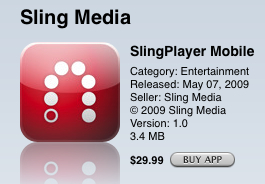
Do you have a Slingbox? Do you possess and worship an iPhone? If you answered yes to both of these questions, you are in luck because the Slingbox application, SlingPlayer Mobile has been released in the App Store.

ishot-107

Although this much anticipated app has been welcomed by everyone, there are a few gripes. First, the app is fairly expensive at $29.99; secondly, the application is limited to WiFi only and not 3G. Today I’m going to show you how to use SlingPlayer Mobile over 3G on your iPhone.

ishot-106

How to Use Slingplayer Mobile over 3G on your iPhone

**EDIT**: There is a new app in Cydia that will modify Slingplayer for you! It’s called Tricker ThreeG. Install it, and you should be able to watch Slingbox over 3G. Let me know how it goes!

This process is pretty straight forward if you have a jailbroken iPhone. It requires the installation of VoIPover3G and MobileSubstrate. If you were able to use follow my post on how to use Skype over 3G, then this should be a breeze for you.

1. Follow the instructions on this post to STEP 10.
2. Edit your voipover3g.plist file so it looks like the following by adding…

“com.slingmedia.SlingPlayer”

Here’s what my file looks like after making the changes:

Filter = {Bundles = (”com.Fringland.Fring”, “com.apple.AppStore”, “com.audiofile.Interstate”, “com.apple.MobileStore”, “com.skype.skype”, “com.slingmedia.SlingPlayer”);};

Here’s a picture:

ishot-105

3. Make sure your save your VoIPover3G.plist file.
4. Reboot your iPhone, afterwards you should be able to use Slingplayer Mobile over 3G!

I don’t have a Slingbox, so I have yet to test this app and this modification. However, this little hack should work as VoIPover3G is a great little utility.

If you own a Slingbox and iPhone, and are going to try this out, please let me know if you are successful or not! Now the big question remains…who wants to lend me their Slingbox? :)

Thanks to iPhoneDownloadBlog for the tip!

**Looking for an iPhone 3G/3GS case? Get the invisibleSHIELD by ZAGG, the strongest protection for your iPhone backed by a 30 day moneyback guarantee, lifetime replacement warranty, and FREE shipping! Use coupon code 'iphoneinca' for 20% off your purchase! Order today!**

Don't forget to follow iPhone Fan on twitter!

Posted under: 3rd Party Applications, App Store, How To..., Tips & Tricks, iPhone 3G

No related posts
Sign up for my iPhone in Canada newsletter and get access to the latest tips, tricks, and news that others won't!
  • darek
    Incase anyone is checking on here for 3.0 here is what I have to say:
    Tricker Three G has apparently been updated for 3.0 but still no luck for me. I've reinstalled Tricker, I've removed and reinstalled, restarted springboard, powered off and on the phone.

    btw, I'm using an iPhone 3G and it was working fine before 3.0.

    I tried the other way (on this page) and it worked.

    (the instruction don't mention that you also need to get OpenSSH from Cydia. I don't know if that was a given but I did not know that. I could not connect my computer to my phone without it.)
  • gecko
    Okay, so this is a total newb thing to ask but can someone tell me how to do this step by step from A to Z? I've never had a need to jailbrake my iPhone before but this is ridiculour to buy if I can only use it on WiFi. I currently have version 2.2.1 (5H11) on my phone if that matters. If there anything else I should know with a jailbroken phone? Anything I shouldn't do? Updates? Oh, and I have OSX on my computer if that matters.

    I know this is asking a lot but any help is appreciated. Even like, 'Do what this link says then what this link says' and so on. I'm nervous about jailbraking the phone...I don't want it to become a brick!

    Thanks!
  • xtinaisxxx
    not jailbreaking your phone is the dumbest thing you can do. you can always restore it back to factory settings (i jb my phone, restored, and re-jb it just to see if it was doable) if anything goes wrong. 2 of my friends restored back and sent back to apple for repair (lost pixels and silent/ringer thing broke). warranty was fine.

    to jb just google. instructions for mac and pc available. hey,if i can figure it out, anyone can.
  • Digiloo
    Hi, I can't access Slingplay for Iphone via Swedish Itune, I have a jailbreaked
    Iphone 3G, and I'm willing to pay the $30 if someone can tell how to download
    it.

    / Digiloo
  • jackmarbles
    There is another way to use slingplayer over 3G using Tricker ThreeG. Check it out at:

    http://www.iphonedownloadblog.com/2009/05/13/sl...
  • Jacob
    Yeah, I'm now thinking of getting Mophie Juice Pack Air now. A battery extender/case. If I am down at the beach my battery will go fast I'm sure. So it is Slingplayer $30 + Battery Extender $80 = $110, heh heh
  • generalinq
    Ya I noticed with orb it kills the battery so I'm guessing this may also.
  • Jonthan
    One thing is for sure it eats up the battery, about 1% a minute!
  • x00carly
    Awesome review! What is Slingbox though? Gah, I feel so outoftheloop!
  • Jacob
    I guess there is a new alternative to VoiPover3G. It's called Tricker Threeg and is supposed to work without having to modify the plist. Haven't tried it just informing.
  • Joost
    I'm curious... as we don't have unlimited data like AT&T how much 3G data will Slingplayer use before you get to 6 Gigs (which I assume most people grabbed while it was still available :) ).
  • xtinaisxxx
    uses like 5 mb a minute
  • generalinq
    I currently use orb live with a tuner card. Quality is good over 3g but gets pixely when there is fast motion like a sports game. No buffering or pausing at all. I wonder how fast motion looks with this app.
  • chandra
    hi...
    I didn't see the apps TRICKER THREE G on CYDIA..
    How to get it?
    Thanks
  • Jonthan
    This thing is great, edited list like the above thread mentioned and sure enough works like a charm, even pretty darn good over Edge!
  • Jacob
    OK, So I ran my first test. I took the iPhone out for a drive. It took 10 minutes to get to my destination. Slingplayer did NOT have to pause a buffer during my drive. Picture quality isn't the greatest but it is pretty good for what we are asking of it. The picture looks much better in a stationary place. On the way back home it paused to buffer a few times and depending on how long that takes it may skip ahead. I guess I should mention I am using a first gen Slingbox I purchased July 2005 connected to my Directv HD DVR. This is GREAT!
  • awesome! Thanks for letting us know. Hmm...maybe I need a Slingbox now!!! :)
  • Guest
    Cool cool
  • generalinq
    Can't wait to try. Everyone update us on the quality and if it works.
  • _Shorty
    I don't have a Slingbox, but I have an HTPC running Snapstream's BeyondTV, and I sure wish Snapstream would create some kind of front-end app for the iPhone. The people running Snapstream are blind fools, however, so I doubt anything will ever happen on this front.
  • lzthqx
    My issue was with 2.2.1 - if you are running 2.2 or greater, you must install "Backward Compatibility" for mobile substrate layer before installing VOIPOVER3G. If you forget, just uninstall, then reinstall after. (remember to re-mod your .plist if you uninstall/reinstall).

    Found this elsewhere.. it works now. (greekpaz22)
  • Awesome, thanks for the tip!
  • WORKS!!! THANKS!!
  • IcemanYVR
    I figured this would only take a day or so. Thanks for sharing the post :)
  • lzthqx
    Not working for me on Rogers.
  • Jacob
    I didn't see anywhere in my research the answer to the question, "does this make it ONLY use 3g or does it use wifi when available?"
  • This will enable 3G usage, but WiFi will work too.
  • Jacob
    Worked like a charm. I was not able to edit the plist in Cyberduck, however. I double clicked on the file and it down loaded it to my download folder. Then I navigated to the download folder and selected "open with" Text Edit. Then edited and saved. Then I dragged and dropped the newly modified plist file to the Cyberduck window. It didn't go into the proper file so once I drug it to the proper file it wanted to confirm overwrite, I said yes. Then I rebooted iPhone and it works like a charm, 3G coverage to determine really how well it works. Thanks for the step by step. I spent all night trying with but just couldn't get until I found this. I couldn't find the proper file path using Terminal.
  • Awesome, glad it worked! How is the Slingplayer app over 3G? Any lag? Quality?
  • xtinaisxxx
    over 3g, great. over edge, dunno.
  • Is a slingbox worth buying in Canada? I don't know much about them.
  • xtinaisxxx
    i have one; its awesome. it uses like 5megs of data a minute to watch the thing but i love watching tv on my iphone. i regularly watch it out of town (50 km away from my tv and slingbox) and still works great (on 3g, havent run into a place where i had to use edge network so not sure how that works yet). but ya, go for it.
  • I have some friends who have Slingboxes setup in Canada while they are overseas. They can watch and record shows and have full control on their computers while away. It would be useful if you're a die hard TV addict! :)
blog comments powered by Disqus
Sign up for my iPhone in Canada newsletter and get access to the latest tips, tricks, and news that others won't!
  • Get the best iPhone cases at OtterBox.com!
Blogroll

BackBeat Media