FINALLY!!!
Google has finally released Google Latitude for the iPhone and iPod Touch!
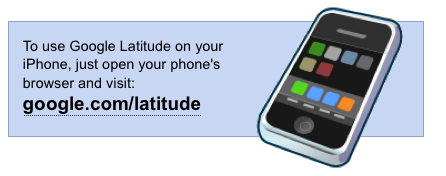
Google Latitude is delivered as a web app running in Safari and is available by navigating to http://www.google.com/latitude in Safari on your device or by simply tapping on the image below! Note that you will need to have firmware 3.0 running on your device.

Remember that you can quickly link to web apps, and in this case Google Latitude, by adding a bookmark to your device Home Screen. Just navigate to Google Latitude in Safari, tap the “+” symbol at the bottom of your device screen and then tap “Add to Home Screen”.
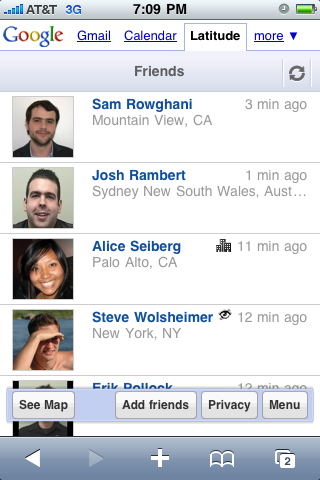

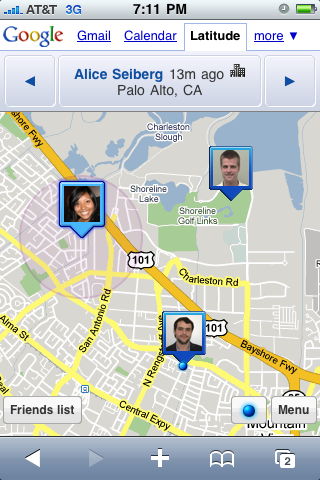
For those that are unaware, Google Latitude allows you to see and share the locations of yourself and your friends (with privacy settings) on a map. It also includes search and directions, something that we are all familiar with on the built-in Google Maps iPhone app.
Check out the release below from the Google Blog:
We worked closely with Apple to bring Latitude to the iPhone in a way Apple thought would be best for iPhone users. After we developed a Latitude application for the iPhone, Apple requested we release Latitude as a web application in order to avoid confusion with Maps on the iPhone, which uses Google to serve maps tiles.
Google, like Apple, continues to push for improvements in web browser functionality. Now that iPhone 3.0 allows Safari to access location, building the Latitude web app was a natural next step. In the future, we will continue to work closely with Apple to deliver useful applications — some of which will be native apps on the iPhone, such as Earth and YouTube, and some of which will be web apps, like Gmail and Latitude.
Unfortunately, since there is no mechanism for applications to run in the background on iPhone (which applies to browser-based web apps as well), we’re not able to provide continuous background location updates in the same way that we can for Latitude users on Android, Blackberry, Symbian and Window Mobile. Nevertheless, your location is updated every time you fire up the app and then continuously updated while the app is running in the foreground. And, of course, you can check in on where your friends are, so we think there’s plenty of fun to be had with Latitude. Learn more about updating and sharing your location from your iPhone.
The Google Latitude web app currently supports iPhone/iPod Touch OS 3.0 or above. For now, it’s available in the US, UK, Canada, Australia, and New Zealand, and we hope to bring it to more countries soon.
[Google]
You know what this means right? City wide hide ‘n’ seek here I come!



Is it just me, or did iPhone users get the short end of the stick ?
Bah, doesn't even work properly. It takes the location way too soon, before it even gets a GPS lock. It constantly shows me at some place downtown, almost 2km from my house. This is the same location that the Maps app shows when I first fire it up, which I imagine is just the quick/rough location it gets immediately from using cell tower data. The Maps app takes a few seconds, finally gets some GPS data, and then shows my location at home. But Latitude seems to just do a quick query of my location and accepts the first bit of data it gets from location services, and no longer communicates with location services, and says I'm at that highly inaccurate location. Practically useless.
Meh, Ill give it a try sometime. Nothing to special for me.
Looks pretty cool and works fairly well… now if only I had some friends…
Looks pretty cool and works fairly well… now if only I had some friends…
Meh, Ill give it a try sometime. Nothing to special for me.
Bah, doesn't even work properly. It takes the location way too soon, before it even gets a GPS lock. It constantly shows me at some place downtown, almost 2km from my house. This is the same location that the Maps app shows when I first fire it up, which I imagine is just the quick/rough location it gets immediately from using cell tower data. The Maps app takes a few seconds, finally gets some GPS data, and then shows my location at home. But Latitude seems to just do a quick query of my location and accepts the first bit of data it gets from location services, and no longer communicates with location services, and says I'm at that highly inaccurate location. Practically useless.