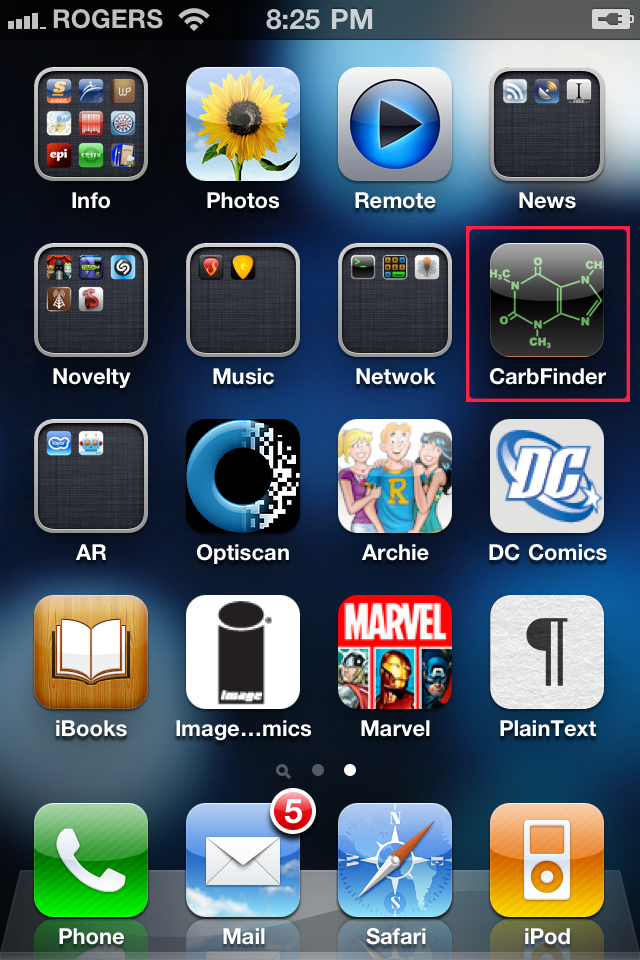
You have your beautiful new iPhone 4 and your home screen is being dominated by the ugly icon for that oh so necessary app sitting in the middle of your home screen or you just want to add a bit of personalization to the interface. What do you do? Change the icon of course. You don’t even need to jailbreak your phone to do it.
As usual the standard disclaimer that this can potentially cause irreparable damage to your iphone and neither myself nor iphoneincanada.ca can not be held responsible for any damage that should occur to your iPhone as a result of this tutorial. Only experienced users should attempt this. If you feel uncomfortable with any of the steps just don’t do it.
What you’ll need
- iPhone 4 ( this likely works with earlier revisions but I got rid of my 3G so I can’t test. If you were able to get this to work on a 3G or 3GS post in the comments)
- iPhoneExplorer obtained at http://www.macroplant.com/iphoneexplorer/ ( they have both windows and Mac Versions )
- a .png image to use as a replacement icon ( must be 72PPI 114 pixels by 114 pixels in size no transparency and no layers)
- 5-15 minutes
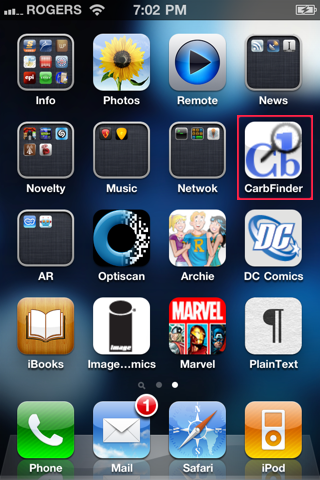
I’m going to replace the icon for the application “CarbFinder” on my iPhone
First step is to Fire up iPhoneExplorer and plug in your phone. (if your phone automatically syncs when you plug it in wait for it to finish syncing)
You should see you phone show up in the iPhoneExplorer window
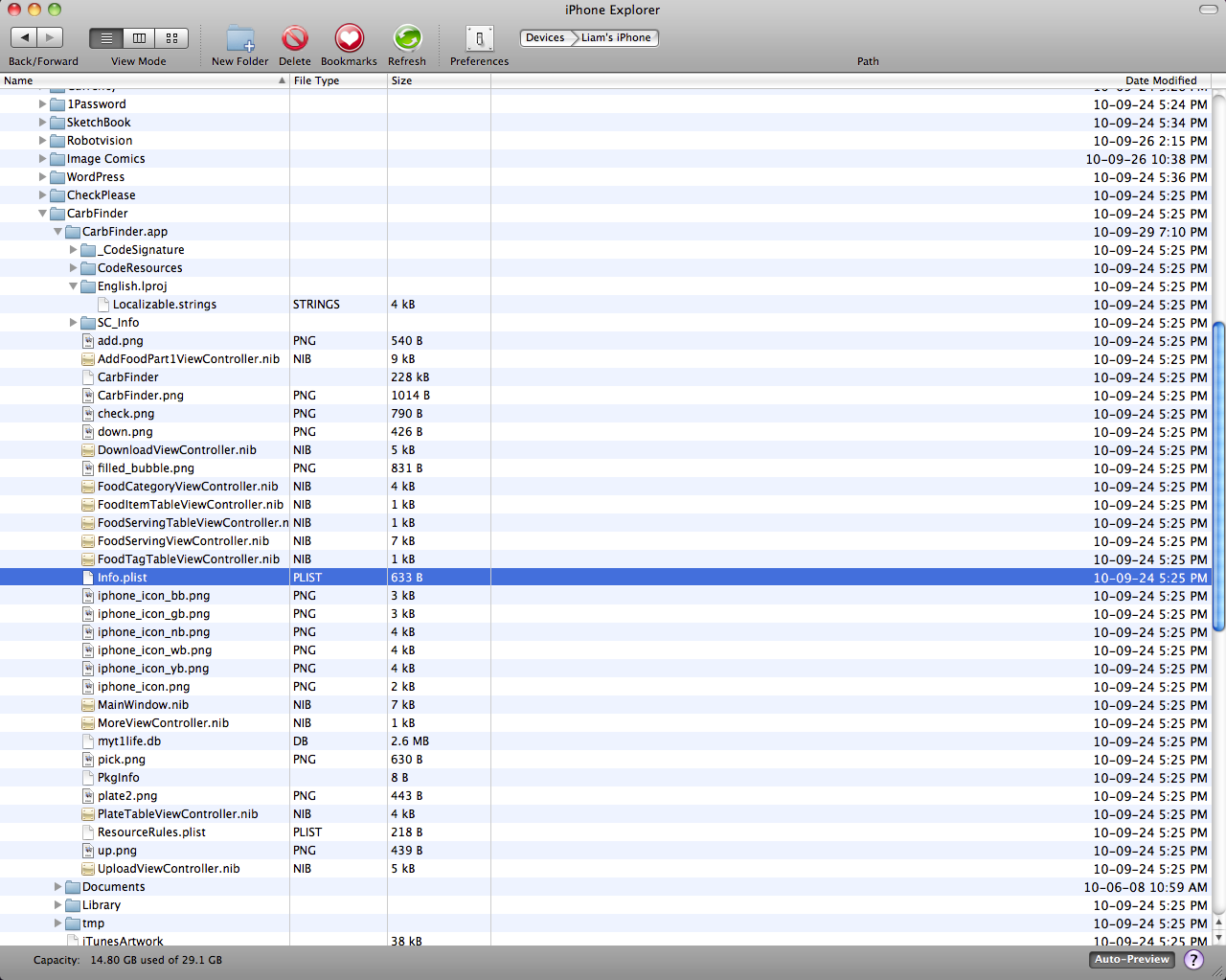
You need to browse down through “Apps” into the .app folder for the app you want to change the icon for. So for CarbFinder I needed to browse down to “/<My iPhone>/Apps/CarbFinder/CarbFinder.app”
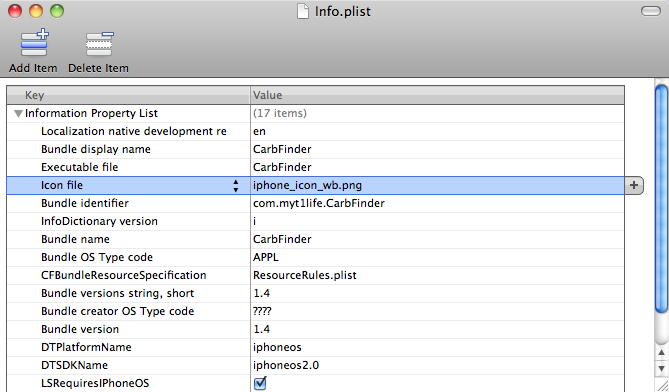
Look for the Key titled “Icon file” this is the file we’re going to be replacing. Note the file name listed in the “Value” here. In my case it’s “iphone_icon_wb.png” ( Substitute your filename wherever I use this name )
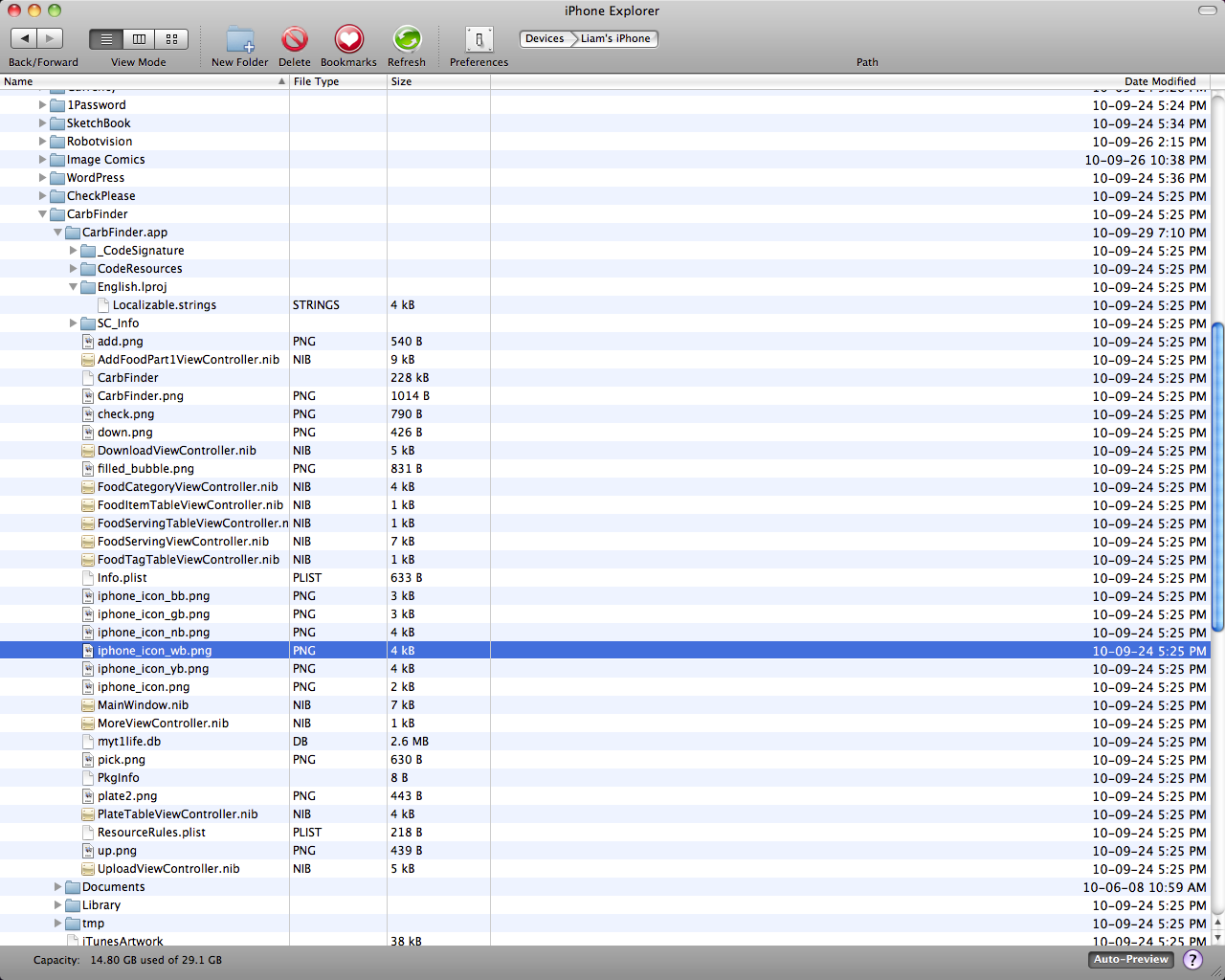
Find “iphone_icon_wb.png” in your .app folder using iPhoneExplorer and rename it.  I renamed mine “iphone_icon_wb_old.png” just ensure that no other file in that folder is using the same name.
Rename your new icon image to the original icon’s file name which in this example is “iphone_icon_wb.png” and then drag this file to the .app folder in iPhoneExplorer.
Restart your iPhone by holding down the home and sleep/wake buttons until you see the Apple logo. Once the phone finishes starting up you should see the new logo.

What Apps do you think need a new icon? Let me know in the comments.
And Remember this isn’t sanctioned by Apple, follow this tutorial at your own risk any damage caused to your iPhone is your responsibility not that of me or iphoneincanada.ca



I’m wondering… Maybe you can change the text tones using this method?
Can you use it to remove icons? Like Stocks & Weather?
That’s the method I used to change my incoming mail alert.
I didn’t test that but I see only 1 possibility. You remove the icon file (or rename it). I’d guess the app would actually maintain is place in the interface. But Would the Icon disappear or would it be replaced with a default icon of some type. I’ll give it a try later today and post back here.
I didn’t test that but I see only 1 possibility. You remove the icon file (or rename it). I’d guess the app would actually maintain is place in the interface. But Would the Icon disappear or would it be replaced with a default icon of some type. I’ll give it a try later today and post back here.
say -v “Cellos” “droid”
say -v “Cellos” “droid”
That is awesome , cant wait to try it
That is awesome , cant wait to try it
That is awesome , cant wait to try it
Can you change the folders icons?
They are really unpleasant.
Can you change the folders icons?
They are really unpleasant.
How do u change ur SMS alert to a custom tone?
You can NOT modify the default apps.
Icons do not have to be any specific size.
The phone will scale them as needed.
Can’t access the .app files. Keeps failing File or Directory not found when selecting any directory.
Can’t access the .app files. Keeps failing File or Directory not found when selecting any directory.
Can’t access the .app files. Keeps failing File or Directory not found when selecting any directory.
Can’t access the .app files. Keeps failing File or Directory not found when selecting any directory.
Can’t access the .app files. Keeps failing File or Directory not found when selecting any directory.
Can’t access the .app files. Keeps failing File or Directory not found when selecting any directory.
Can’t access the .app files. Keeps failing File or Directory not found when selecting any directory.
Can’t access the .app files. Keeps failing File or Directory not found when selecting any directory.
Can’t access the .app files. Keeps failing File or Directory not found when selecting any directory.
Umm well i understand how u think u r all too special because u found this out and it worked for u but what do u mean i should do it at my own risk
I mean is it dangerous???
Well i have something for u young folks
it certainly is dangerous
i tried it and then i got arrested and here i am 2 years later
i just got out of jail
i got in for “Stealing and changing copyrighted apps”
and also even if u want to take the risk which is automatic jail well it doesnt even work!
It didnt work but suddenly on my iphone an alarm started going off and a message popped up that said, well i would say it but since u all are young and all i will tell u when u get older
u r too young to hear this such phrase
I am John Gofman and i say dont do it!
Are you lying or not
Hi Liamm,
Just came across this article; great work!
What program are you using to view the .plist file? I’m on a Mac running OS 10.7 and the only things that work are Textwrangler and QuickLook, neither of which shows the file in as graphically clear a format as your example.
Cheers!